Answered
Turn off ability to adjust clip volume in timeline?
I frequently accidently drag that white line in the timeline which adjusts the clip volume. Is there a way to turn off that feature?
Thanks

I frequently accidently drag that white line in the timeline which adjusts the clip volume. Is there a way to turn off that feature?
Thanks
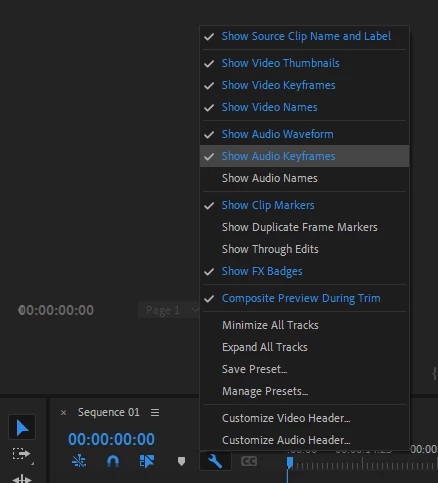
Yes, click on the wrench and un-check Show Audio Keyframes.
Already have an account? Login
No account yet? Create an account
Enter your E-mail address. We'll send you an e-mail with instructions to reset your password.


 AdChoices