
Participant
May 3, 2020
Answered

Twitter is interpreting my 1:1 videos as 16:9 - so I'm getting the dreaded white bars on either side

  • May 3, 2020
  • 4 replies
  • 2121 views

Hello lockdown editors!


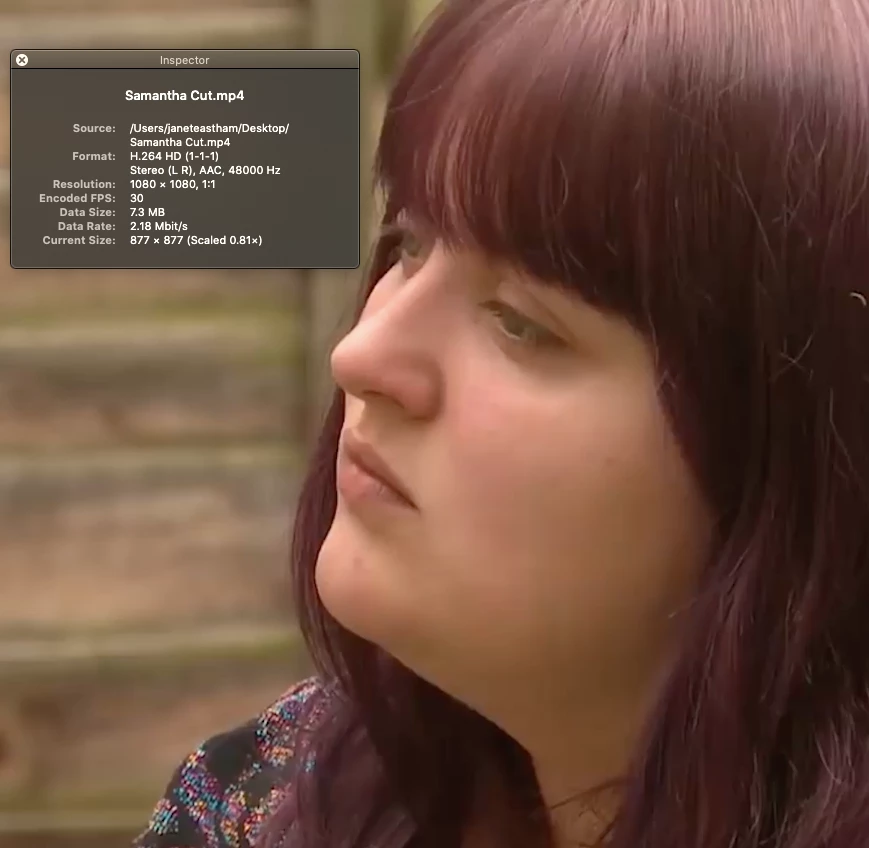
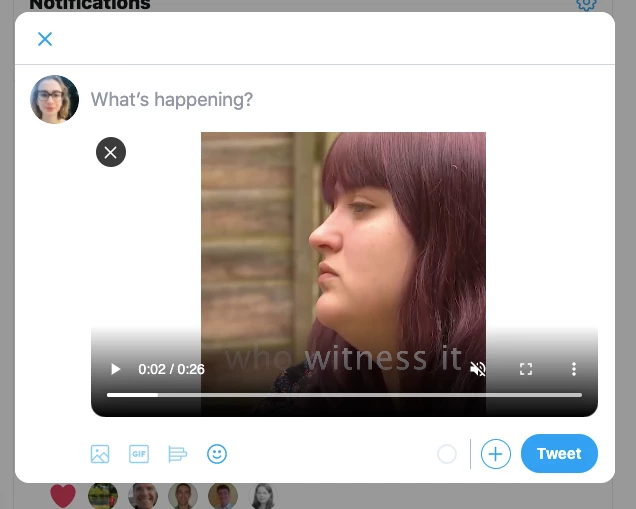
Can anyone help me troubleshoot this twitter video upload issue? This is the spec of the 1:1 video I'm trying to upload (exported using premiere twitter settings) and this is what happens when I try to tweet it! Horrible side bars! thank u!!
 

This topic has been closed for replies.
Correct answer Just Shoot Me

After viewing your screen shot I think that is normal. The viewer ratio is 16/9 so you will always have free space (white/black bars) on each side for videos/images that don't have that aspect ratio. Normal and nothing you can do about it.


Your original post sounded like Twitter was STRETCHING your 1:1 format to 16:9. It is not. It is showing it in its original format, 1:1.

4 replies

Ann Bens
Community Expert
Community Expert
May 3, 2020

Post screenshot export settings with left tab to output.

Participant
May 3, 2020

Thank you. Here: 


Participant
May 3, 2020

And these are my sequence settings:


Just Shoot Me
Just Shoot MeCorrect answer
Legend
May 3, 2020

After viewing your screen shot I think that is normal. The viewer ratio is 16/9 so you will always have free space (white/black bars) on each side for videos/images that don't have that aspect ratio. Normal and nothing you can do about it.


Your original post sounded like Twitter was STRETCHING your 1:1 format to 16:9. It is not. It is showing it in its original format, 1:1.

Just Shoot Me
Legend
May 3, 2020

Ask over on th Twitter support forums. This problem has nothing to do with Adobe.

Participant
May 3, 2020

I think you're right - apols!

Just Shoot Me
Legend
May 3, 2020

No need for an apology.

And if you read my other reply below there is nothing you can do and it is not a problem with either Adobe PP or anything on twitter. It is what iit is and the way it is supposed to be.

Ann Bens
Community Expert
Community Expert
May 3, 2020

Please embed your screenshots