


Participant
April 4, 2025
Answered

Two channels of my subtitles are not showing anywhere / Adobe Premier 2025

  • April 4, 2025
  • 1 reply
  • 286 views
Looking for this online, but I can't find a clear answer.
Out of nowhere, channels one and two are of subtitles no longer shown, and I can't make them appear again.

 
 
Also, there are active, since there are almost 1:50 minutes of "ghost" subtitles.
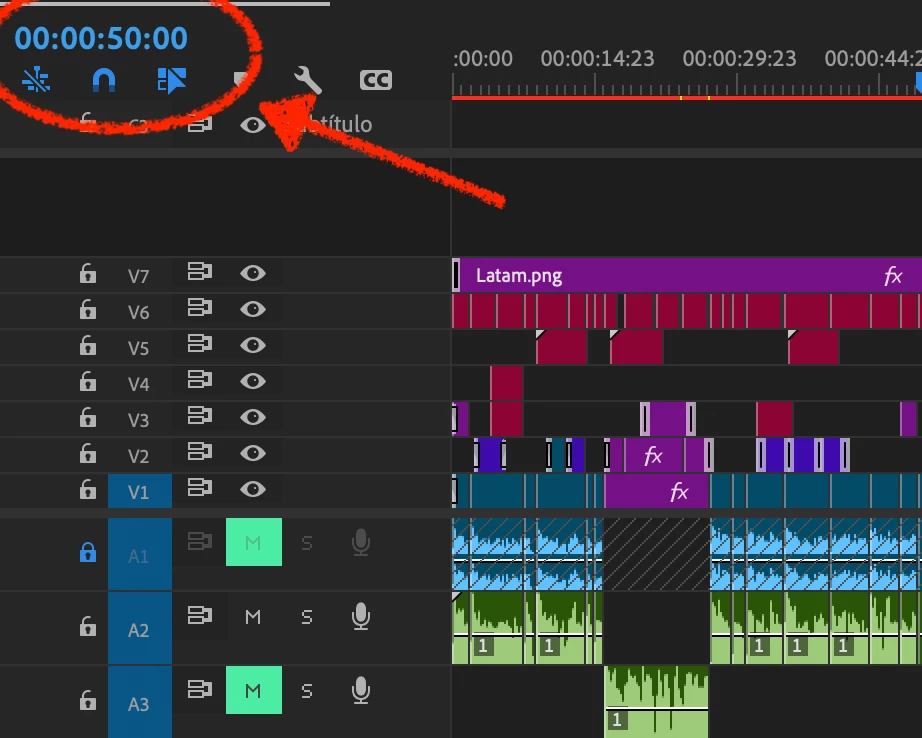
 
Any guide about this?


Correct answer PaulMurphy

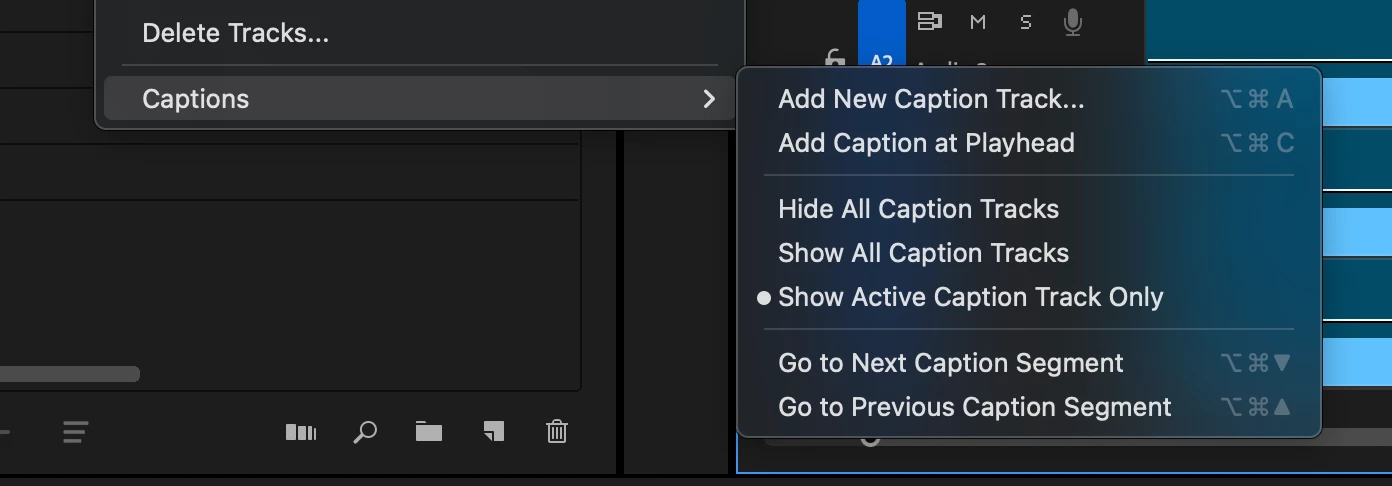
Check if Sequence > Captions > Show Active Caption Track Only is enabled.


When this option is turned on, only the active caption track will be visible in the Program Monitor. If you're working with multiple caption tracks, try disabling this setting to ensure all tracks are accessible and can be toggled as needed.

1 reply

PaulMurphyCommunity ExpertCorrect answer
Community Expert
April 5, 2025

Check if Sequence > Captions > Show Active Caption Track Only is enabled.


When this option is turned on, only the active caption track will be visible in the Program Monitor. If you're working with multiple caption tracks, try disabling this setting to ensure all tracks are accessible and can be toggled as needed.

Participant
April 7, 2025

Thank you!!!!  that was exactly what i need 🙂
