
Question
UI/Export Window issues making Premiere unusable
Every now and then, my Premiere Pro UI glitches out (see screenshot). When this happens, I can't drag elements around in the project window, or in the timeline. Usually, switching between workspaces fixes it temporarily, but it keeps coming back, seemingly at random.
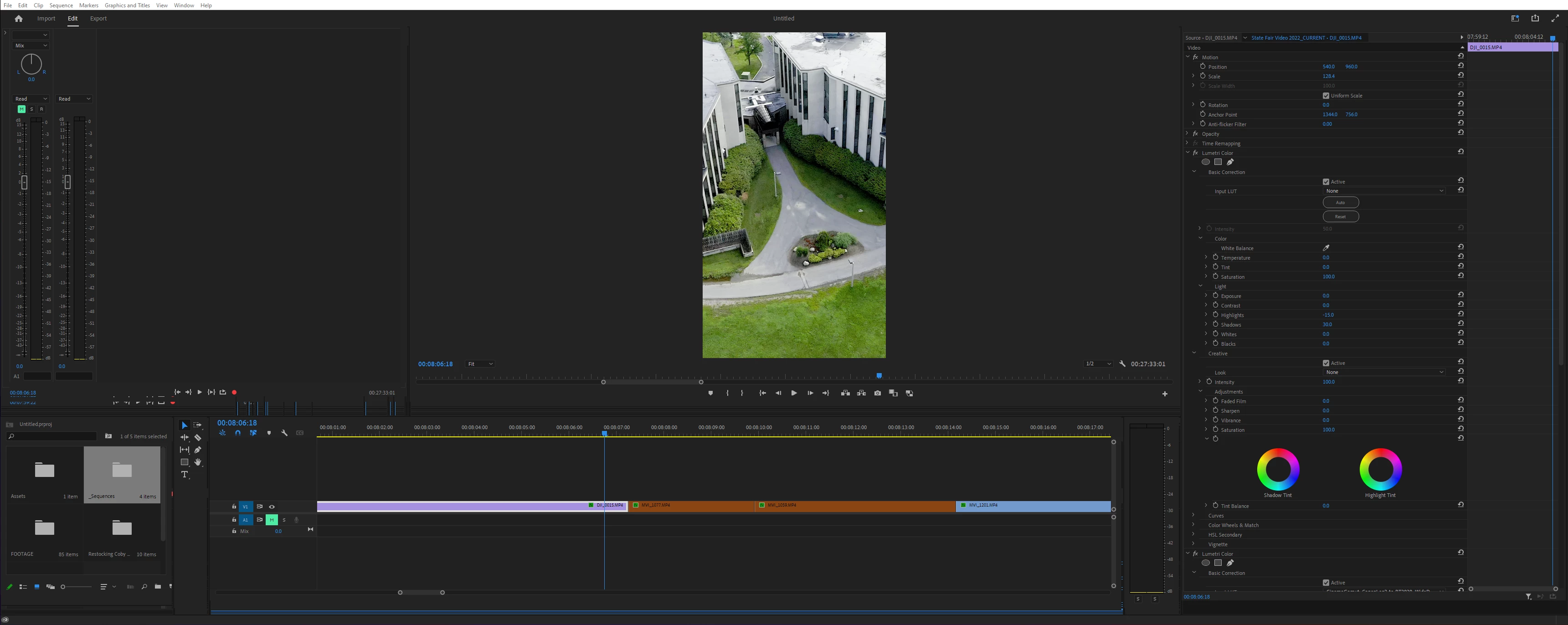
Not sure if it's related, but search/text bars generally don't work for me, and the Export window is abysmally slow/glitchy. Ever since they updated the Export window, it has been barely responsive, and it feels like I'm just brute forcing over and over until I get the settings I need.
I have tried:
- Restarting
- Resetting preferences
- Clearing the cache
- Resetting workspaces
- Downgrading from 22.5 to 22.4
- Importing my old project into a new one
Nothing seems to be working.
Windows 11 Home 64-bit
RTX 2080 Ti
AMD Ryzen 5 3600
32GB RAM
Thanks in advance.
 AdChoices