


Participant
April 1, 2025
Answered

UI GPU ACCELERATION PROBLEM

  • April 1, 2025
  • 6 replies
  • 313 views

Hi !! i've got an annoying display bug with Premiere Pro

As soon as i activate the UI GPU acceleration, i have this result :
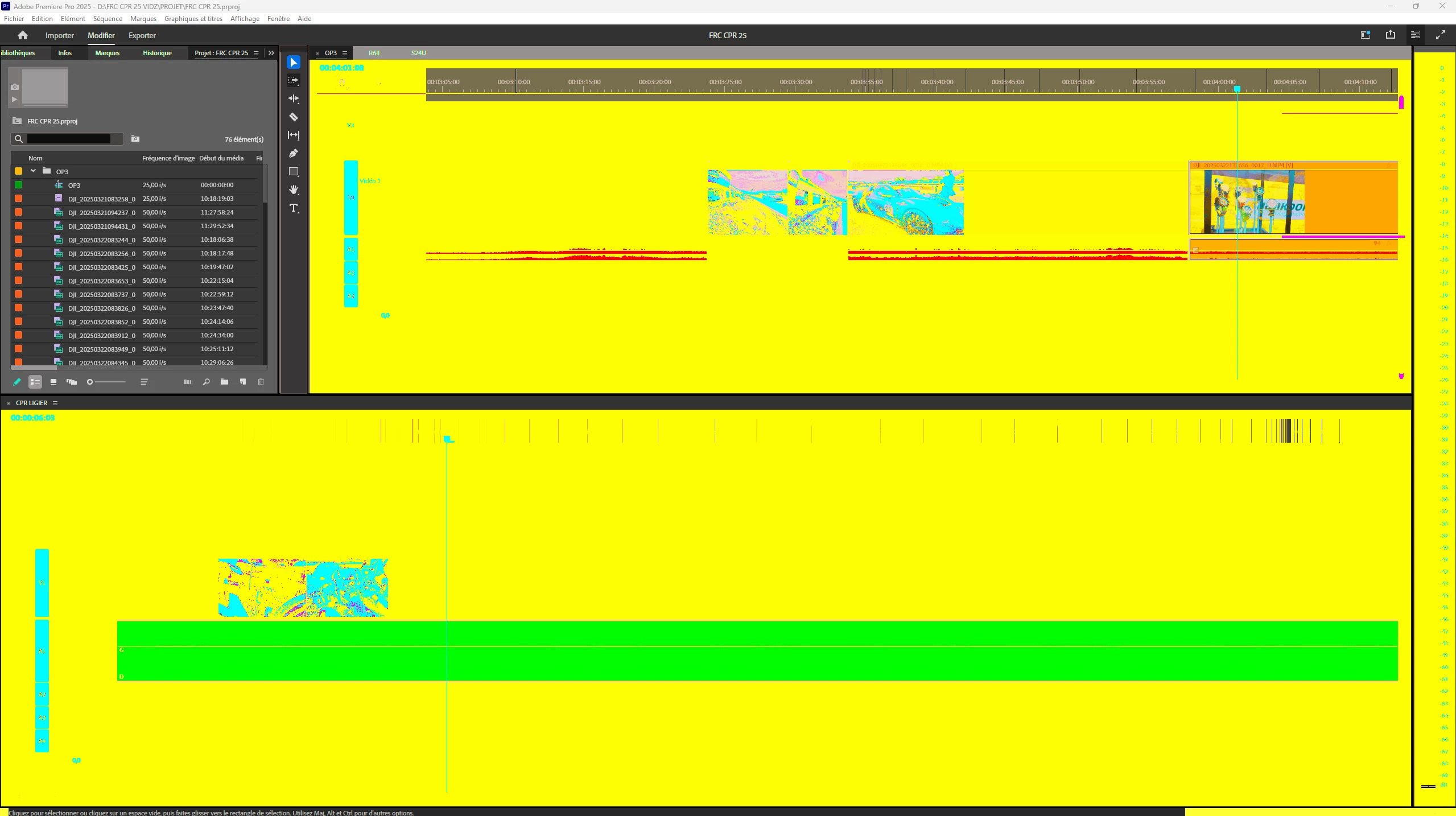
AMD RYZEN 7 5700X No OC

MSI B550 Gaming Plus

64gb RAM

3070 TI with up to date studio drivers

Dual 1440p display


As soon as i disable the gpu acceleration, my display is ok but it's lagging and i have sometimes artefacts on my monitor program

It works perfectly with the beta version but i don't have access to all my plugins

If someone has a fix for this problem, that'd be great


Correct answer Sboub

It's working now !!


If it can help, don't know if it can be realted but :

It was hidden but i had Sound Q installed, i uninstalled it. And i have updated my AMD chipset drivers to the latest version, restarted and it works fine now. 


Thanks for your help, cheers !!

6 replies

SboubAuthorCorrect answer
Participant
April 1, 2025

It's working now !!


If it can help, don't know if it can be realted but :

It was hidden but i had Sound Q installed, i uninstalled it. And i have updated my AMD chipset drivers to the latest version, restarted and it works fine now. 


Thanks for your help, cheers !!

jamieclarke
Community Manager
Community Manager
April 1, 2025

Hi @Sboub - Do you have any custom settings turned on in the Nvidia app or Nvidia Control Panel?  If you close all of your third party panels do you still have the issue?

SboubAuthor
Participant
April 1, 2025

GPU DRIVER Studio 572.83

Plugins, nothing exotic : AEJuice, Premiere composer, motion bro, motion array with the free bundles


I tried with launching Premiere with the shift key, nothing changed

jamieclarke
Community Manager
Community Manager
April 1, 2025

Hi @Sboub -  Can you let us know the exact gpu driver version you are using?  Which plugins are you using?  

Can you try holding down "SHIFT" while launching Premiere and check the boxes below, let us know if that helps your issue.  
"Reset plugin loading cache"
"Disable third-party plugins (one-time only)"


SboubAuthor
Participant
April 1, 2025

Hi Matt, thanks for answering, i go to Preferences and :


i'm french sorry 🙂

mattchristensen
Community Manager
Community Manager
April 1, 2025

@Sboub what exactly are you doing when you are activating or disabling "UI GPU acceleration"? What steps do you take, what do you click on, etc. Thanks!