

Answered
Ultra Key not removing non-green background on Win 10
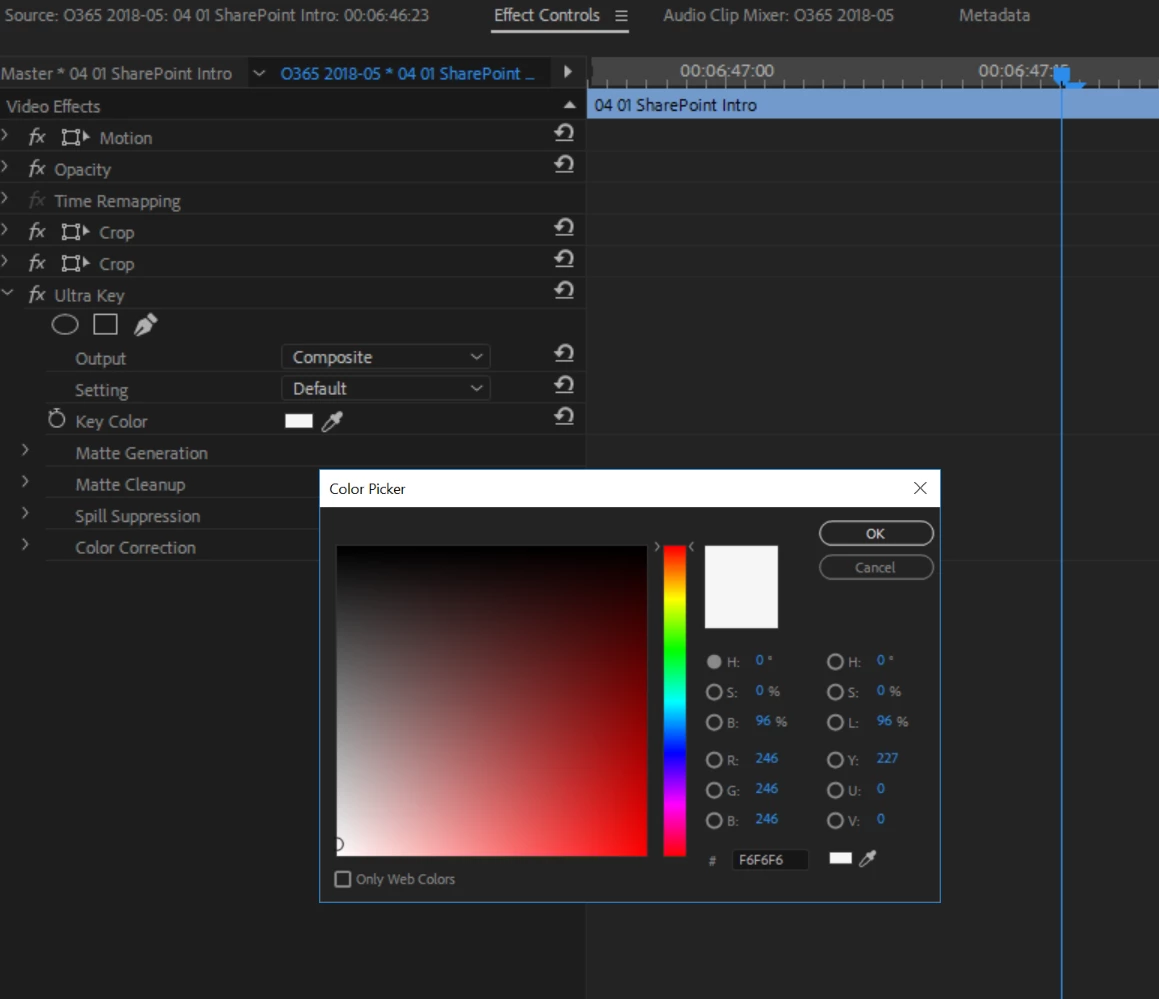
I'm using Premiere Pro vs 12.1.1 (Build 10) on Windows 10. I've applied Ultra Key to a short clip and am attempting to remove a non green background. (#F6F6F6 / R246 G246 B246). I've set the color manually in the Ultra Key Color Picker. The background color persists as if there is no Ultra Key applied. I've reset the Premiere preferences but that had no effect. I've rendered the sequence effects, again no effect. Am I missing something? All the directions and tutorials I've found indicate that this should be working but the background color persists, blocking the background I want to show behind my subject.
 AdChoices