
Participant
February 18, 2018
Answered

Unable to Change Export Settings

  • February 18, 2018
  • 4 replies
  • 2577 views

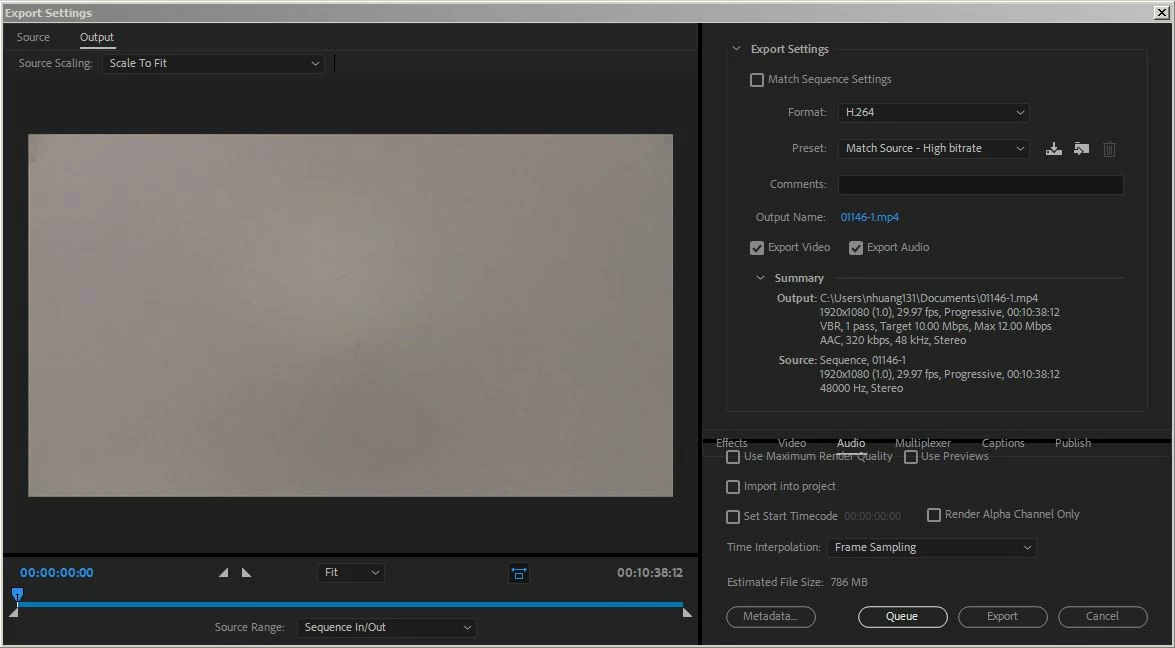
I'm trying to change some of my export settings, but I can't click on any of the tabs labeled "effects," "video," "audio," "multiplexer," etc. It's currently shown that I've selected "audio," but I can't see any of the options under it. Is this just some sort of glitch, and does anyone have any ideas on how to fix it?

Any help would be appreciated. Thanks!
This topic has been closed for replies.
Correct answer Meg The Dog

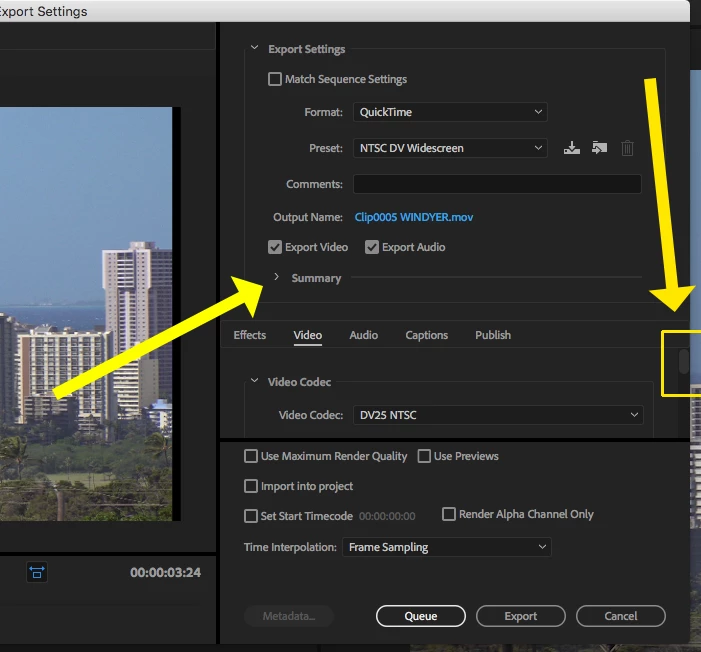
Either make the Export Settings Pane larger, or click on the ">" next to Summary to close the Summary Pane, and look for the scroll bar (it will be tough to see)  that will appear at the right edge of the pane with Effects, Video, Audio, Captions:

MtD

4 replies

Participant
August 15, 2020

Meg_The_Dog    Thank you. This works. After scratching my head, watching youtube videos for an hour, you finally solved it for me. I never even noticed the Summary > was pointing down, and needs to be clcked on to have it poit to the right, to expose the contents of the audio and video selection choices.

Ann Bens
Community Expert
Community Expert
February 18, 2018

Your display does need to meet min. requirements of 1280x800.

Ann Bens
Community Expert
Community Expert
February 18, 2018

Reboot the program. Seen this happen with the Source Monitor.

Meg The DogCorrect answer
Inspiring
February 18, 2018

Either make the Export Settings Pane larger, or click on the ">" next to Summary to close the Summary Pane, and look for the scroll bar (it will be tough to see)  that will appear at the right edge of the pane with Effects, Video, Audio, Captions:

MtD

nhuang131Author
Participant
February 18, 2018

Thanks so much! This fixed it.