
Participant
April 2, 2025
Question

Unable to change source to S-LOG 3
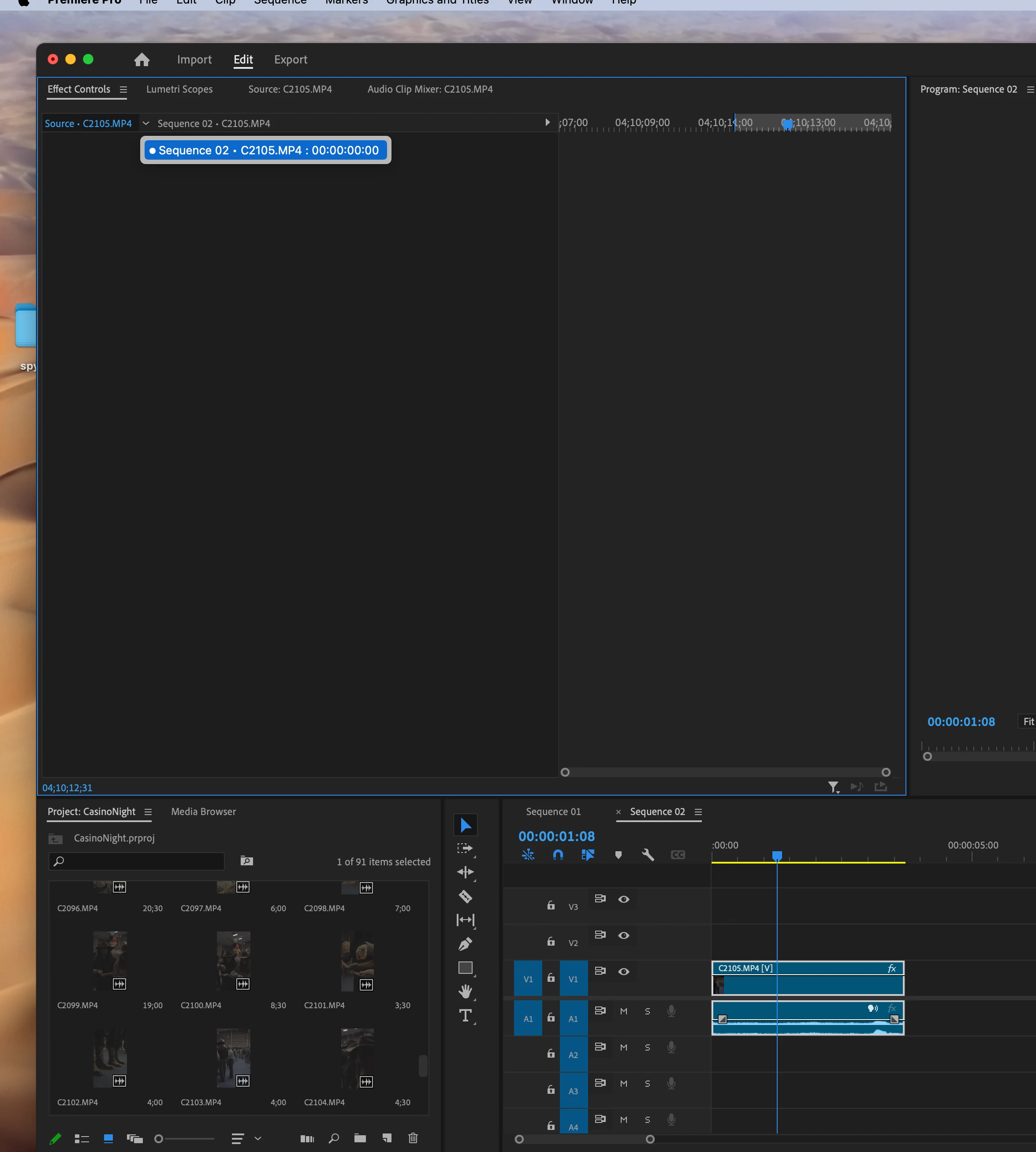
  • April 2, 2025
  • 2 replies
  • 180 views

 When clicking on a clip, I typically go over to the top left corner in the Effect Controls Panel + use the source drop down box to change it to S-LOG --> As you can see in this screenshot, you click the source and there is no drop down box to switch it. 
How do I get my settings correct to where I can do this? 

2 replies

Fergus H
Community Manager
Community Manager
April 2, 2025

@Katie36907625cti0 The answer to your question depends on what version of Premiere Pro you're on. We actually released a new version today, that has major improvements to color management. It is version 25.2, and we definitely suggest you upgrade. 


Also, regardless of what version you are on, changing color space is not normally done in Source Settings. It is done there only for raw formats and, from your screen capture, your files are not raw. 


This screen shot is from v25.3 and might help you: 


The settings I've highlighted in red (which are from v25.2) will enable Premiere Pro to read the color space of your footage and make sure it looks good in a Rec. 709 timeline. 


Happy to dive into more detail if it's useful. 


Regards,

Fergus

R Neil Haugen
Legend
April 2, 2025

Set color management in the correct space where all CM controls are available ... the Lumetri panel's Settings tab. That's where they've moved all CM to, though you can still hit a couple in the Modify/Interpret Footage dialog.


The CM is so extensive, with so many different options, we really need to be careful of setting the entire chain correctly anymore.

Everyone's mileage always varies ...