
CRDNTS
Participant
December 5, 2022
Answered

Unable to Scroll within effects panel on specs (position, scale, etc.)

  • December 5, 2022
  • 5 replies
  • 524 views

Hi, 


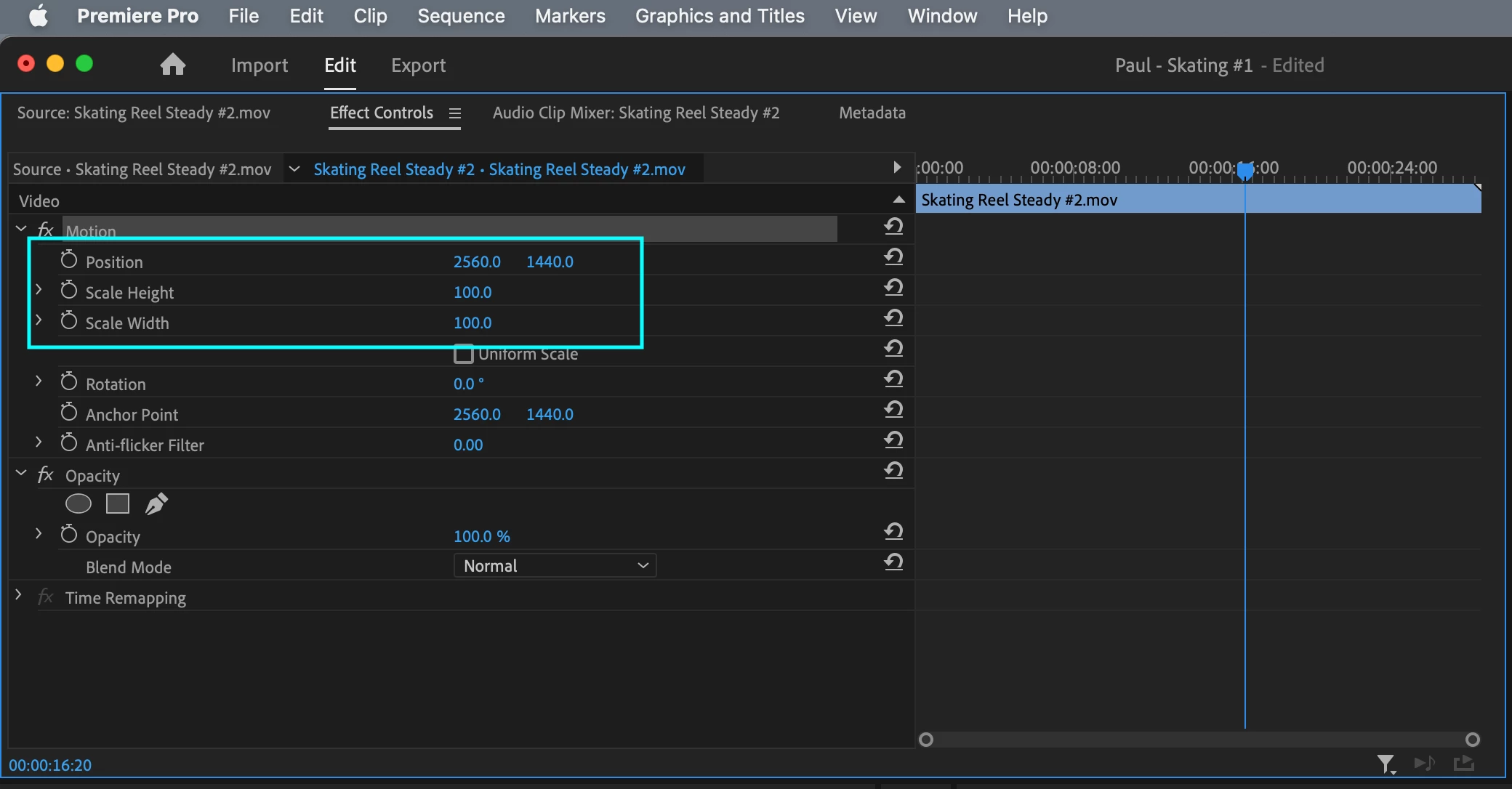
I am currently unable to use the hozinzantal scroll feature within the effects panel when adjusting a clip's specs (position, scale, etc.) I can only type in the new adjusted number. Is there a way to unlock this scroll feature? I am currently using Premiere Pro version: 23.0.
This topic has been closed for replies.
Correct answer CRDNTS

@Kevin-Monahan I did some digging & found this fourm: https://community.adobe.com/t5/premiere-pro-discussions/premiere-pro-effect-controls-slider-not-working/td-p/10924362/page/2


I ended up just resetting my macbook and boom, back to normal! Glad this was an easy fix. Thanks for laying eyes on my question 

5 replies

Kevin J. Monahan Jr.
Legend
December 6, 2022

Cool. Thanks for reporting back.


Kevin

Kevin Monahan - Sr. Community and Engagement Strategist – Adobe Pro Video and Audio
CRDNTS
CRDNTSAuthorCorrect answer
Participant
December 6, 2022

@Kevin-Monahan I did some digging & found this fourm: https://community.adobe.com/t5/premiere-pro-discussions/premiere-pro-effect-controls-slider-not-working/td-p/10924362/page/2


I ended up just resetting my macbook and boom, back to normal! Glad this was an easy fix. Thanks for laying eyes on my question 

Kevin J. Monahan Jr.
Legend
December 5, 2022

CRDNTS,

You can drag the wireframe in 10% size, but you're right. That slider should not be locked at 200%. v.23 on macOS Monterey. I'll upvote.


Thanks,

Kevin

Kevin Monahan - Sr. Community and Engagement Strategist – Adobe Pro Video and Audio
CRDNTS
CRDNTSAuthor
Participant
December 5, 2022

That will only help to a certain point. For example, the scale slider will only go to 200%

Community Expert
December 5, 2022

Does clicking on the arrow to the left of the stop watch open up the option that you're looking for?