O5ive
Participant
June 12, 2021
Question

unable to use mouse to drag numbers
  • June 12, 2021
  • 3 replies
  • 1602 views


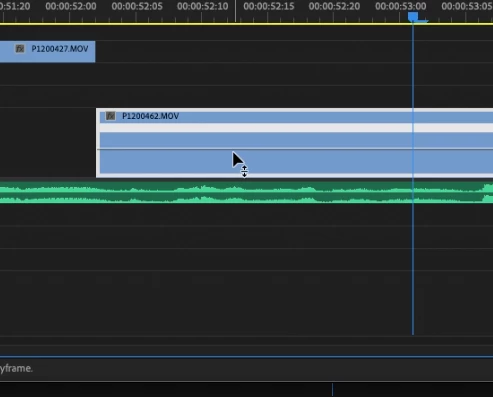
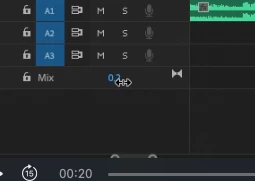
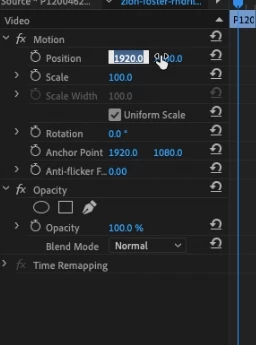
Hi guys, I am unable to use my mouse to drag left or right, only seems to work with the mix. It won't let me change the speed on the actual sequence unless I right-click. 


This topic has been closed for replies.

3 replies

Ann Bens
Community Expert
Community Expert
June 12, 2021

If you just want to drag the numbers, dont select the property, just drag.

As for time remapping, you cannot drag the speed, you drag the velocity line up or down.


As for the mix you drag the line up and down.


Peru Bob
Community Expert
Community Expert
June 12, 2021

Try resetting the preferences:
https://community.adobe.com/t5/premiere-pro/faq-how-to-reset-trash-preferences-in-premiere-pro/td-p/8236158?page=1

If that doesn't work, try resetting the Workspaces:
Reset a workspace
Reset the current workspace to return to its original, saved layout of panels.
1. Do one of the following:
• Click the Workspace menu icon and select Reset to Saved Layout.
• Choose Window > Workspace > Reset to Saved Layout.
from here:
https://helpx.adobe.com/premiere-pro/using/workspaces.html

If that doesn't work, try Preferences > Audio Hardware and set Input to None.

If that doesn't work, try creating a new project and import the old one into it.

Also, please help us help you:
https://community.adobe.com/t5/premiere-pro/faq-what-information-should-i-provide-when-asking-a-question-on-this-forum/td-p/3929027?page=1

Peru Bob
Community Expert
Community Expert
June 12, 2021

I had that happen to me. Make sure that your Num Lock is on.

O5ive
O5iveAuthor
Participant
June 12, 2021

Hi Peru, 

I have a mac. I tried to locate that and found nothing turned off the keyboard and still the same issue. 


Thanks