

Unrecoverable HANG during render in Premiere Pro 2020 (Mojave or Catalina)
This 18 second video (https://youtu.be/OClHhsjLv8k) creates unrecoverable hang at 39% of the render using Premiere Pro 2020 (ver 14.0) but the exact same project render succeeds in Premiere Pro 2019 (ver 13.1.5). Here are the details:
When I say "Unrecoverable HANG", I mean complete unresponsiveness of the computer. Mouse doesn't move. Cannot perform the keyboard shortcuts to perform a Force Quit <Command + Option + Esc>. Cannot switch to a different application. Cannot open Activity Monitor. NOTHING. Only option is to perform a HARD SHUTDOWN by holding down the power button.
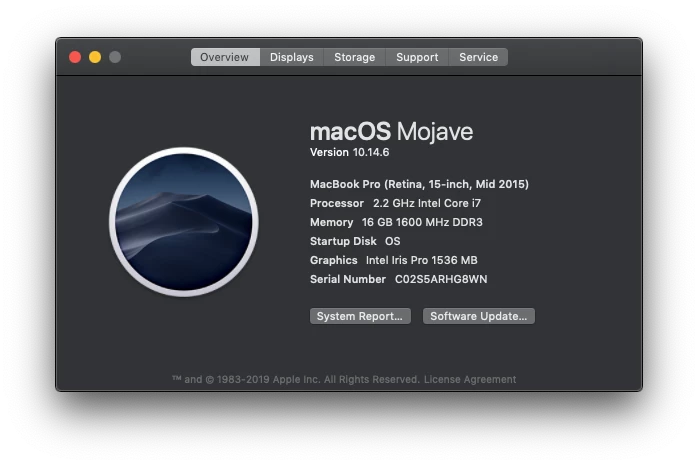
With the black cloud hanging over MacOS Catalina I assumed this was the culprit. Downgrading to MacOS Mojave (not fun, easy, or quick) produced the same result. By the way, it hangs whether rendering inside Premiere Pro or queuing to Media Encoder 2020. Either method using either OS results in the same unrecoverable hang. I have not tested/compared GPU Acceleration (Metal vs. Open CL). Testing occurred on fresh SSD reformat and installation of Mojave with Premiere Pro and Media Encoder 2019 and 2020 being the only additional applications.
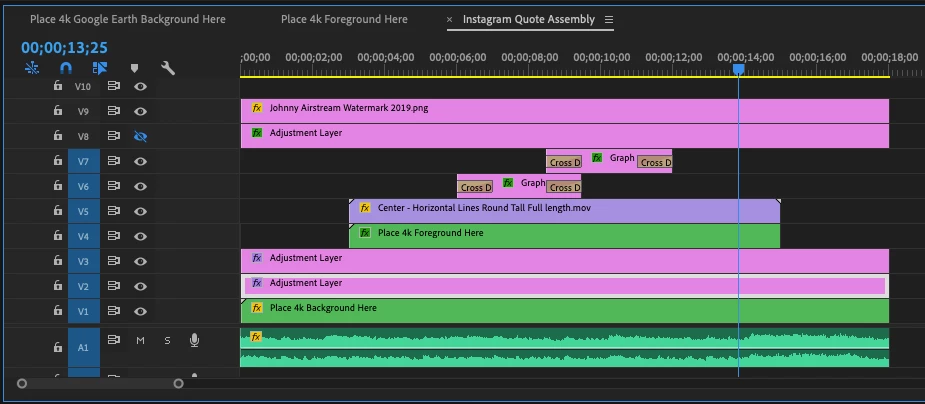
The minor list of effects used in this nested sequence include: time remapping, increased color saturation within Lumetri Color, Track Matte Key (Matte Luma), and Gaussian Blur.
 AdChoices