


Participating Frequently
July 18, 2016
Answered

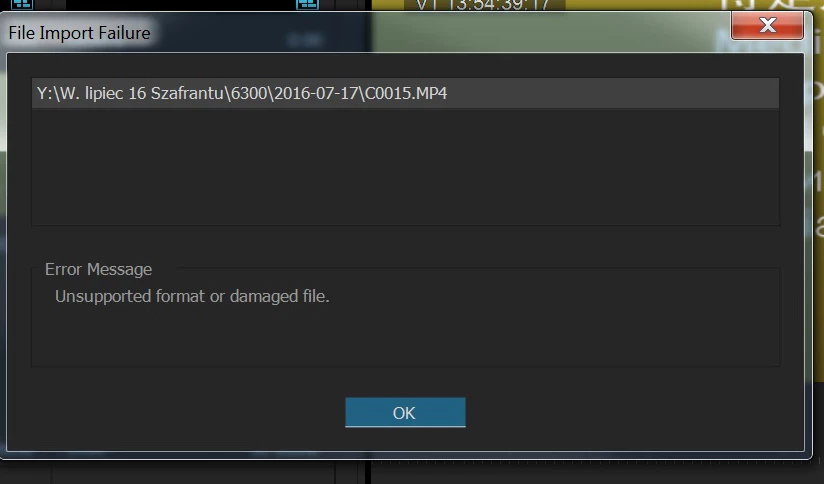
Unsupported format or damaged file

  • July 18, 2016
  • 6 replies
  • 66453 views

Premiere CC does not read mp4 files (xavc s) from Sony A7S II. It is informing about folowing error: "Unsupported format or damaged file." This problem occured suddenly. Earlier (I bought this type of Sony one year ago)I have had never such kind of errors or problems. I had to start working on Premiere CS6, which reads mentioned files without any complications. How can I eliminate this fault and how can I load my mp4 files into Premiere CC? I would be very appreciate for any help and quick response as I use Sony and Premiere on my daily basic as a work tools. email: z.irzyk@op.pl

    Correct answer Vinay Dwivedi

    Good point Vinay Dwivedi . My Media Cache is on a different disk because the C drive was filling up very quickly . Media Cache purify from time to time . However, it resulted in a repair program.


    Hi,

    Have you tried to change the location of the Media. So, make anew folder and try to move all the files inside it and then link them again.

    //Vinay

    6 replies

    Participant
    June 18, 2025

    hi

    still not working


    Nagls
    Participant
    January 28, 2023

    non of these actions resolved my issue: "unsupported format or damaged file"

    Nagls
    Participant
    January 28, 2023

    I had to create a PPT with MS Office online, add the images, and then save as a pdf and download and then was able to import the new images as a jpeg. I suggest to anyone hence forth trying to use software to change the format and try again.

    Participant
    December 11, 2019

    u saved my life man, thank u 

    Participant
    September 20, 2017

    Thanks for your advice. It allow me to continue a project that I thought had been damaged.

    Legend
    July 18, 2016

    From the PP Help menu, sign out of your account.  Close PP and the CC desktop app.  Restart the CC desktop app and sign back in.

    Participating Frequently
    July 18, 2016

    I have not tried this before . Unfortunately, this method does not work . Thanks for the suggestions.

    Sheena Kaul
    Community Manager
    Community Manager
    July 18, 2016

    Moving to Premiere Pro

    Participating Frequently
    July 18, 2016

    It is better to change the Adobe for something else. It will be the end of problems .

    Vinay Dwivedi
    Adobe Employee
    Adobe Employee
    July 18, 2016

    Hi,

    Have you tried cleaning the Media Cache?

    Go to the below default location and delete all the files. Make sure Premiere Pro and other Video/Audio apps are closed.

    For MAC: MAC HD>Users>Username>Library>Application support>Adobe>Common>Media Cache and Media Cache files.

    For Windows: C:\Users\dwivedi\AppData\Roaming\Adobe\Common/Media Cache and Media Cache files.

    //Vinay