Participant
June 1, 2022
Answered

Unwanted brightness added on export (Version 22.4.0)

  • June 1, 2022
  • 3 replies
  • 670 views

Hello,


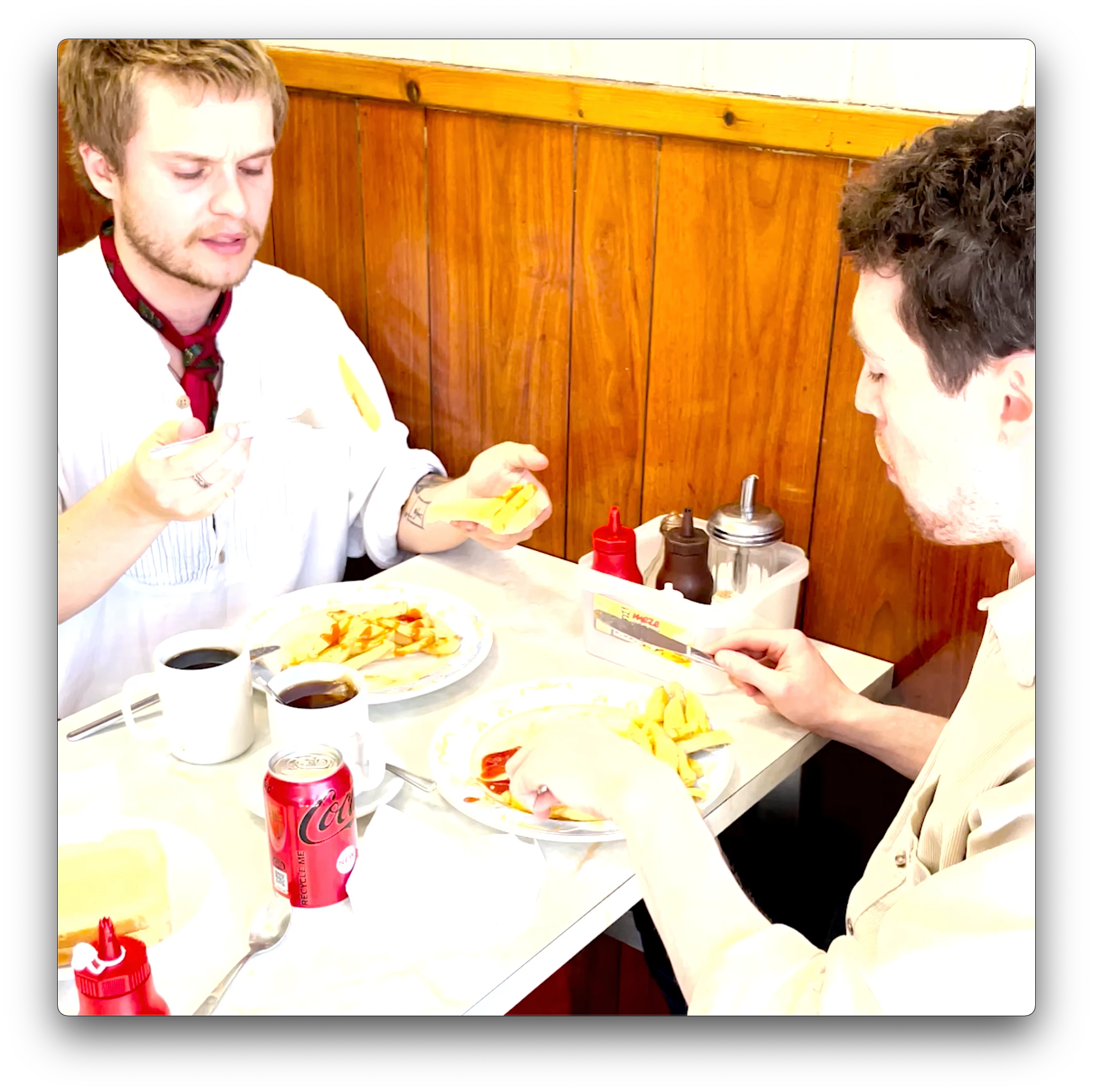
I haven't changed any settings since my previous successful export but every single export that I do now adds unwanted brightness to the video. Any recommendations would be appreciated.


 System Version: macOS 11.6 (20G165)
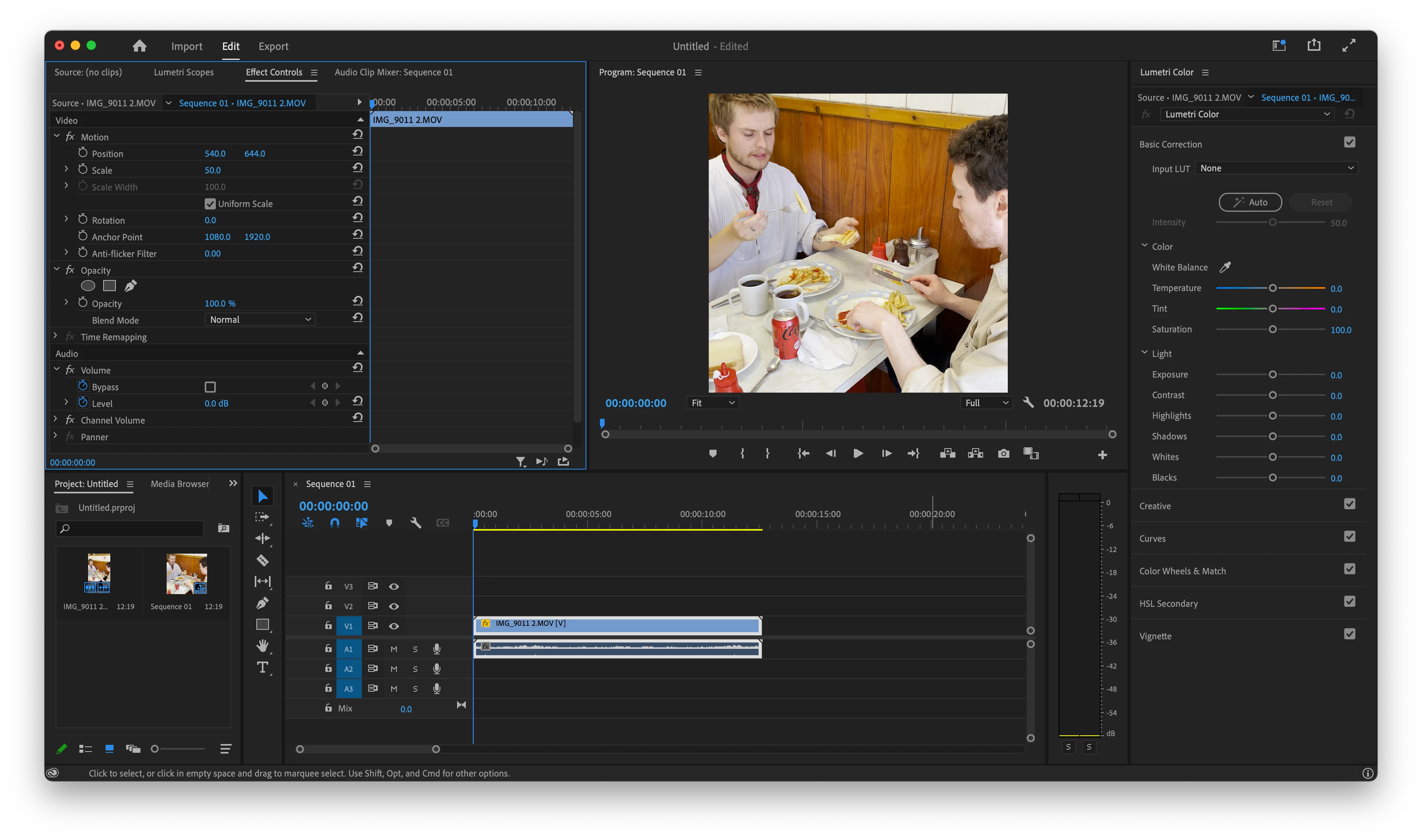
 

Before Export

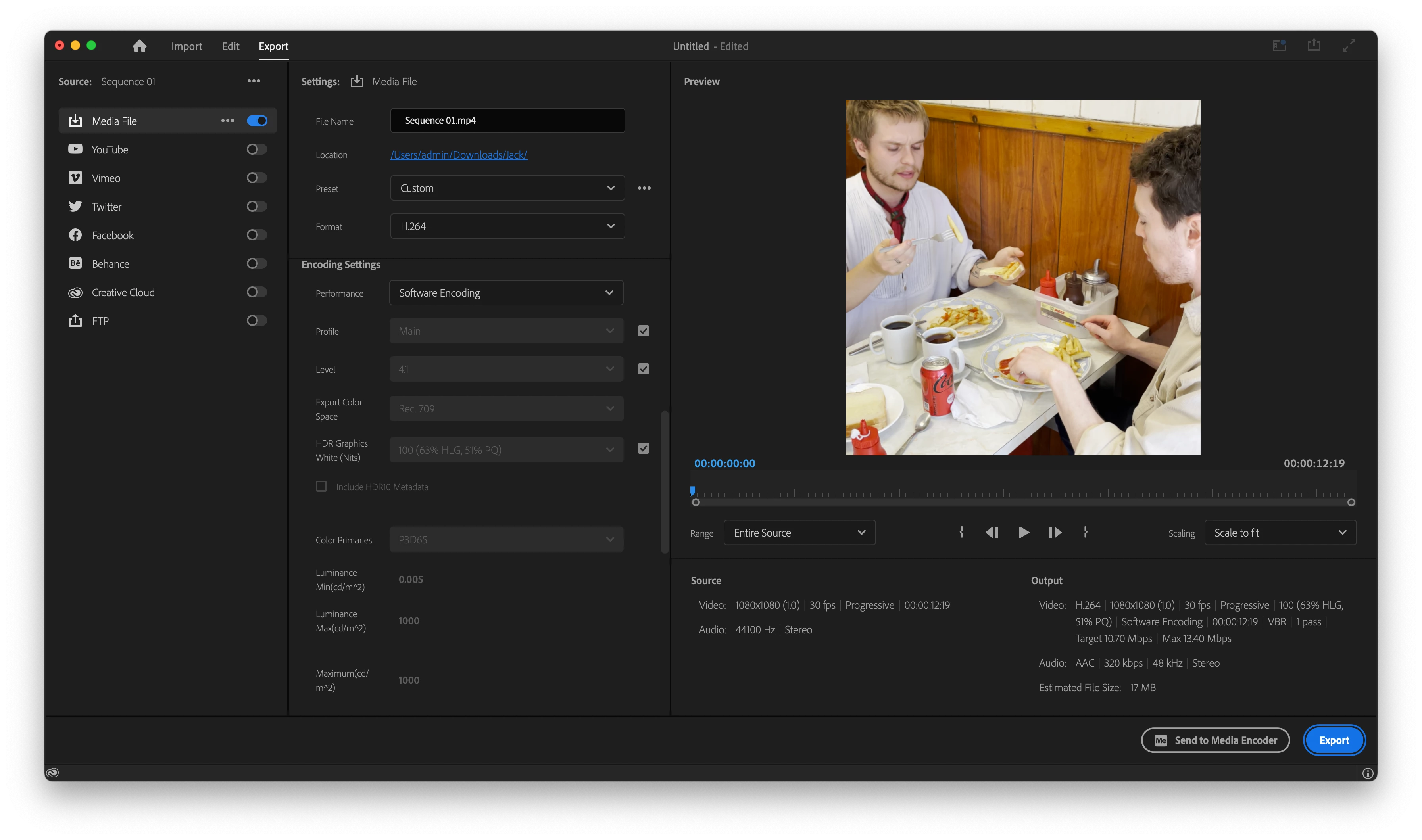
Export SettingsAfter Export 

This topic has been closed for replies.
Correct answer Ann Bens

Set Profile to High10, that will activate the setting of the color space.

3 replies

R Neil Haugen
Legend
June 1, 2022

As Ann's links will tell you ... if you have HLG media plopped on a Rec.709 timeline, this happens.


You can grade the media to 'fit' the program monitor, but at export Premiere still makes a file with full HDR range for that clip, which is what you're seeing.


For all HLG clips, in the project panel/bin, right-click/Modify/Interpret Footage, set the Override option to Rec.709.


Neil

Everyone's mileage always varies ...
Ishan Y
Inspiring
June 1, 2022

Hey AlexCollins,


Sorry for the problem. Could you tell us which colour space are the source files using? Please share a screenshot of your sequence settings as well as the video properties if possible. Is the issue happening with this specific file or all of them?


Regards,

Ishan

Participant
June 1, 2022

Hi Ishan,


These are the source file properties:


Type: MPEG Movie

File Size: 37.79 MB

Image Size: 3840 x 2160

Frame Rate: 30.00 Source

Audio Format: 44100 Hz - Compressed - Stereo

Project Audio Format: 44100 Hz - 32 bit floating point - Stereo

Total Duration: 00:00:12:19

Pixel Aspect Ratio: 1.0

Alpha: None

Color Space: Rec. 2100 HLG

Color Space Override: Rec. 2100 HLG

Input LUT: None Video Codec

Type: HEVC 10 bit 4:2:0


Here is a screenshot of the sequence settings:

I believe I may have found the problem but I don't know how to fix it. In a screenshot of the export settings below you can see that the export ColorSpace is Rec. 709 which differs to the source and sequence ColorSpace settings which are Rec. 2100 HLG.


So now the question is, how do I change the export colour space setting to match the sequence setting?

Ann Bens
Community Expert
Ann BensCommunity ExpertCorrect answer
Community Expert
June 1, 2022

Set Profile to High10, that will activate the setting of the color space.