
Unwanted glitch Sony FS5II Footage - Frame substitution recursion error
I've tried everything that I have seen in this FAQ forum, but nothing works. Original footage does not have the glitch, but it never fails to glitch when working on a project and permanently ruins the footage upon building my project larger. This glitch is visible upon export and is costing me a lot of time to troubleshoot. This issue never fails to happen with this camera. I never have this issue with any other Sony camera whether it be the FX30, 3, or 6, Sony A1, A7III, A7sIII, or the A7rIV. At this point, I have tried everything from switching codecs to time codes and frame rates. I have tried deleting my Media cache, closing the project, reopening the project, deleting the render files, and rendering again. Closing the project, and creating a new project to import the project that I was working on in the new project, nevertheless, it failed me time and time again. Using a H264/HEVC encoder.
More about the FS5II camera, shot in XVAC QFHD, REC: 2160/24P 100MBPS. Proxy rec mode ON - 1280x720 (Proxies were attached to original footage upon export)
Video out: SDI/HDMI: 2160P/1080P/480i, Video Output: 24p/30p
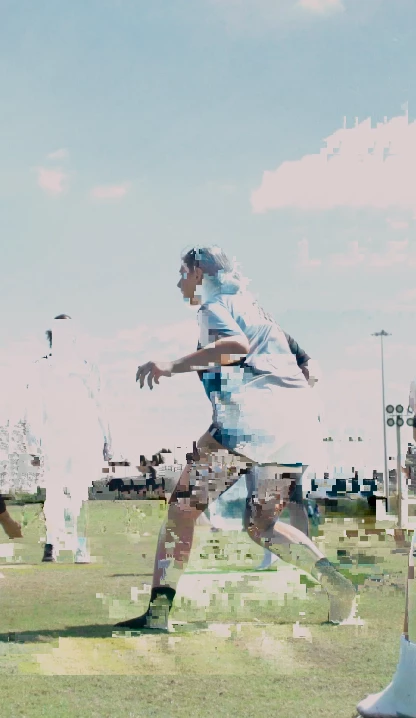
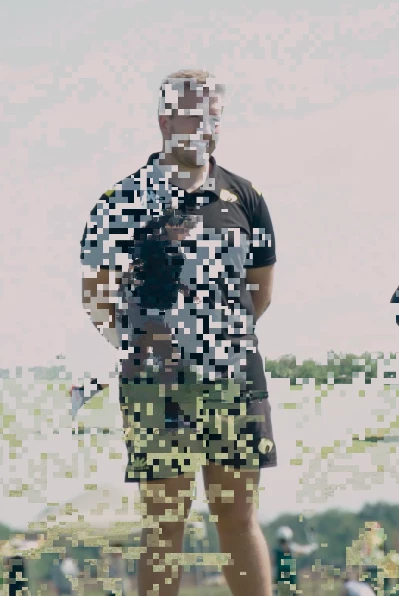
Below I have attached some examples of what it looks like for me.
I am up to date on all updates for studio/game drivers, updated Windows not too long ago, running on Windows 11, version 23H2. I have over 2tb of storage room available on my internal ssd. My CPU is the 13th gen Intel Core i7-13700KF. GPU is Nvidia RTX 3080. 32gb of RAM.
I am really lost at this point and just want to get this project done so I never have to look back. Any advice would be helpful. Thank you. Below I have attached my examples.
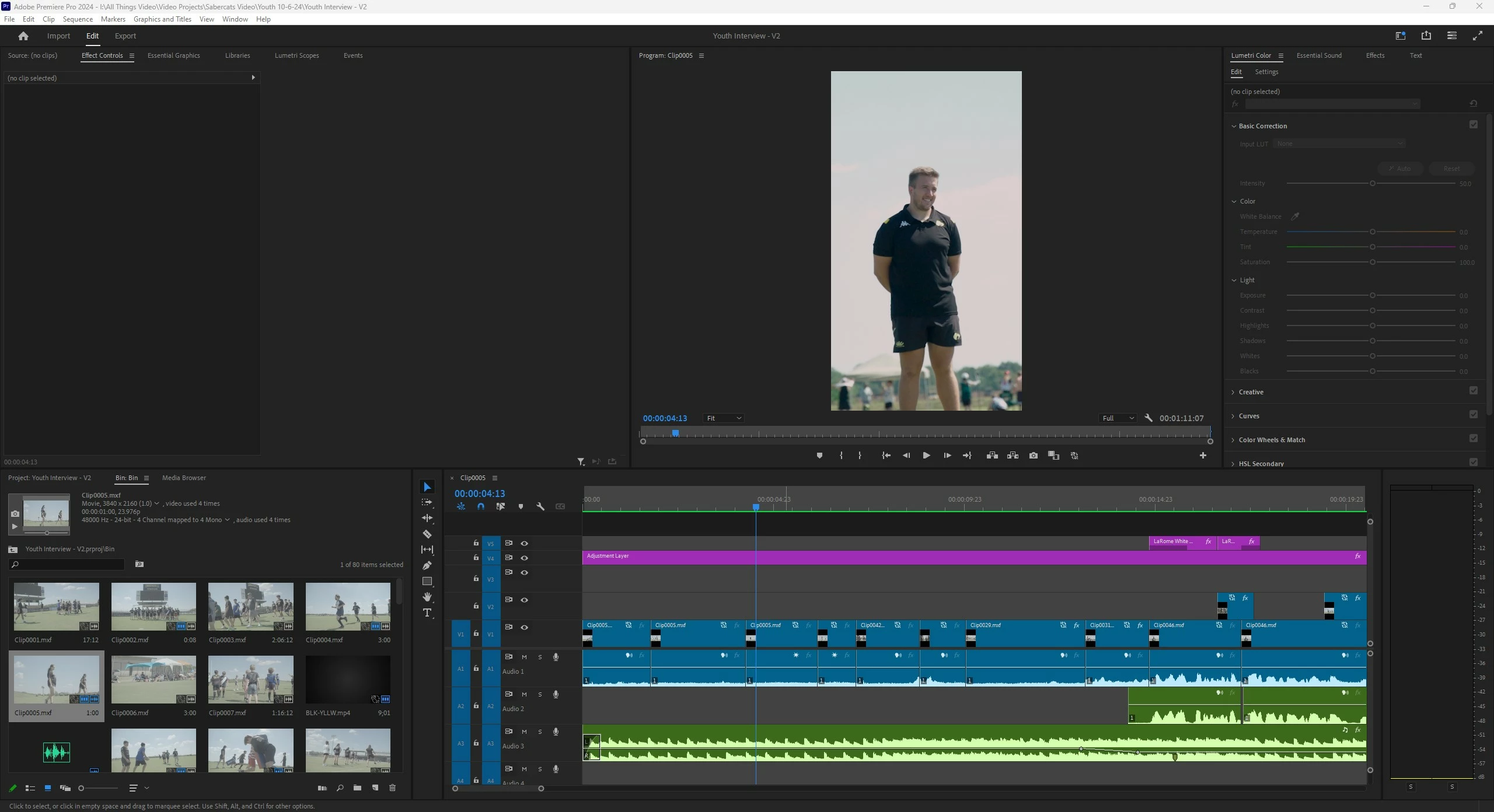
Most every time, the glitch is apparent in the timeline, but anytime I want to show anyone it wants to act as if it was normal.
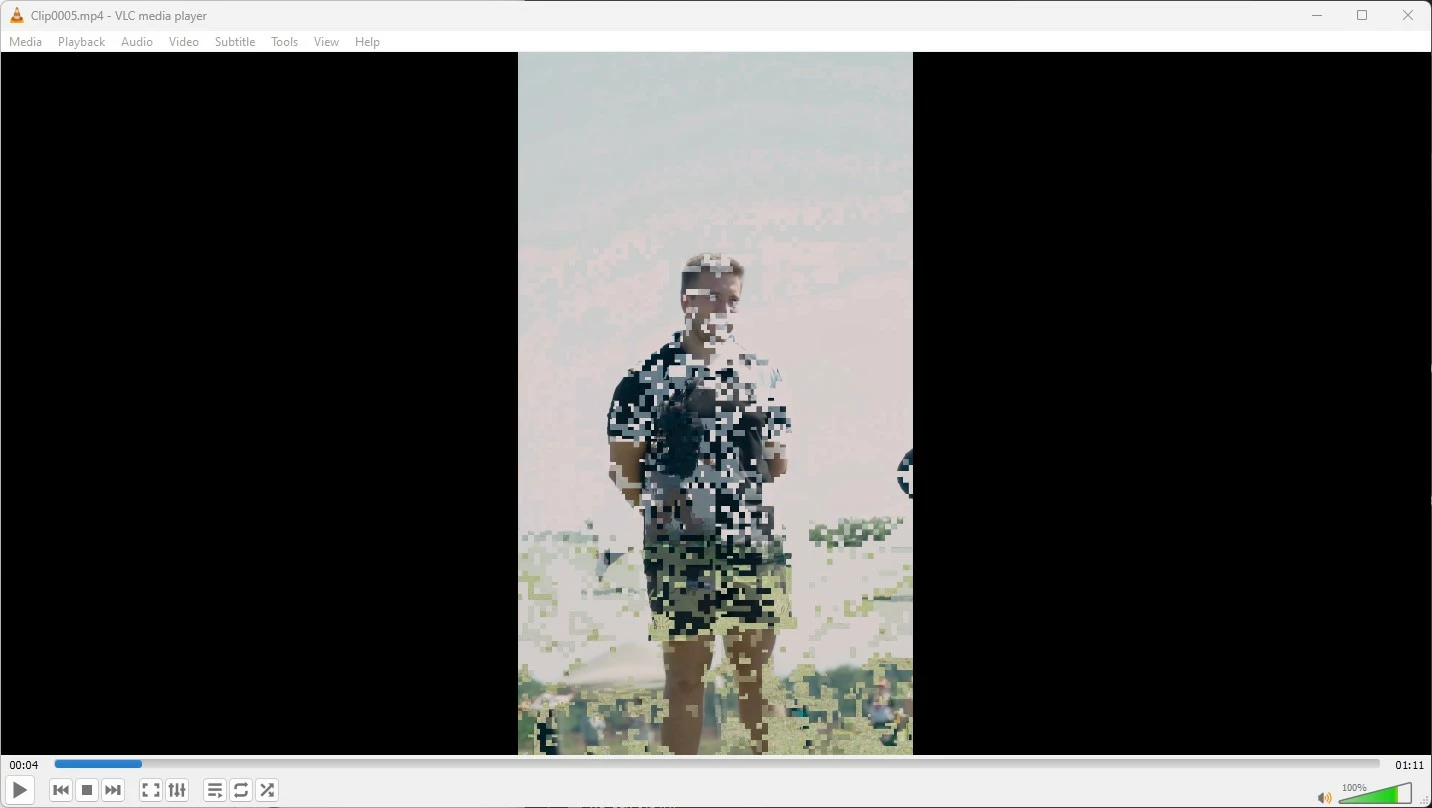
The video is played back using a VLC player and the glitch is apparent.
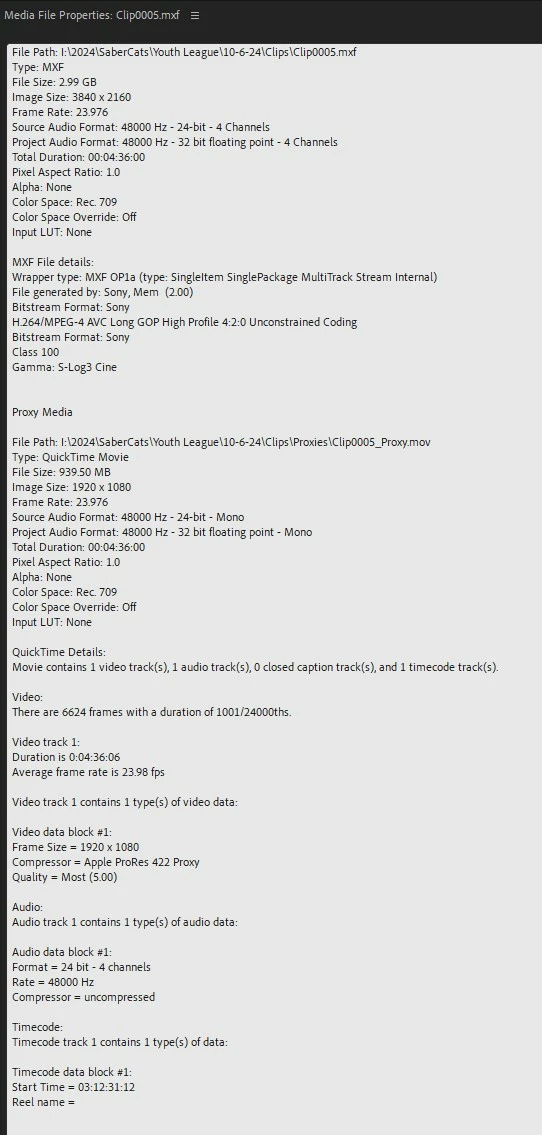
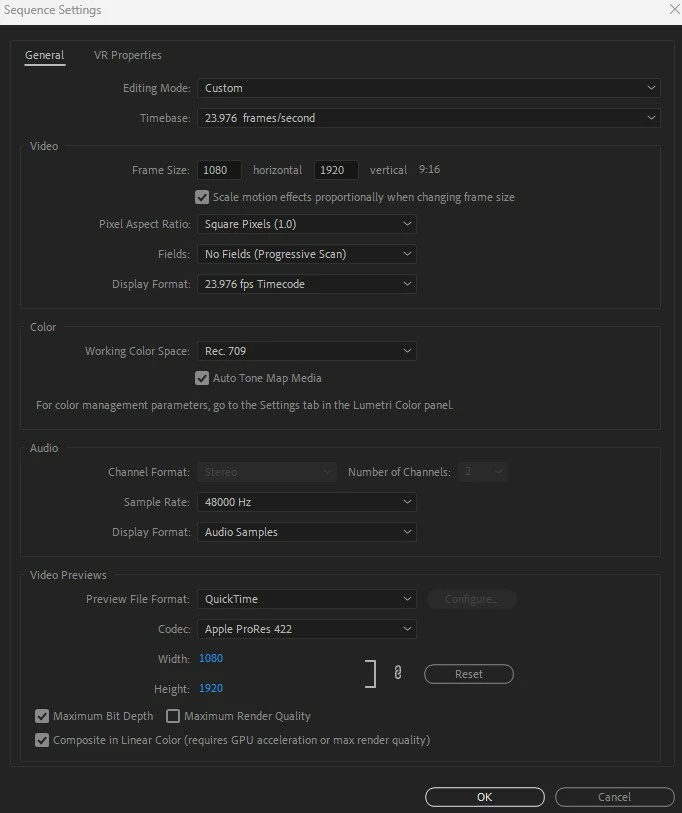
More examples.
 Original Slog 3 RAW footage, with no glitch upon playback in VLC player.


 AdChoices