
Participant
January 13, 2021
Answered

Upon start-up: "Could not retrieve the 'My Documents' folder location..."

  • January 13, 2021
  • 2 replies
  • 10241 views

Please help. I'm new to Premiere Pro, and just installed it, but every time I open the program I get the same error message (see attachment):
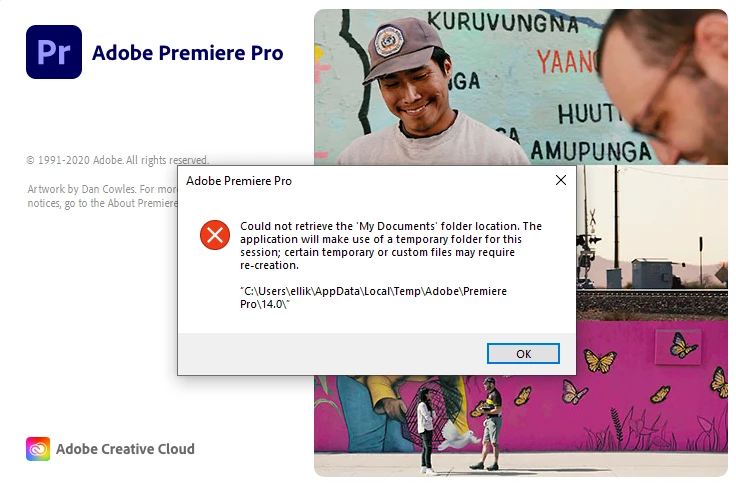
 

From what I'm able to tell, I can still use Premiere as normal, but all my files get saved to a temporary folder, and I can't locate my currently existing files without great ordeal.

I've tried to reinstall, and also tried to manually create a folder called "My Documents" in several different places. Nothing seems to work 

Correct answer Ann Bens

This might do the trick:

https://www.youtube.com/watch?v=RHvhhohq-mA

2 replies

Ann Bens
Community Expert
Ann BensCommunity ExpertCorrect answer
Community Expert
January 13, 2021
Participant
January 13, 2021

Thank you very much, this seemed to work!

Participant
September 20, 2021

That didnt work for me.

My permissions switch was already off. 

I turned it on and than added PP21 as an acepted app and still it does it error box on startup. 


R Neil Haugen
Legend
January 13, 2021

That sounds like a file/folder permissions issue. Premiere can't access that location.


So you will need to set the permissions for Premiere to "run as administrator" in Windows.


Neil

Everyone's mileage always varies ...