



Use FFmpeg to view File specification (Format.Codec,Frame rate,...etc)
to check your video specification when mediaifno confusing or you are curious to know another altrenative tool much stronger
FFmpeg is the leading multimedia framework, able to decode, encode, transcode, mux, demux, stream, filter and play pretty much anything that humans and machines have created. It supports the most obscure ancient formats up to the cutting edge. No matter if they were designed by some standards committee, the community or a corporation. It is also highly portable: FFmpeg compiles, runs, and passes our testing infrastructure FATE across Linux, Mac OS X, Microsoft Windows, the BSDs, Solaris, etc. under a wide variety of build environments, machine architectures, and configurations.
Download it from here
https://ffmpeg.org/download.html
After the download complete, extract the program because its a zip file.
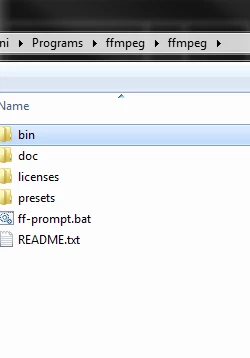
i will take an example how to check if your is variable frame rate or constant .
- Put the targeted video you want to view its specification beside the FFmpeg.exe in the "bin" folder
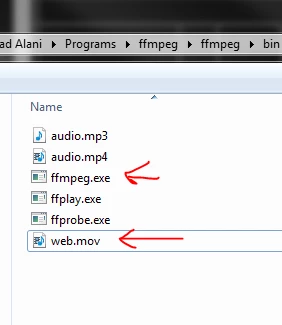
- Now run the Command prompt
- type "cmd" in the Run window "you can find Run from the search field in the start menu or hit "Windows + R" anytime
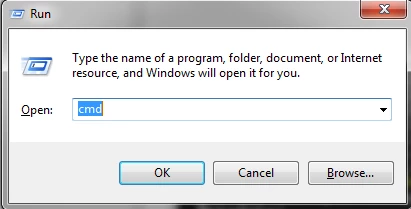
- Command prompt window will show up.
Type this:
cd\ 'press enter
cd <path letter> for example if your ffmpeg in T drive type this
cd T: 'press enter
then locate the ffmpeg folder in cmd, easiest way to copy paste the path for the ffmpeg.exe
type this
cd <the FFmpeg.exe path> , for example
cd T:\***\*****i\Programs\ffmpeg\ffmpeg\bin\ffmpeg.exe
now you are in the FFmpeg coding area
type this command to view your video specification
ffmpeg -i <filename><extension> for example
ffmpeg -i web.mov 'press enter
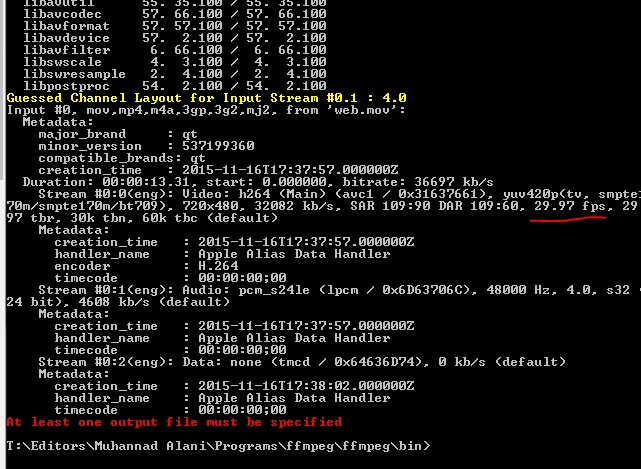
You can do anything you want with this tool once you be familiar with it .
Muhannad,
 AdChoices