
Participant
March 20, 2020
Question

Using masks to isolate areas for colour correction

  • March 20, 2020
  • 2 replies
  • 1518 views

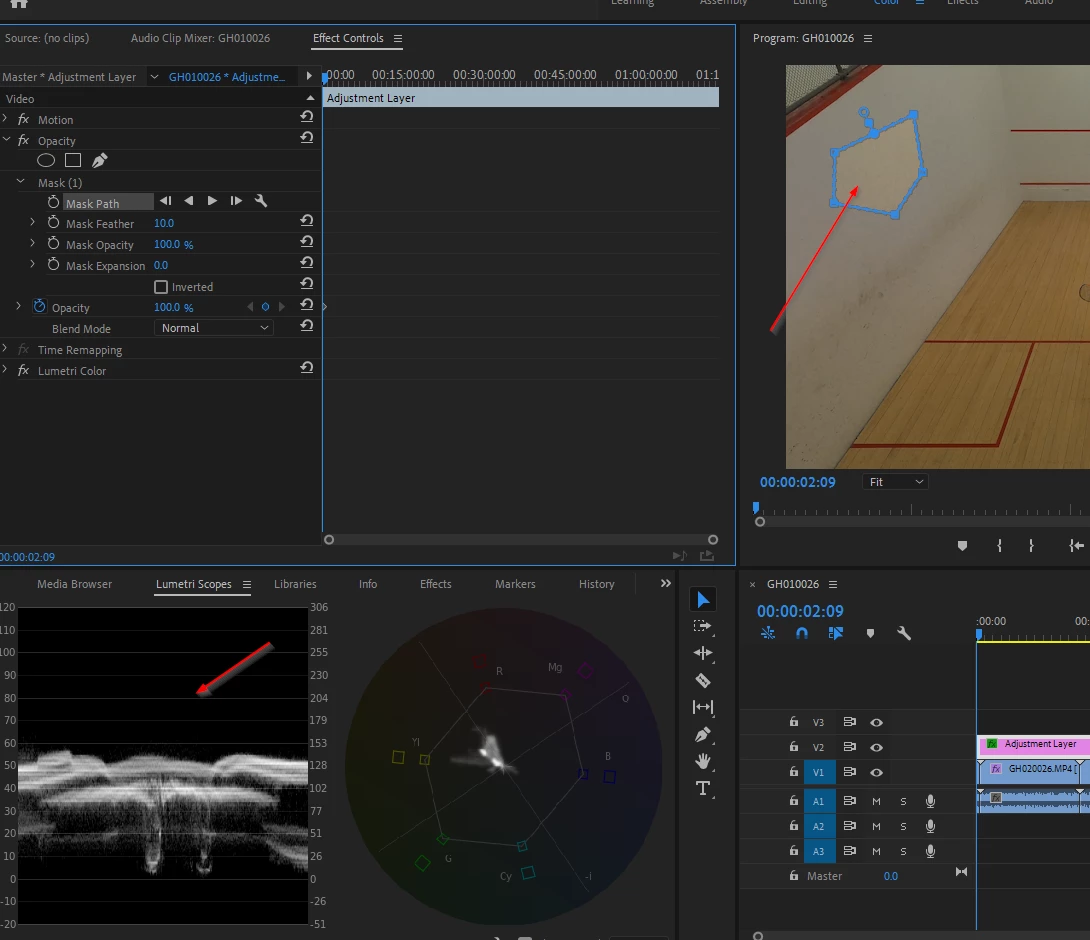
Im trying to mask off an area to validate the colour in my scopes.


Ive created the mask but it seems that my Lumetri scopes dont only apply to that masked area? 

How do i force the scopes to only "look inside the mask"

Also, when i have masked how do i black out the rest of the image/video? 
 

This topic has been closed for replies.

2 replies

R Neil Haugen
Legend
March 20, 2020

As Ann notes, an Opacity mask will only work on the clip itself. You could alternatively use a Crop effect on the Adjustment Layer ... which at times is useful. But normally quicker to use Opacity on the clip.


Neil

Everyone's mileage always varies ...
Ann Bens
Community Expert
Community Expert
March 20, 2020

Apply the mask to the clip not the AL.