
V 22.5--How to clear the Transcript panel in the Text window- when you don't need captions
My problem-
I load a clip in the timeline, I invoke the Text window, go ro the Transcript tab, and click Start Transcription. All is well, allowing for the 40% error rate i have to fix- but hey, who's complaining...
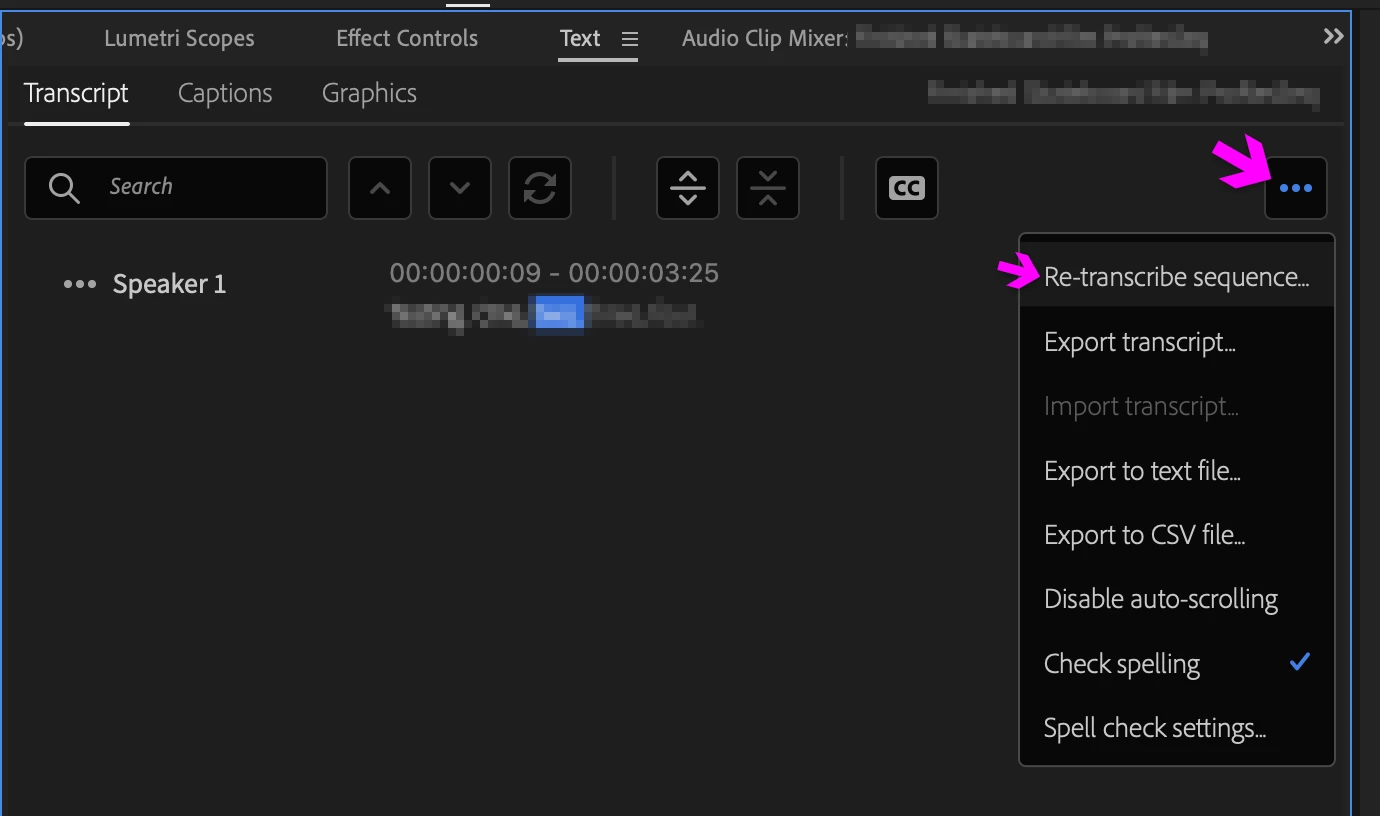
The problem is, after I select Export to Text File I'm ready to clear the Transcript window and do it all over again with a new clip.
And I cannot find any Clear Transcript command of any kind in the immediate universe. Not under the 3-dot popup where by design it OUGHT to be, not anywhere in the immediate vacinity.
I need the transcript for pre-edits, AKA, paper cits-- not captions! Do I seriously have to generate a captions track from the transcript, clear it to clear the Text window, is that the only way? Anybody tested this?
Where is the Clear Transcript buttonWITHIN the Transcript tab???
Best, as always,
Loren


 AdChoices