
v 23.0 - Doesn't recognize videocard on the laptop
There is such a problem that after upgrading to version 23, the Premiere Pro ceases to determine the videocard needed for rendering.
I work from my laptop, it has two videocards:
- Intel Iris Xe Graphics
- NVIDIA GeForce RTX 3070 Ti Laptop GPU
Previously, everything worked perfectly, but from the moment it was updated, the premiere pro began to work very slowly. The problem turned out to be that he used an Intel Iris Xe Graphics videocard, while there is no possibility to change the videocard in the general settings!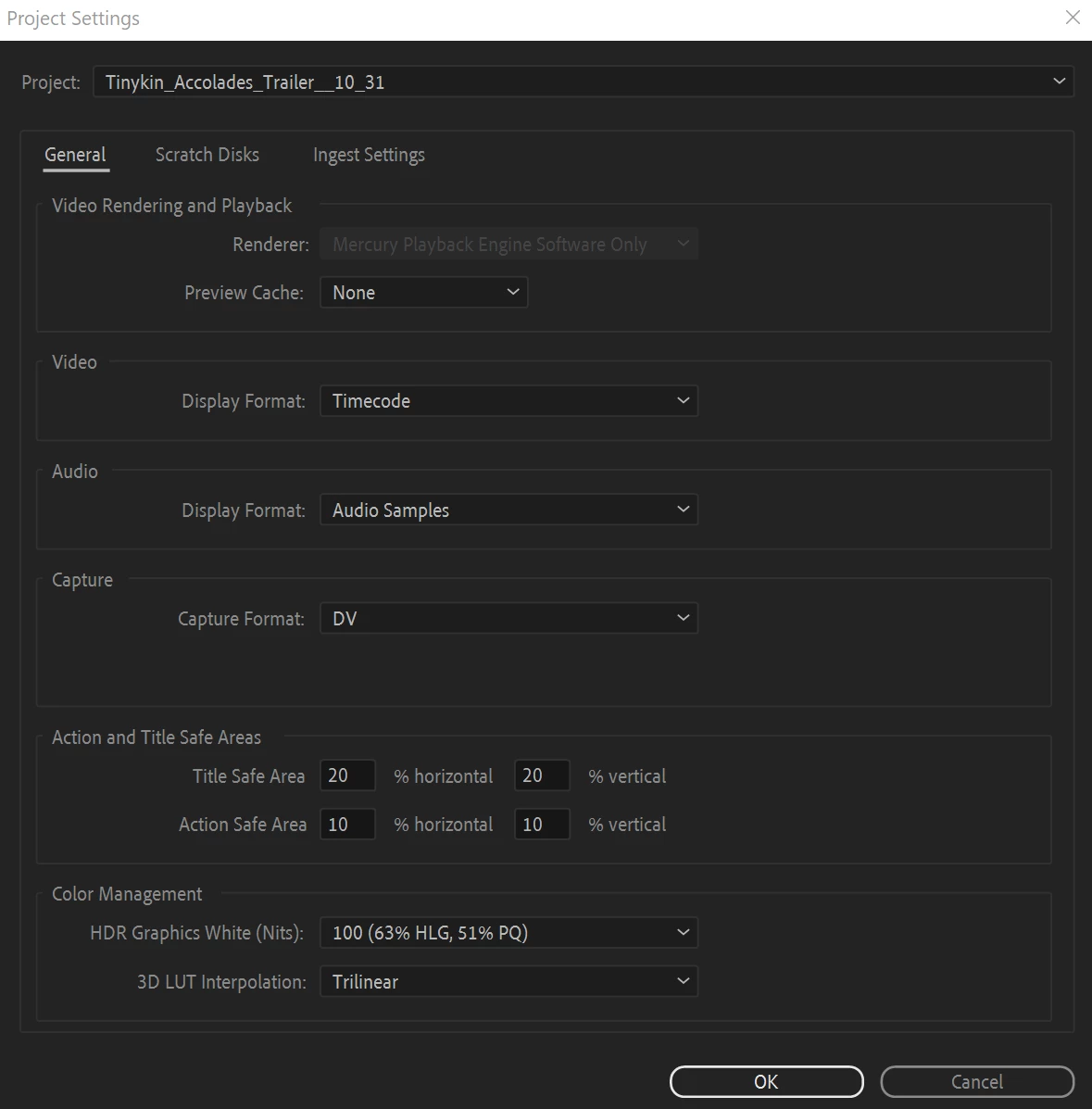
I had to climb on purpose in Device Manager and disable the discrete graphics card. After that, the premiere pro determines as the main NVIDIA GeForce RTX 3070 Ti Laptop GPU and everything works fine.
But unfortunately, for me this is not a way out of the situation, because I use both a separate monitor for work and a laptop monitor, which without a discrete video card begins to display the picture worse. What do you recommend?
 AdChoices