

Answered
Variable Frame rate detected?
Hi, I'm sure I'm being thick but can anyone see from the following exactly how...
I am importing files from Riverside FM (group webcam recording software for podcasting).
When I watch the file in Quicktime player, it is fine, everything is synched.
When I import the file into a timeline in Premiere, there is very severe audio drift.
This is the file I am importing:
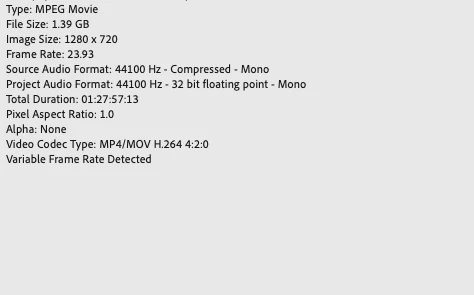
And this is how the timeline is set up:
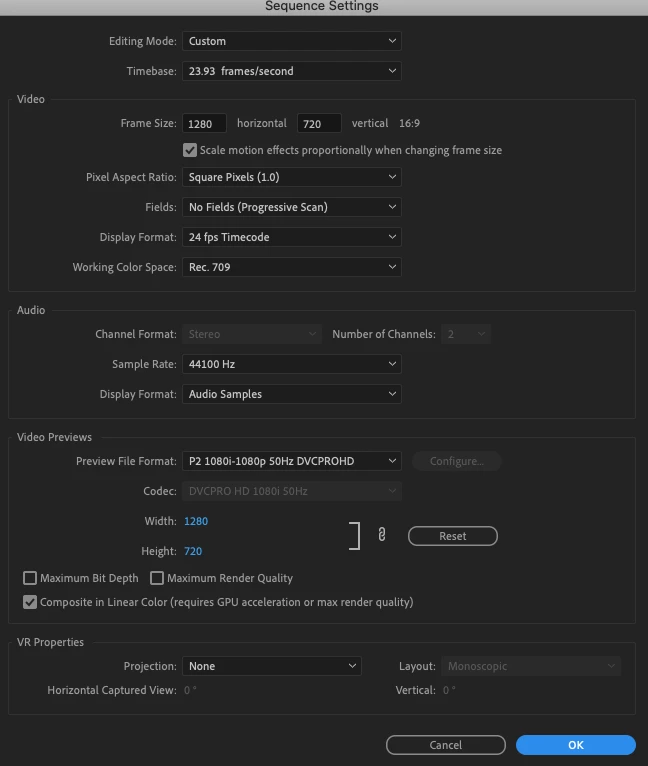
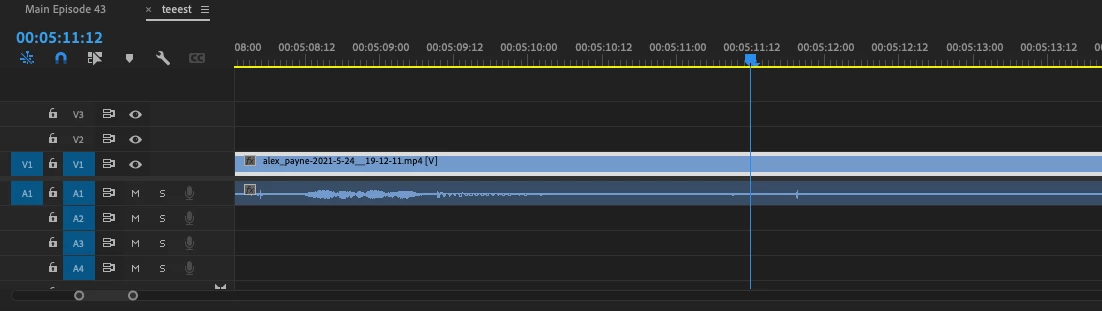
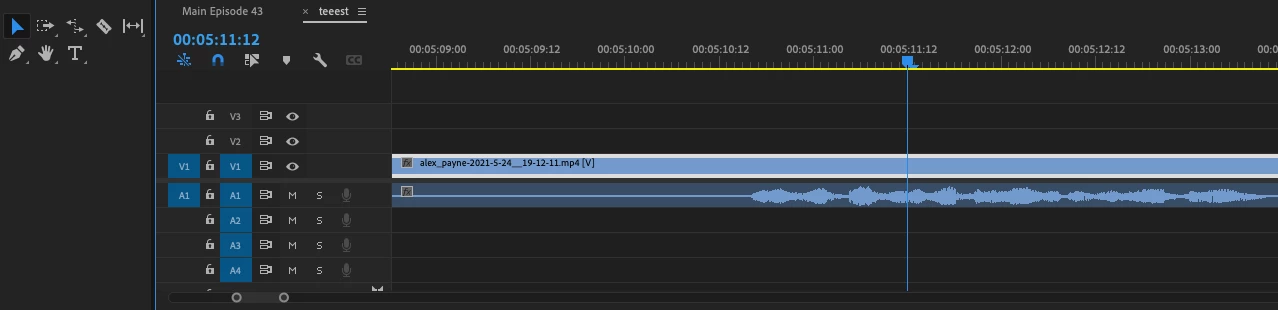
Another strange thing that is happening is that the waveform is not representing the audio correctly. When I zoom out the wave form reads differently to when I zoom in:
Playhead at 05:11 zoomed out:
Playhead at 05:11 Zoomed in:
Can anyone see where I am going wrong ?
Thanks in advance
Dan
 AdChoices