

Studio Zandman
Known Participant
November 23, 2022
Answered

Varicam 100fps clips rendering/display problem

  • November 23, 2022
  • 16 replies
  • 994 views

Premiere Pro 23.0.0 (Build 63) has a problem displaying Varicam 100fps clips. It resizes the image to 50% vertical size and the rest of the image is green.
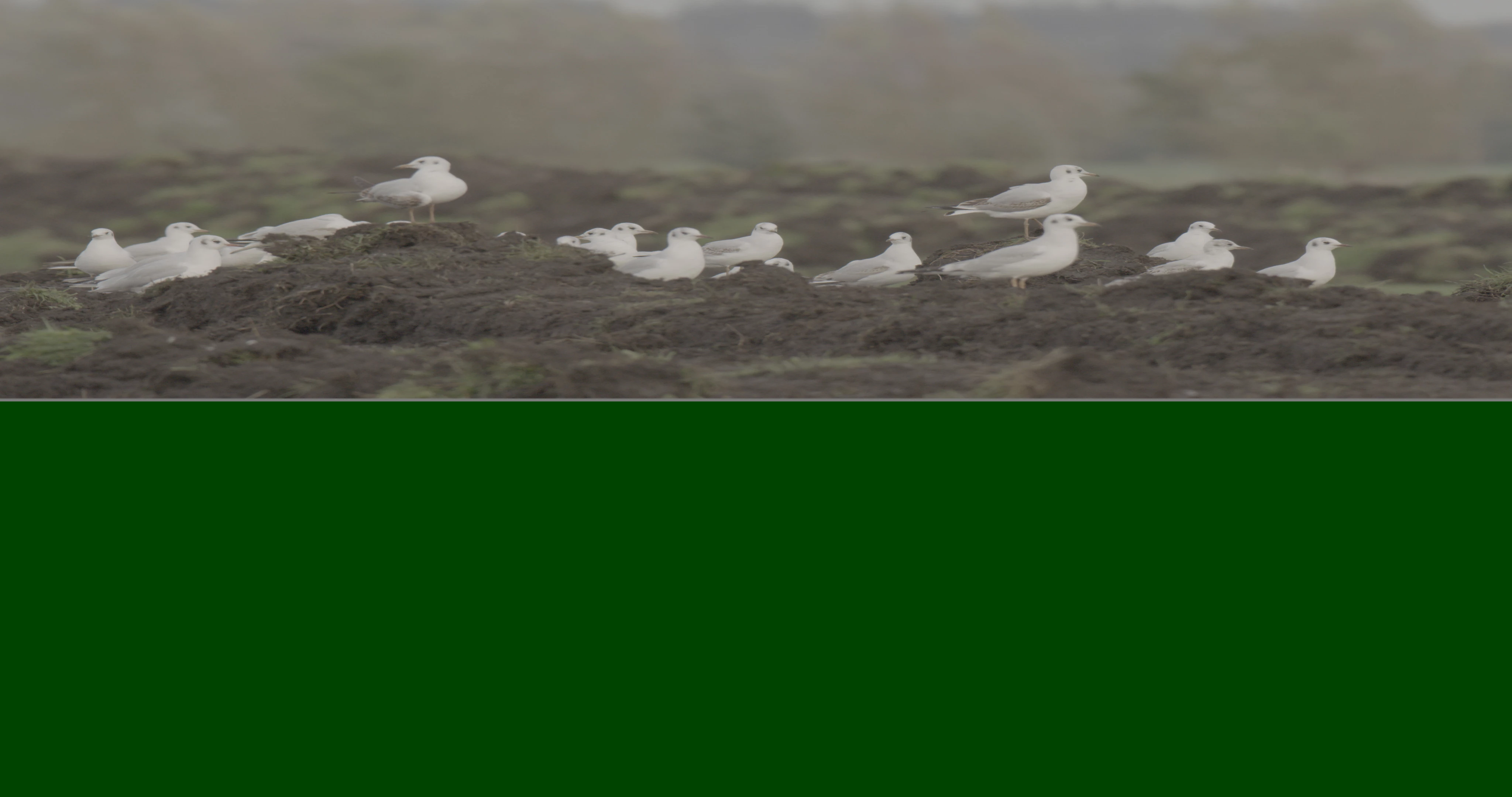


I previously posted to the Adobe Media Encoder bugs forum because I thought it was an AME problem when making proxies, but it seems the origin of the problem lies in the way the original MXF clips are rendered by Premiere Pro an Media Encoder to begin with.


The other (15fps and 50fps) MXF clips are rendered/displayed correctly.


The previous version of Premiere Pro and AME (22.6) don't have this bug.

This topic has been closed for replies.
Correct answer Joe QUT Film

Hi Mayjain, I can confirm that the Beta release 23.6.0 has resolved the issue, the Varicam footage is now displaying correctly on my M1 Mac Studio. Thanks for your work on this!

regards, Joe

16 replies

Kevin J. Monahan Jr.
Legend
November 30, 2022

Hi,

Can you give us the system specs? Mac or PC? Which GPU? If NVIDIA, what is the driver version? If later than 522. xx, do a clean reinstallation of the earlier driver. Many have rolled back to 517. xx. I hope this added info helps.


Thanks,
Kevin

Kevin Monahan - Sr. Community and Engagement Strategist – Adobe Pro Video and Audio
Studio Zandman
Known Participant
November 24, 2022

Also: attachments in this forum are limited to 40-odd Mb, the sample files you would need are mostly more than 1 Gb...

Studio Zandman
Known Participant
November 24, 2022

I see somewhere that a reply is supposed to have an attachment box under the text box. It doesn't show up in Safari or Chrome, so maybe there is an e-mailaddress I can send the sample files to?

Studio Zandman
Known Participant
November 24, 2022

Hi Fergus,


I assume you want me to share a 100fps mxf Varicam clip? How can I do that? The "insert video" option does not let me add a clip from disk...


Best, Harald

Fergus H
Community Manager
Community Manager
November 23, 2022

Thanks for the info. Can you please share with us some sample files? 

Thanks,

Fergus

Studio Zandman
Known Participant
November 23, 2022

Instead of 15fps I meant to write 25fps...


It would be convenient if I could edit the original post....