
Known Participant
July 29, 2024
Question

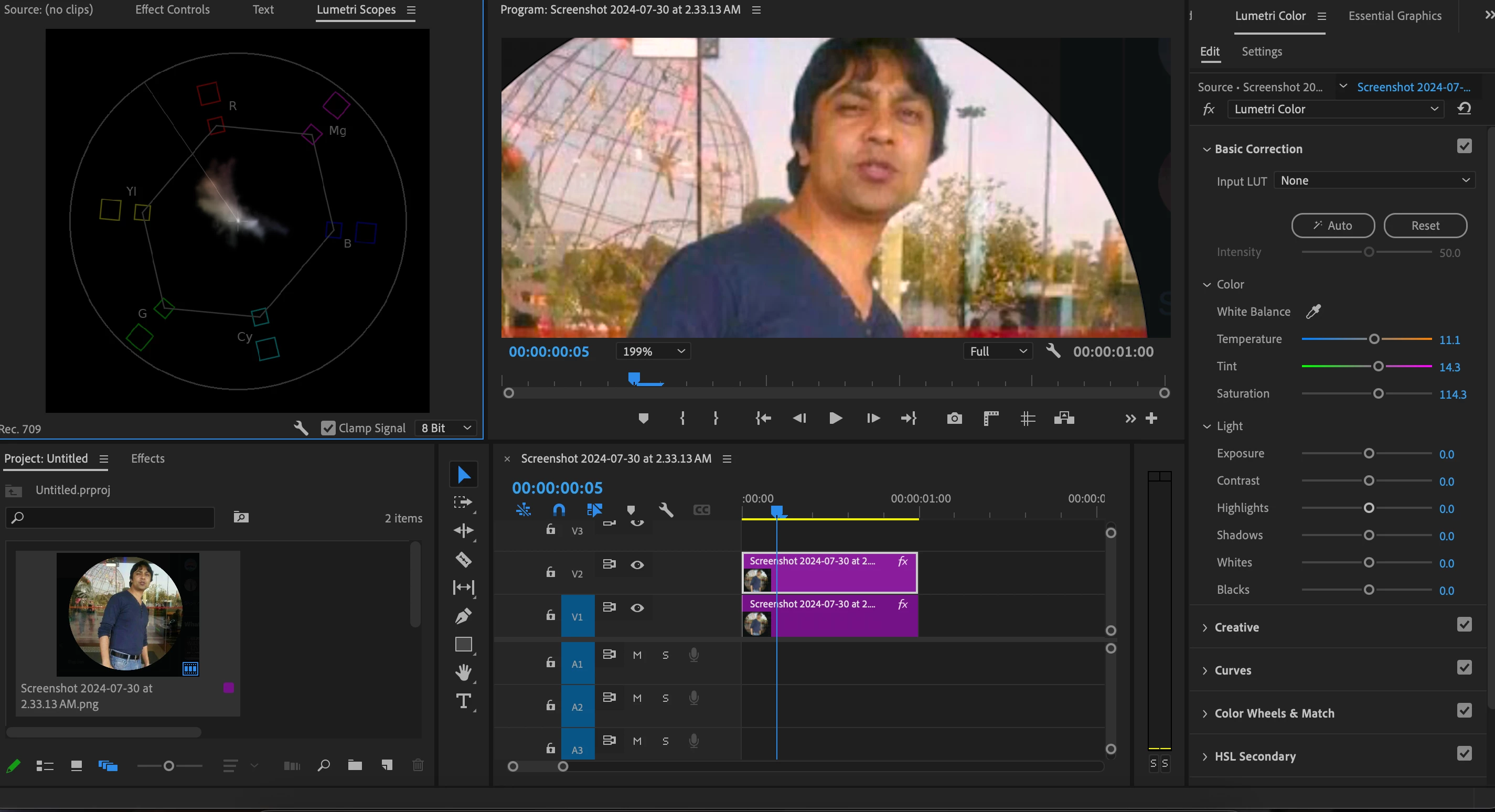
Vector Scopes for skin tone correction problem

  • July 29, 2024
  • 1 reply
  • 276 views

Hey everyone

I followed a tutorial where the person showed an effective way to correct skin color. I
masked out an area from the skin (a sample area), and used the temperature and tint sliders to bring the colors on the skin color line in the vector scopes. But the overall image looks reddish/pinkish.

Please help
Thanks
This topic has been closed for replies.

1 reply

Community Expert
July 30, 2024

Rather than applying these adjustments to the overall image, you want to make skin tone adjustments using the HSL Secondary controls in the Lumetri panel. This allows you to isolate and correct skin tones specifically, without affecting the rest of the image.

Here's a guide to help you get started with HSL Secondary controls: HSL Secondary Controls in Premiere Pro.

Cheers,
Paul