Participating Frequently
December 28, 2020
Answered

Vertical 4K Proxies squashed

  • December 28, 2020
  • 8 replies
  • 2635 views

Hello,

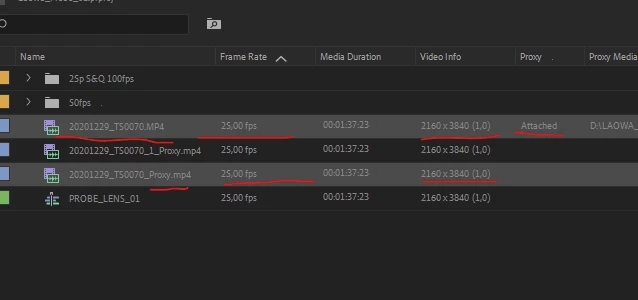
I have Sony A7siii Slowmotion Footage (S&Q Mode 100 fps in a 25p file) and filmed vertically. The proxies generated as 2160*3840 H265 25p is shown squashed.

The proxy file itself is NOT squashed, just when attached to the original footage. If I pull the proxy in the timeline it is sown just fine????

Am I missing a setting???
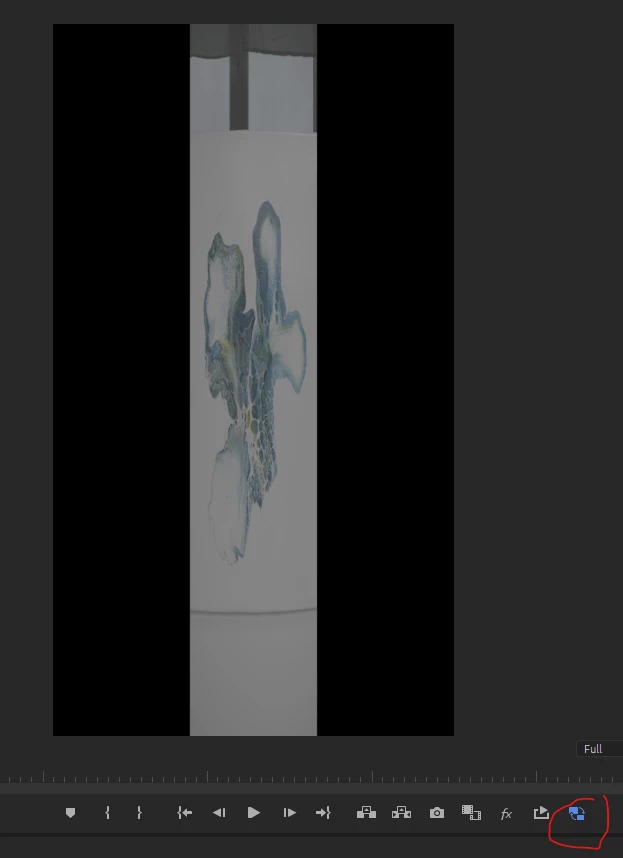
When I generate the poxy as HD instead of 4K it works... is this a 4K issue???


This topic has been closed for replies.
Correct answer caroline_edits

We have a video tutorial here that will show you how to create a custom proxy preset for vertical video! This should help while we improve the workflow. Thanks! 

8 replies

caroline_edits
Community Manager
caroline_editsCommunity ManagerCorrect answer
Community Manager
December 15, 2022

We have a video tutorial here that will show you how to create a custom proxy preset for vertical video! This should help while we improve the workflow. Thanks! 

Participant
August 9, 2022

you have to create a custom proxy preset, in which I did, but incorrect the first time  So I tried to just change the settings and that does not work, the cache is tied to the old setting under the name… u have to clear your cache and delete the old presets and create new presets hevec h265 720x1220… problem solved… I’d been sitting on some vertical footage for 2 weeks cause I couldn’t edit the big 10 bit and finally figured it out tryn for 5 hours smh

Participant
June 15, 2022

I have the same problem with my a7iv vertical proxies. This is so frustrating!

Inspiring
May 27, 2022

I don't know if this solution works for you, but I was having this issue with all my vertical content. I had to make a separate proxy preset (in media encoder) just for vertical content. Now, when I go to make proxies, I have to send the vertical files (separate from non-vertical files) with this preset. I do wish Premiere had an auto-detect feature, and just made proxies with mixed aspect ratios.

Community Manager
May 27, 2022

Hi everyone,


We're sorry about the poor experience. Would you mind sharing a download link for the sample media with which you are experiencing this issue? It will help us to diagnose the issue properly. 


Thanks,

Sumeet

Known Participant
May 3, 2024

Premiere should recognize this... it shouldn't be so complicated to just generate proxies with the same properties of the original file but lighter and smaller. The premiere proxy workflow is annoying. Sometimes I would like to reinterpret footage but if I'm working with proxies, everything gets messed up because for Premiere is not possible to think that if you're re-interpreting a file you would also want Premiere to re-interpret the proxy attached to it. 

Participating Frequently
May 27, 2022

same here, solution was as below from 'brownpaperdad', in summary I used ME to check the poxy files were the right aspect and not squashed, when used in PR they only worked correctly when the preview was set fo full resolution - bizarre...?

However the proxy files don't seem to work when stabilisation is applied - seem to remeber it used to?


brownpaperdad
Known Participant
May 21, 2021

OK, this is what worked for me.

brownpaperdad
Known Participant
May 21, 2021

Same problem.  Can't believe it's just the two of us noticing this...