

russelljames
Known Participant
March 13, 2023
Question

Vertical video preview

  • March 13, 2023
  • 4 replies
  • 2656 views

Hi,


I'm shooting vertical video for Reels.  I'm able to view the timeline video in vertical, but not the previews.


I've applied the transform effect/rotation as per this instruction.  But the preview window tries to show me that within a 16:9 frame, so although it's rotated, it's cut off (see image).
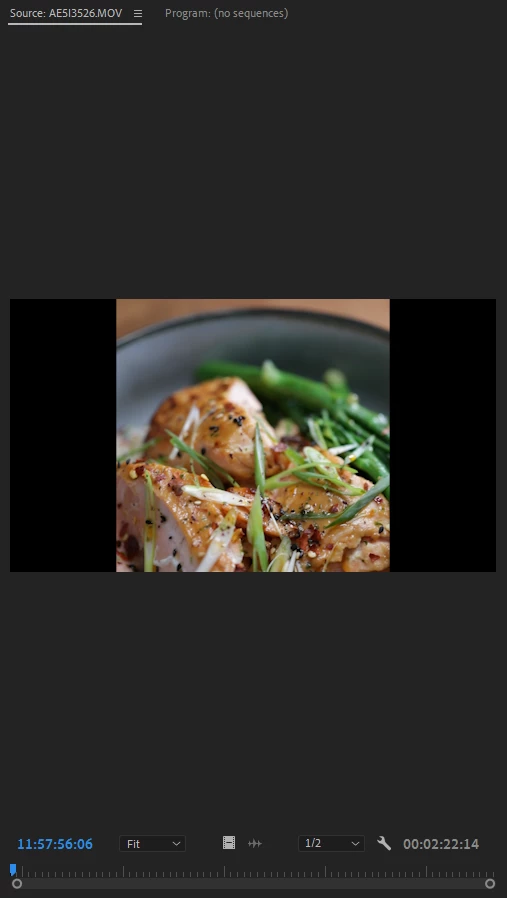


How do I properly preview my vertical clips?


This topic has been closed for replies.

4 replies

Participant
August 9, 2024

I know this is an old thread but I found a workaround if using a Mac. You can right-click on the files in finder, go to quick actions and rotate left. Opt click to rotate right. I'm sure there'll be something similar for PC.


Ann Bens
Community Expert
Community Expert
August 9, 2024

Yes you can rotate images in Windows Exlporer but they dont stick.

Inspiring
June 13, 2023

You'll need to nest your videos in a vertical timeline, and open that timeline in the preview window.


Here's a gif on how to do that.

russelljames
Known Participant
June 13, 2023

Thanks for taking the time to do this.  It's probably the best workaround at this point.

Richard van den Boogaard
Community Expert
Community Expert
March 18, 2023

Are the sources of the clips shot in 16:9 or 9:16?

russelljames
Known Participant
June 13, 2023

They're 16:9 because the 1dx mkii don't have an option to upright video 9:16

russelljames
Known Participant
June 13, 2023

*doesn't

Ann Bens
Community Expert
Community Expert
March 13, 2023

If the original is in landschap then that is what you are seeing in the Source Monitor.

Is this clip opened from the Project window or timeline: there is a difference.


if you want to make a vertical movie then you need to shoot vertical.

Some phones will let you rotate before transferring to computer.


russelljames
Known Participant
March 13, 2023

I'm shooting with a Canon 1DX MKII

Ann Bens
Community Expert
Community Expert
March 13, 2023

If the camera does not shoot real vertical you are stuck in this workflow.