
Very low CPU and GPU utilisation when encoding project
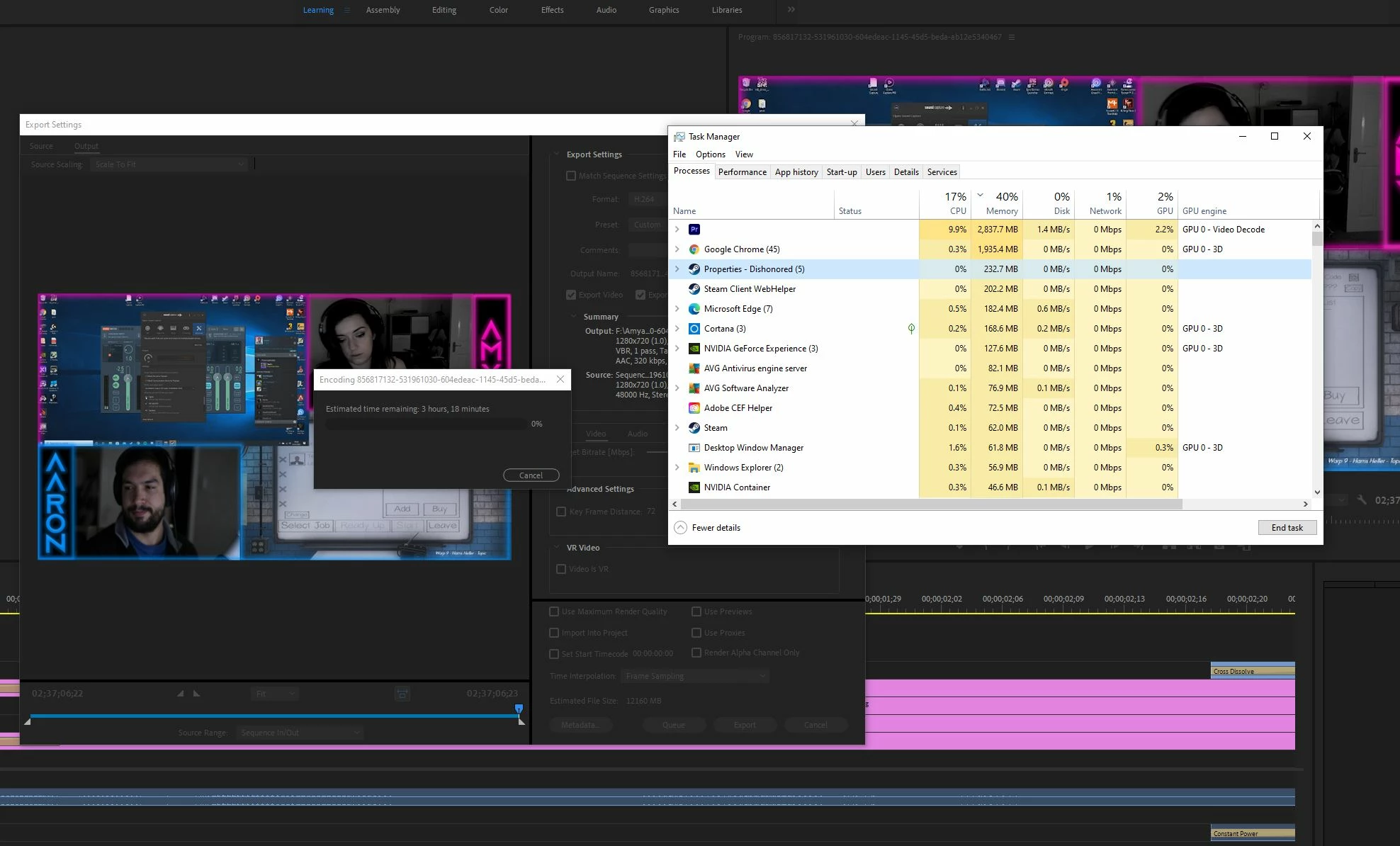
I've read most of the threads on here as well as many videos on youtube on optimal settings for exporting. I'm trying to encode a very simple video edit of a stream from twitch to H264 at native 720p and other upscaled varients of varying qualities and everytime I click export, it intially gives a time varying from 20-27minutes and then it steadily increases to the point where it took the 2.5hour video over 8 hours to encode over night. When checking task manager the cpu utilisation is ~17/18% and gpu 2-5%
System spec:
3700x (no OC)
1080 8gb (latest drivers)
32gb 3600mhz
TUF GAMING x570 plus mobo
Premiere installed fresh 2 days ago on SSD
Tried so far:
Running as administrator.
Using both software and hardware encoding.
Un-enabling and enabling GPU acceleration and NVENC for encoding and decoding (including restarting program)
Changing cache location to faster SSD and increasing it.
Adobe has access to 26gb of RAM but also tried altering that.
Changing export of file location to SSD.
All files sourced from SSD.
Changed sound output to 192kbp ( read that somewhere).
fiddling with render quality and bitrates to no zero effect.
Closing all programs other than Premiere.
I am pretty inexperienced with premiere having used it a handful of times before on a different computer (2600k 1070) but am almost certain i should be seeing better performance in the exporting of my projects than this when even compared to my old PC. Any sugguestions regardless of how trvial you may thing they are, are greatly appreciated to help me out!
Thanks, Amy
Screen shots attached for any extra info I've missed.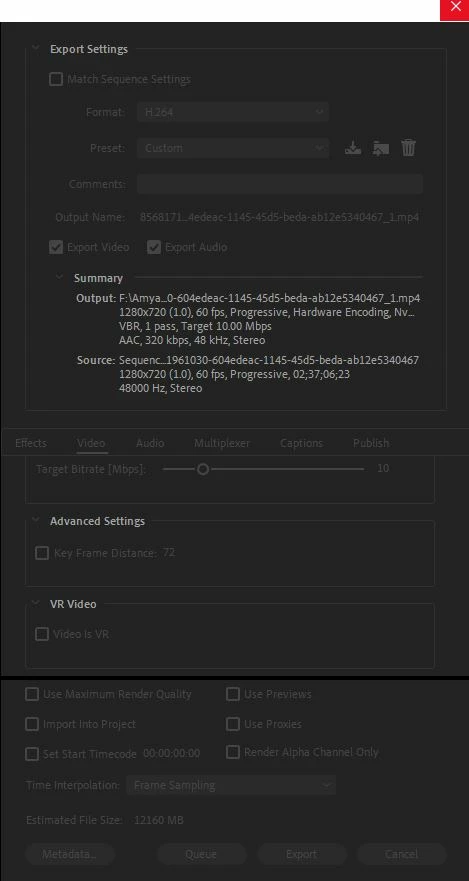


 AdChoices