Participant
October 10, 2024
Question

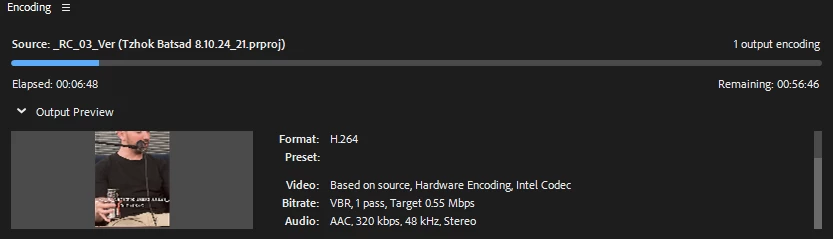
Very slow export on 1080p low bitrate sequence

  • October 10, 2024
  • 2 replies
  • 259 views

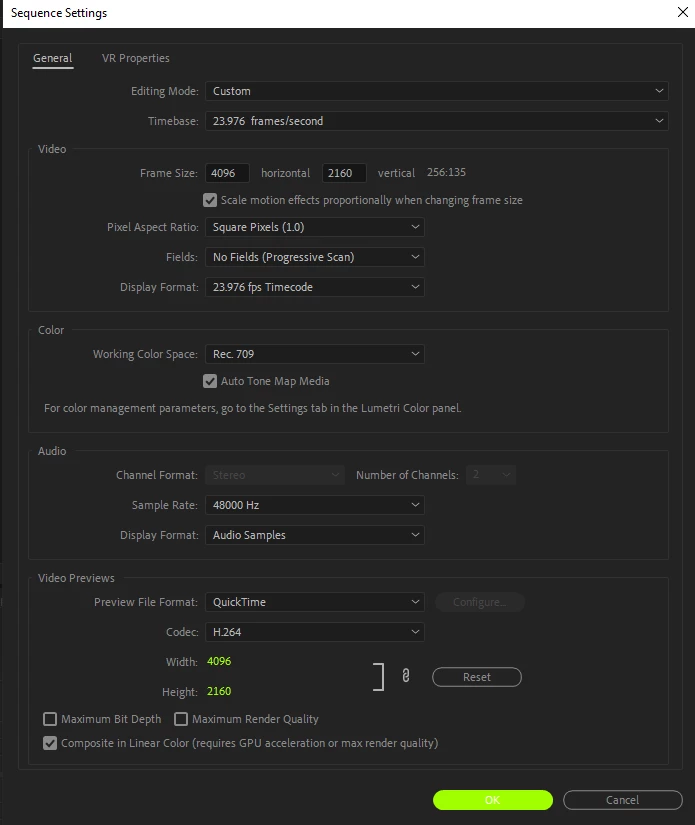
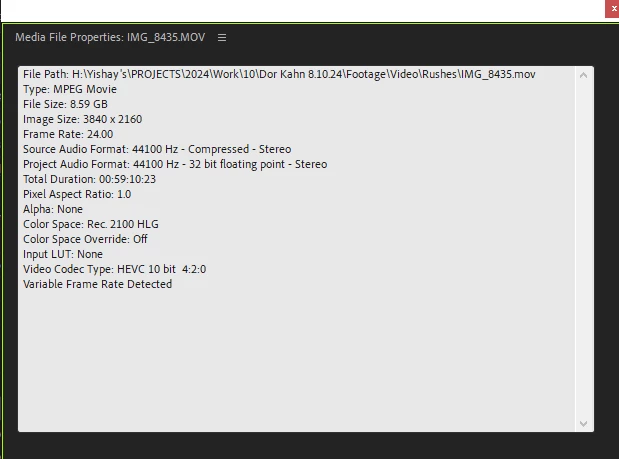
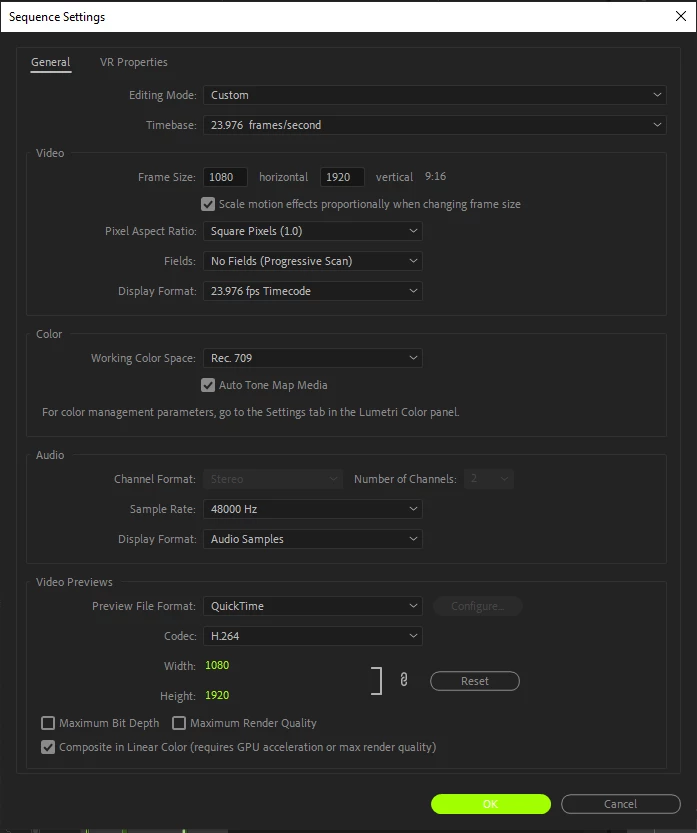
I don't know the problem, and it can't work like that anymore. A minute video takes about 50 minutes to export, does not have weighty effects, and I am working with 4k footage on a 9:16 of 1920x1080...


This topic has been closed for replies.

2 replies

Participating Frequently
October 10, 2024

Without knowing the computer & storage specs its hard to diagnose this - but as Ann mentioned, you've got a few factors working against you for sure. Anecdotally I've never had good luck with using HEVC on my timeline and will almost always opt to transcode to ProRes before editing. That'll solve the variable frame rate issue as well. (Proxies will give you a better experience on the timeline but won't impact final render time).


I can't tell for sure but it looks like you are adding captions over the video? The Essential Graphics tools can have a surprising impact on speed/performance. Maybe try exporting/rendering the video with that layer disabled to see if it speeds up significantly.


Also worth asking what your storage device is? If it is slow, that could be holding up your export. If you're unable to get a faster-writing storage device, I'd recommend outputting directly to your desktop and then copying over your export to whatever your external device is.


FYI, low bitrate does not necessarily mean a lower encoding time. The encoder can wind up working harder to crunch more information into a smaller file.

Ann Bens
Community Expert
Community Expert
October 10, 2024

What are considered heavy weight effects? But Its 4K, H.265, 10 bit and variable framerate and scaling down: all factors that will slow down export.

Might want to switch over to Proxies.

Did not mention full computer specs.