


Inspiring
July 7, 2025
Answered

Very slow, frequently halting program window.

  • July 7, 2025
  • 12 replies
  • 572 views

Everthing in Program window is slow to become available, lags in the same clip, pauses long time between clips. Audio works fine.

I have deleted the cache files with the project closed. 

I have reset the preferences on startup. 

I reset the workspaces

I installed the latest Studio Driver

Nvidia Studio Driver 576.80    Geforce RTX 4060

Premiere Pro 25.3.0

Primatte Studio in Continuum 20.25.0

Using Lumetri Color

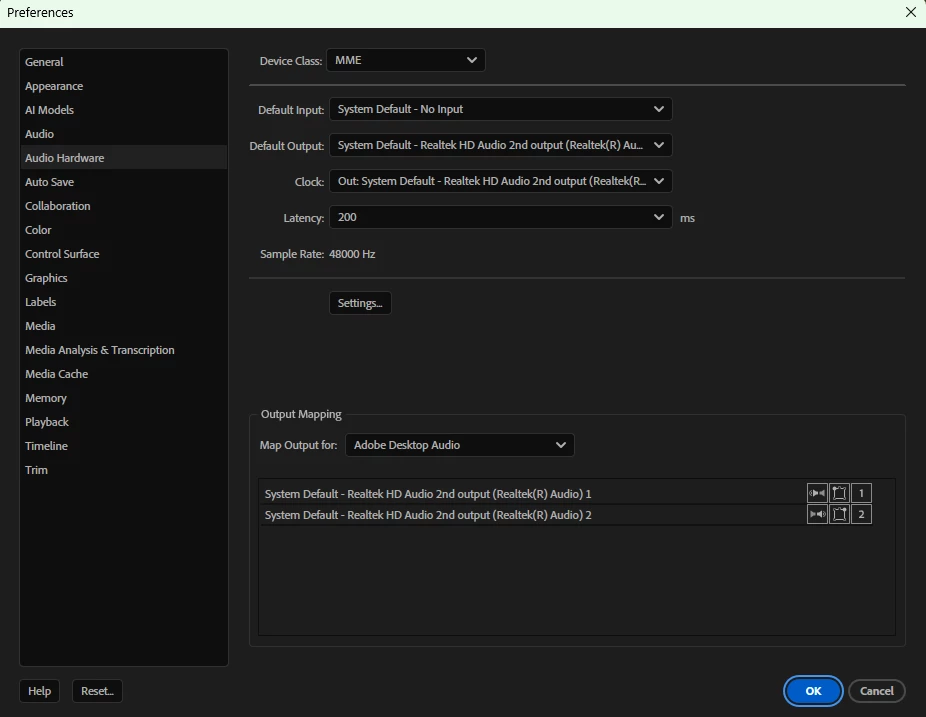
Audio hardware is set to 
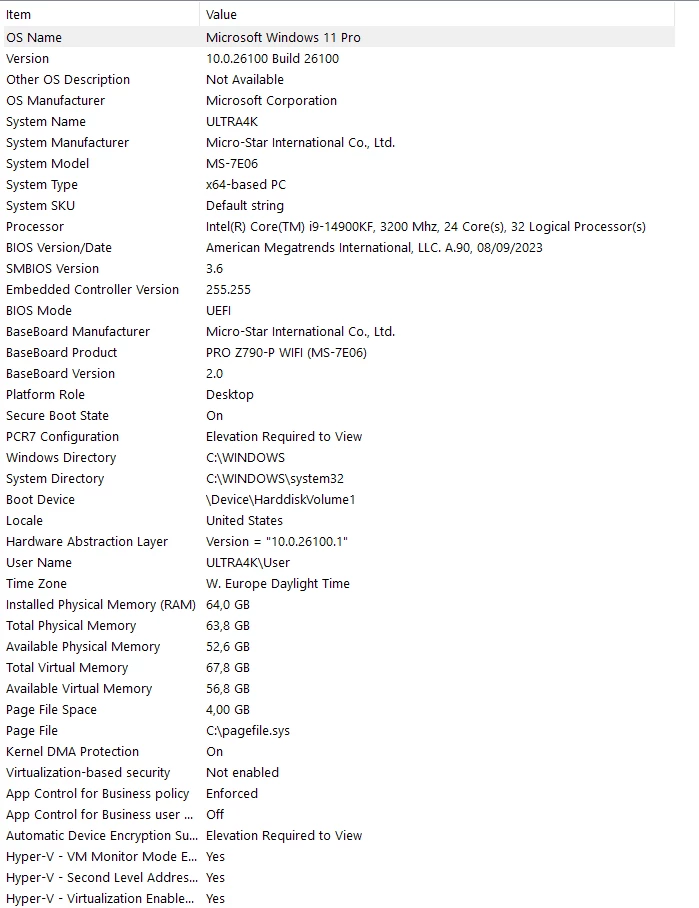
System hardware, operating system:
Correct answer Charles38967273k665

I broke up the project and then started eliminating effects. The current problem is caused by BCC+Beauty Studio. When I deleted it from the clip, things got back to normal after a few seconds. I am very happy with the results of Beauty Studio, and inside mocha there are no delays. But it is easier to render the sequence than try to scrub through it to see the end result. So I disable Beauty studio to work on the sequence, I work within Beauty studio's pixel chooser's Mocha to mask out the parts I do not want beautified, and then enable Beauty studio.  

12 replies

Ann Bens
Community Expert
Community Expert
July 7, 2025

Have you tried without Primatte Studio plugin?

Inspiring
July 7, 2025

I also created a new project and imported everything into it, NO improvement