Participant
November 15, 2023
Question

Video after rendering is unsaturated in other devices (iphone, laptop)

  • November 15, 2023
  • 5 replies
  • 206 views

Hello!

I have rendered my video in Premier Pro 2024, after i opened this video on my iPhone 11 and laptop, and i saw that the colors of the video were unsaturated. I have tried to change all possible render settings, i have added Lumetri Look \ LUT - QT Gamma Compensation, applied Match Source, applied render at max depth and quality, tried different presets etc.

Still no result - in iPhone and other devices color is unsaturated compared to original video. 

I beg you to help me. 

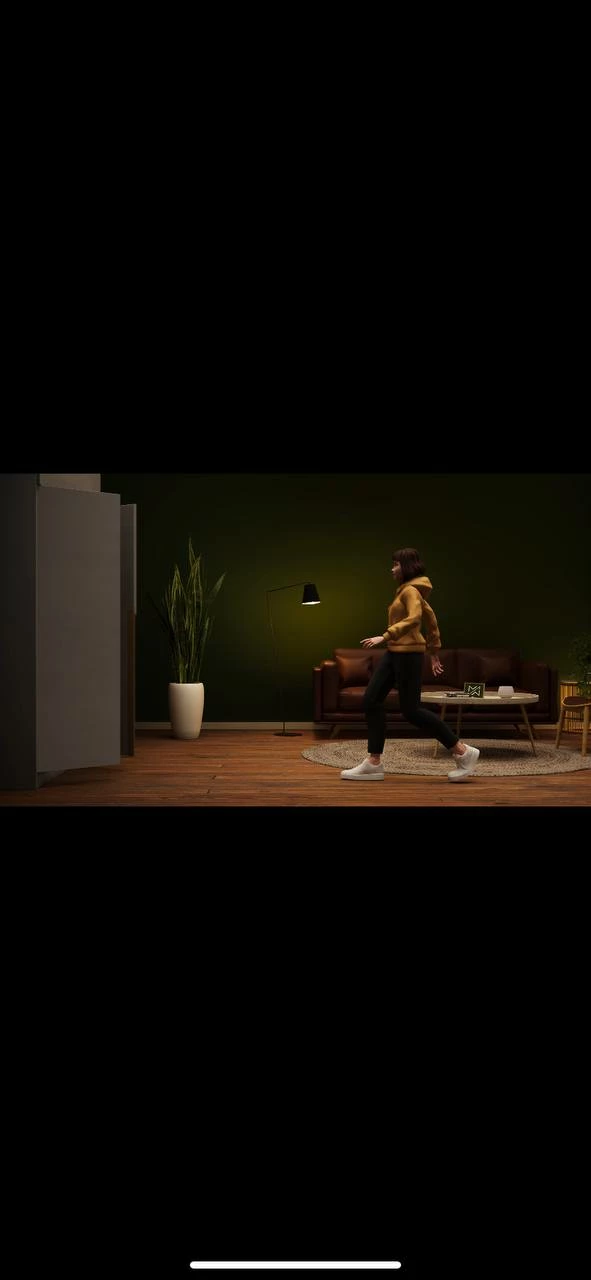
I have attached same frame but one is good and other is how i see in iPhone and other devices.
  

This topic has been closed for replies.

5 replies

R Neil Haugen
Legend
November 16, 2023

What is your intended audience? I ask, because that makes a difference as to how you view your media to check it.


One thing you can do on a Mac is check in both QuickTime Player and VLC. Qt will allow the Mac ColorSync utility to set display. VLC doesn't, and sets the playback of Rec.709 media to gamma 2.4, the broadcast and 'general' Rec.709/SDR standard. (This is closer to what most non-Mac screens will display.)


So you can see how (in general) your media works across systems.


If you are delivering for a Mac only audience, then ...you would probably like the display gamma set to QuickTime 1.96. Then ... on a Mac, in apps like Quicktime Player, Chrome & Safari browsers ... your exports will look like they did inside Premiere.


The problem with that option is that on all non-Mac screens, your media may be pretty dark. Shadows crushed.


If you need to deliver for viewing across screens on the web, then the Web gamma 2.2 option would be wise. And maybe use VLC player outside of Pr to check the look of the image using gamma 2.4.


Oh ... and Apple now has a display setting of "HDTV" on their newer screens. If you use that, rather than Rec.709, then ... you get the gamma 2.4 used on your Mac.


And some Mac users of course use that, so even across Macs, some will display Rec.709 different than other Macs.

Everyone's mileage always varies ...
Participant
November 16, 2023

Hello!

Thank you for your response! 

here is my render settings: 


lumetri settings:


sequence settings


maybe it will give you more information

R Neil Haugen
Legend
November 15, 2023

You have  two things to sort out here ... the first is getting correct color managment through the project to export in Premiere. Which is more involved, if easier to do in Pr24 than before.


But necessary. As the information you provided does not tell us what CM settings you've used, we'd need that information to sort this part all out.


The second issue you're dealing with ... is you're on a Mac, sadly. Which does not follow the standards for Rec.709 display transforms used by all non-Mac devices. There are workarounds for this, but they all are pick your poison options. There is no total 'fix' available.


And understand I work for/with/teach pro colorists, based in Resolve mainly, who tend to be Mac geeks. And they are furious with Apple over this mess. (I also work in 
Resolve and participate on LGG colorist and BM forums.)


One of the CM options now available in Pr24 is for display gamma. If you set that to QuickTime 1.96, then the Premiere Program Monitor will use the same gamma that your Mac will. That may fix part of your issue.As it may get things looking the same outside of Premiere on your Mac.


Of course, it also means ... your media will now not look like you expect on any non-Mac screen. As they will use either gamma 2.4 or 2.2. Sigh.

Everyone's mileage always varies ...
Participant
November 15, 2023

Hello!

Unfortunately, it didn't work out for me. Still have same issue((

Ann Bens
Community Expert
Community Expert
November 15, 2023