
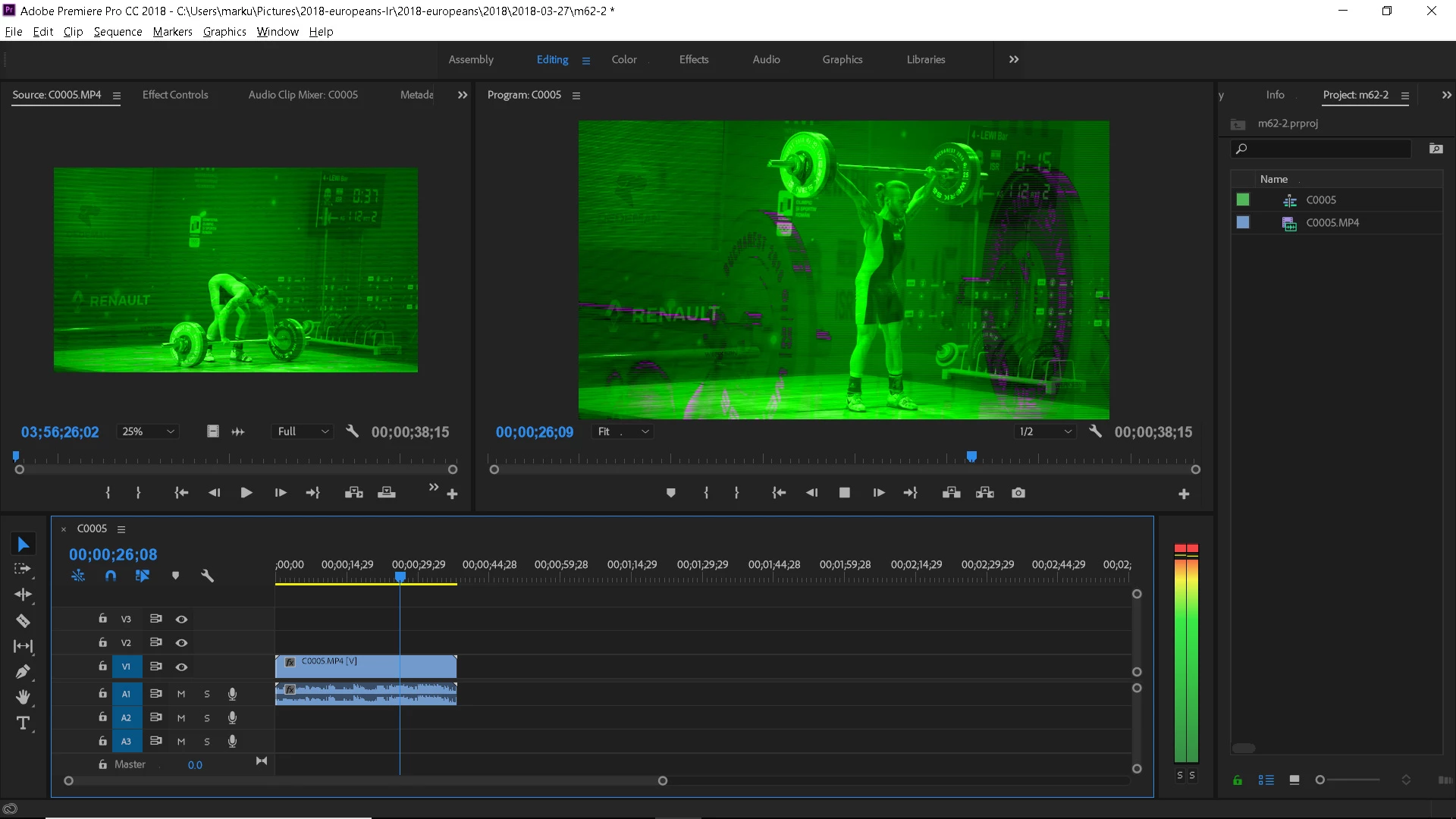
video appears green - how to fix it?
The video was recorded on a sony a9 - 120fps 1920x1080 at a 100M Bitrate (XAVC S). It imports fine on my other machine... which unfortunately is several 100km away from me and I cant copy gigabytes of data there... I just tried it with a short clip.
However on the machine I have with me atm the video appears green and shows some weird overlays (affects all files - so far 40+ files). Something on this machine is different than on the other (besides the hardware - which shouldnt be the issue). And I cant figure out what. Does someone have a clue what is going on and can help me?
What didnt help:
Rename file
Sign out/in from creative cloud
Reinstall premiere
Create new video files with the camera and import (always the same issue)
All media players installed play the videos fine (smplayer, vlc, windows 10 default player). Even Lightroom  plays it correctly, only the premiere doesnt play it correctly. After Effects has the same issue as premiere has.
Premiere Pro CC Version 12.0.1 build 69
 AdChoices