Participant
September 6, 2021
Question

Video being cut when Imported

  • September 6, 2021
  • 3 replies
  • 1245 views

I import a screen recording from OBS into premiere pro, and it works perfectly fine, but when I put into premiere, the first couple minutes get cut off, and the recording has 3 audio tracks, and the 2nd and 3rd are longer than the first


Before Importing into Premiere:

Length: 07:11

Dimensions: 1280 x 720

Frame rate: 60fps


After importing into Premiere:

Length: 5:01

Dimensions: 1280 x 720

Frame rate: 60fps


also all the other clips put into the timeline are 60fps as well
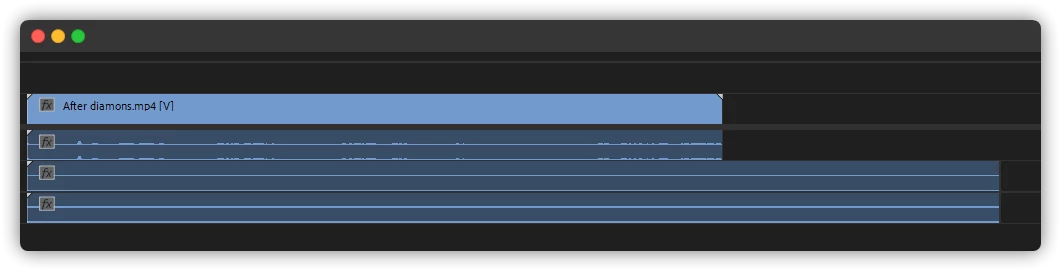


This topic has been closed for replies.

3 replies

Community Expert
September 7, 2021

Screen recordings are famous for having a variable frame rate which sometimes messes with Premiere.

I recommend running the footage through the free app Hand Brake and choose a fixed frame rate.

Then take the rendered movie from Hand Brake into Premiere.


MarekMularczyk
Community Expert
Community Expert
September 6, 2021

When you load the video into the Source Monitor, what duration are you getting?


Adobe Community ExpertAdobe Certified Professional
CapuchAuthor
Participant
September 18, 2021

In the Source Monitor, it's saying that the video is 7:01 long

MarekMularczyk
Community Expert
Community Expert
September 6, 2021

When you import the video into Premiere, what duration are you getting in the Project panel?


Adobe Community ExpertAdobe Certified Professional
CapuchAuthor
Participant
September 18, 2021

It's saying that the Video duration is 05:01 and the Media duration is 07:01