Inspiring
April 30, 2026
Answered

video clip not appearing in program monitor

  • April 30, 2026
  • 3 replies
  • 16 views

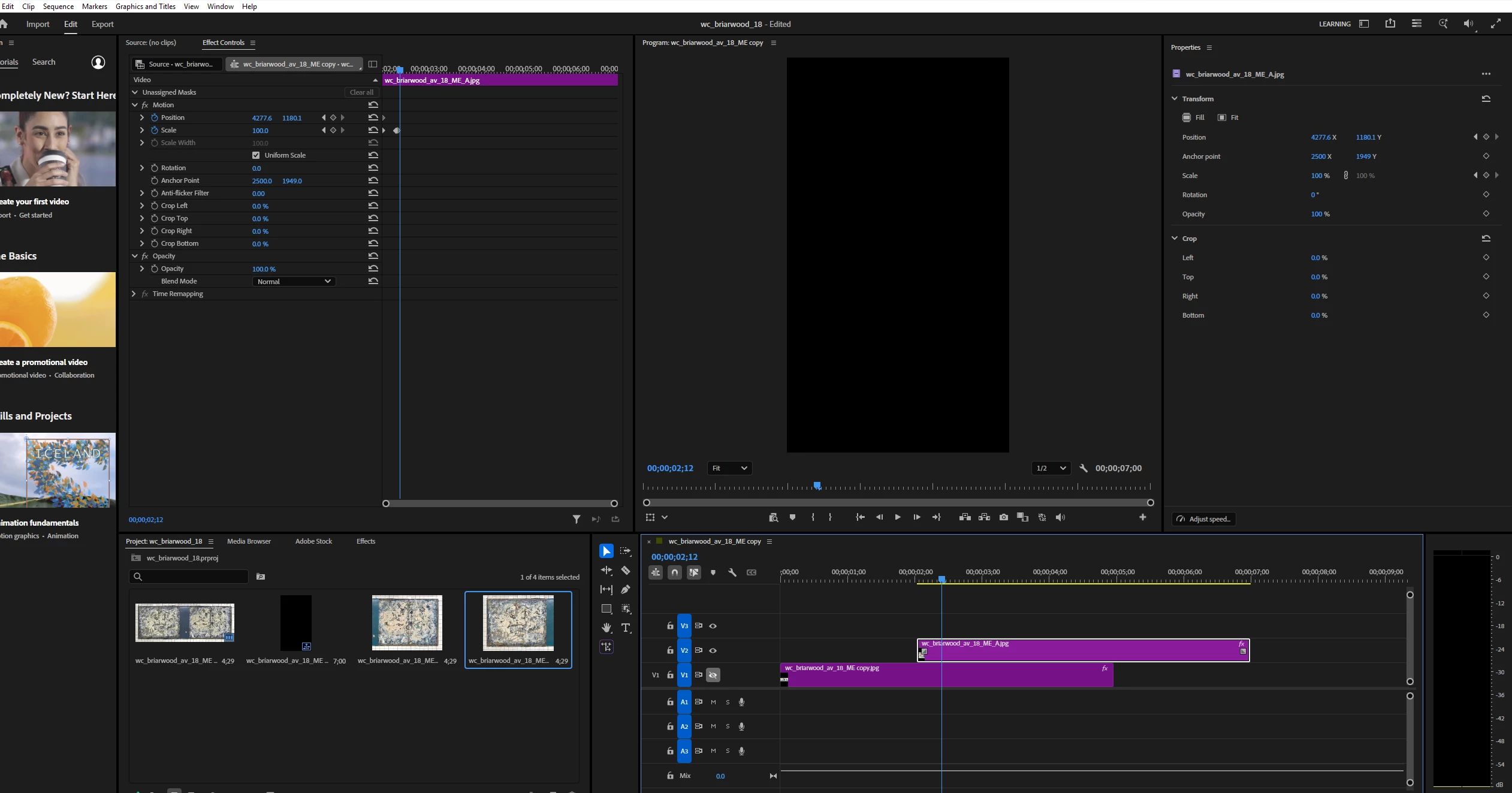
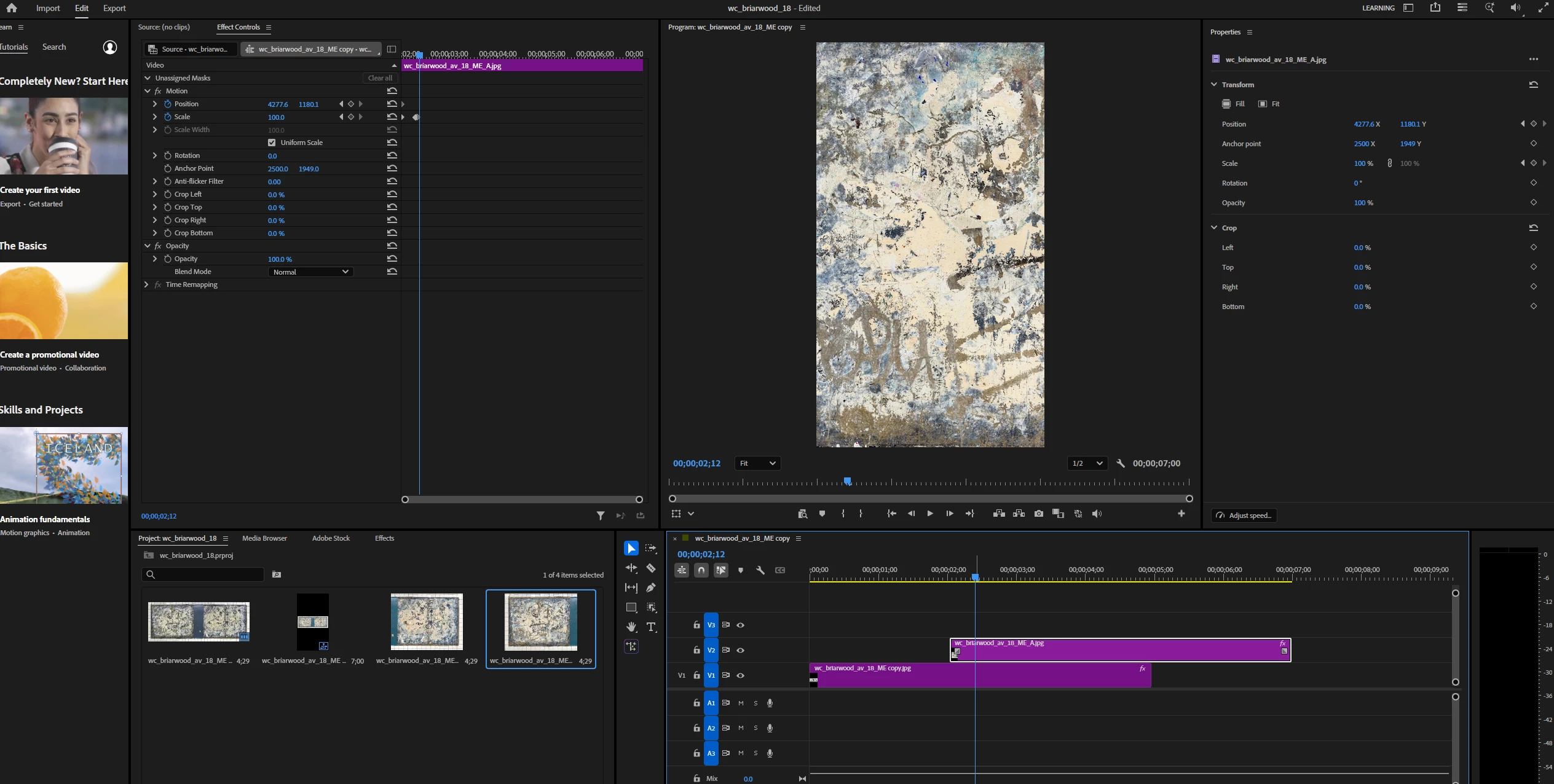
I’m trying to animate some still images and the clip on track V2 is not showing up in the Program Monitor.  In screenshot 1 what is showing in the Program Monitor is the image from V1.  If I toggle that track off, as shown in screenshot 2, the clip above it on V2 does not appear.  Why not?  Thank you.  


    Correct answer Barton5C39

    Problem solved.  In a list of potential causes, I tried the last one - clicking on Run as Administrator and now I can drag the image in the Program Monitor as before and this also doesn’t disable its appearance as well as permitting it to drag.  Thanks AI.


    3 replies

    Barton5C39AuthorCorrect answer
    Inspiring
    May 1, 2026

    Problem solved.  In a list of potential causes, I tried the last one - clicking on Run as Administrator and now I can drag the image in the Program Monitor as before and this also doesn’t disable its appearance as well as permitting it to drag.  Thanks AI.


    Inspiring
    April 30, 2026

    Upon further investigation, what is happening is that the clip appears in the Program Monitor when I move it to the timeline but as soon as I create a keyframe and click on the Motion option in the Effects Controls panel and try to drag the image, for some reason the clip vanishes.  Screenshot 1 shows the clip right after I have dragged it into the timeline.  Screenshot 2 shows it after I have created a keyframe.  As soon as I click on the Motion option in Effects Controls and click in the image in the Program Monitor to drag and move it, it is no longer visible in the Program Monitor.  Why is clicking and dragging to move the image causing its disappearance?  Thanks.  


    Community Manager
    April 30, 2026


    Hi Barton,

    That sounds pretty odd. What happens if you swap the footage on V1 to V2 and V2 to V1? Does the same thing happen in a new sequence. Curious to find out what works so we can help you solve this. Sorry for the frustration.


    Thanks,
    Kevin


    Inspiring
    April 30, 2026

    Thanks ​@Kevin-Monahan I did as you suggested and swapped the tracks.  When I toggle the top track off, with the play head on the lower track, it does not show in the Program Monitor.  See screenshot 1.  But if I clear it, and drag it back, it shows up (screenshot 2).  Very strange.  


    Inspiring
    May 1, 2026

    Something odd is going on with the Motion function.  When I drag the image in the Program Monitor, it briefly moves and then stops.  I can’t continue to drag it anymore - it’s frozen at this position.