


Question
Video Clips Out of Sync After Closing and Reopening Project
Seeing a strange issue in Premiere v22.6.4 on Windows 10 where I close my Premiere project and then the next day, upon reopening the project, some of the clips show that they are now out of sync with the audio.
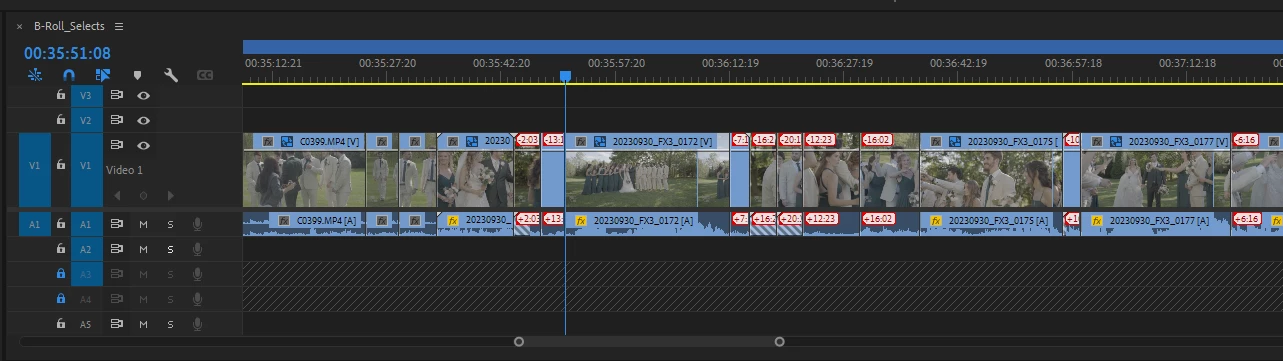
These were clips sitting in my B-roll selects timeline and were just from a camera (as opposed to having been previously synced with an external audio recording). So each video clip has one video and one audio track and Premiere is displaying the audio and video as being out of sync (see picture).
Any one else experience this issue and know of a fix? It is very annoying as the only way I can think of to fix the clips is to go back to the source media and re-do the select or manually move the audio back.
 AdChoices