

Known Participant
December 24, 2024
Answered

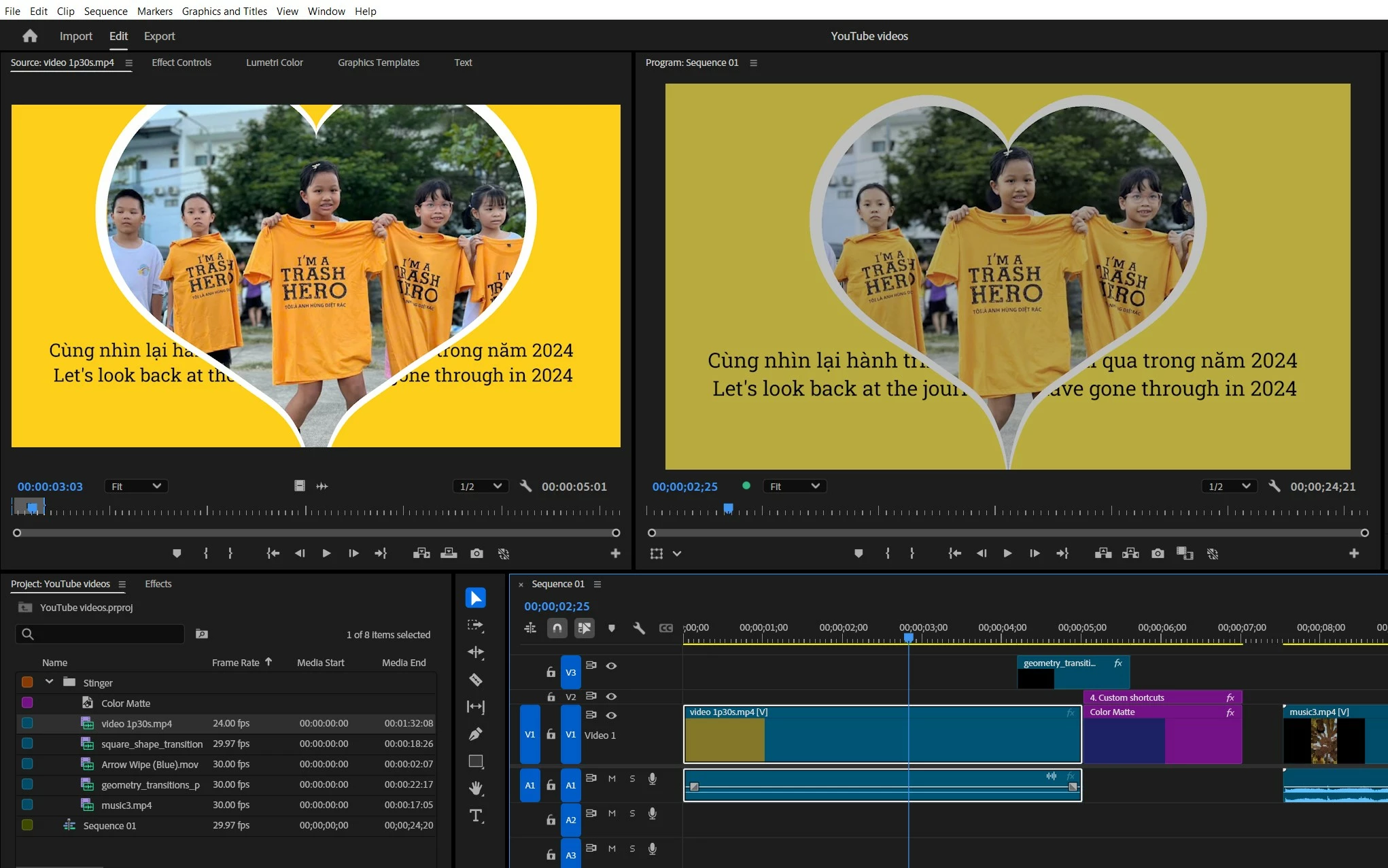
Video color in viewer doesn't match with source

  • December 24, 2024
  • 1 reply
  • 470 views

I was just putting the clip in and not making any changes yet, I think I accidentally turned on something, but I don't know what that is.

This topic has been closed for replies.
Correct answer R Neil Haugen

Color management is more complicated now because of the newer HDR color options, both HLG and PQ being available in Premiere.


So the issue is you haven't set your color management correctly for what you want to do.


Tell us your media, and what you want to do with it, on what hardware, "we" can sort you out.

1 reply

R Neil Haugen
R Neil HaugenCorrect answer
Legend
December 24, 2024

Color management is more complicated now because of the newer HDR color options, both HLG and PQ being available in Premiere.


So the issue is you haven't set your color management correctly for what you want to do.


Tell us your media, and what you want to do with it, on what hardware, "we" can sort you out.

Everyone's mileage always varies ...
Known Participant
December 25, 2024

Thanks, the color management is like this, when I change it back to Rec 709, it is fine.


Known Participant
December 25, 2024

I think because I chose 4K HDR when creating a new sequence
