
Participant
November 3, 2020
Question

Video colors look different on phone screen.

  • November 3, 2020
  • 3 replies
  • 3337 views

Hey,


I am trying to make a two-tone poster style video and everything is fine until I look the render on smartphones. The colors are quite off compared to three different monitors. I tested it on two android devices and on one iphone. Problem is same. 


The monitors are not calibrated and there is a small difference on every monitor, but not as drastic as on phones.

Oh, one interesting thing. When I upload the video to Google Drive, the thumbnail colors are messed up just like on a phone screen, but video playback is fine. Same thing in Youtube, when I hover over the timeline bar and this little thumbnail pops up showing the frame of a chosen time point, the thumbnail colors are messed up the same way.


Is it a color management problem? Render settings? 

I would really appreciate any help. 🙂 Thanks.
 

This topic has been closed for replies.

3 replies

R Neil Haugen
Legend
November 23, 2023

One of the first things pro colorists learn is that ... outside of your system, you have no flippin' control whatSOfreaking EVER.


Every screen is different, and take the same phone and a vid on a park bench in noon day sun, in a dark bedroom at night, it will vary visually due to the surround ambient light and the way your eyes react to that.


Which is why pro colorists go nuts setting up a calibrated/profiled dead-accurate viewing system. Knowing that no one, ever,  whether viewing by broadcast signal, streaming, or theatrical release, will ever see exactly what they saw on their reference monitor.


You get your system tight to the specs so that, when viewed out in the total mess of a mush that is Real Life, your media looks ... relative to other pro produced media on that device ... like pro produced media.


It won't look like on your system. Hopefully, it's somewhat close. That's all you can do.

Everyone's mileage always varies ...
Participant
November 27, 2023

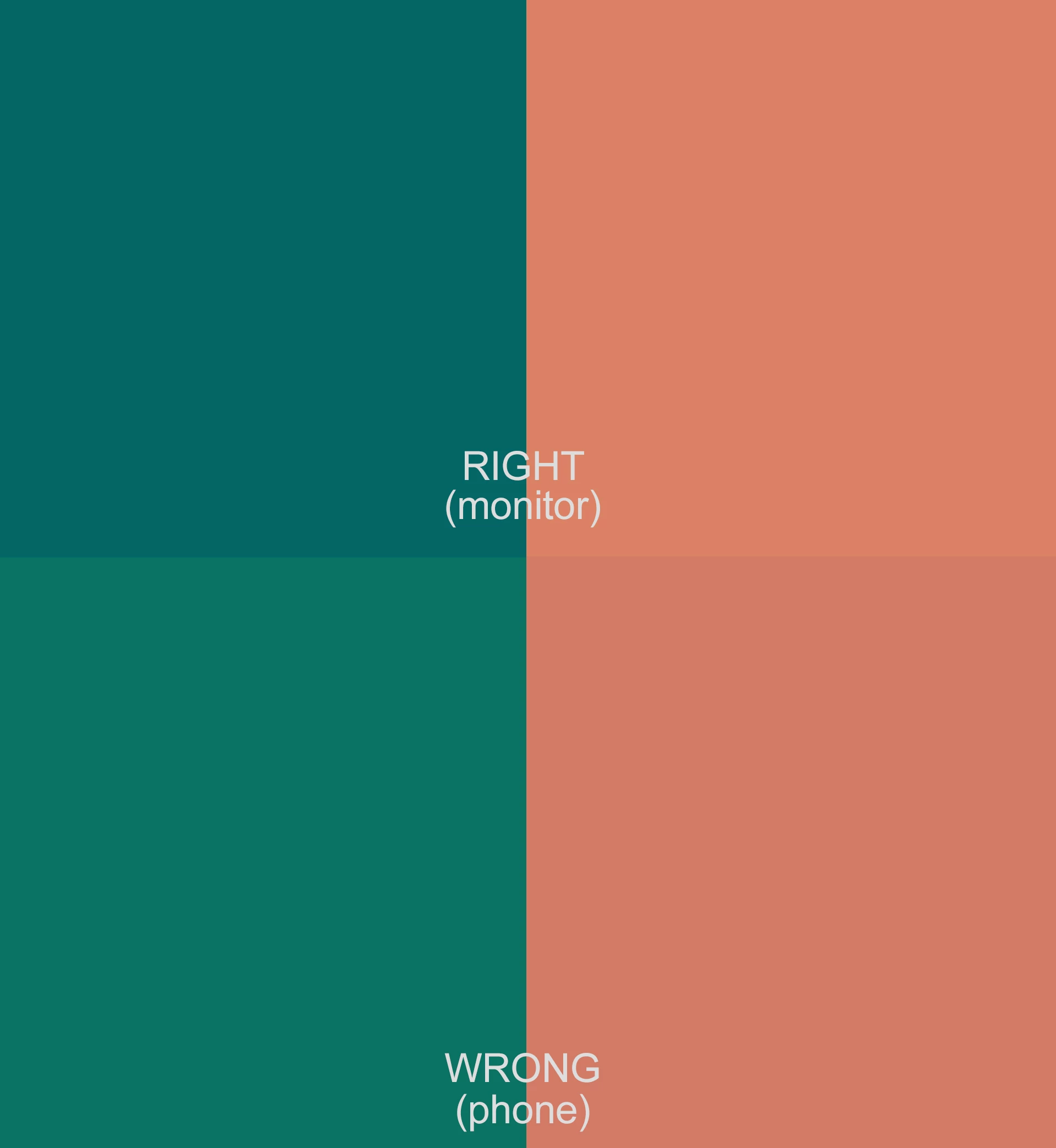
Yes, I know. But on mobile devices, the exact same color used for my images and for my video is rendering as the two completely different colors as seen in my original post (images render the left side color and video renders the right side color). Thus, the exact same color is rendering as different image versus video colors and it looks quite bad to have the images and video side-by-side. It's my branding, after all. Is there anything that can be done about this? Thanks for your help.

Kevin-Monahan
Community Manager
Community Manager
November 27, 2023

On all mobile devices or just Apple devices?


Cheers, 

Kevin

Kevin Monahan - Sr. Community and Engagement Strategist – Adobe Pro Video and Audio
Peru Bob
Community Expert
Community Expert
November 23, 2023

If you import the exported file into Premiere Pro, does it look the same on the timeline?

Participant
November 23, 2023

I am having the same issue. The image colors are correct, but the video colors are not.


On the left is the correct blue. On the right is the blue rendered on mobile devices.


Can someone help us please?