Answered
Video display issues using OpenCL in 2019 update
After updating to 2019 and attempting to work on a project I was using in the previous version of Premiere, I am encountering a number of issues with the display of the video.
I am on Windows 10, using Premiere Pro v13.0 Build 225
When I set the Renderer to Open CL, I experience this:
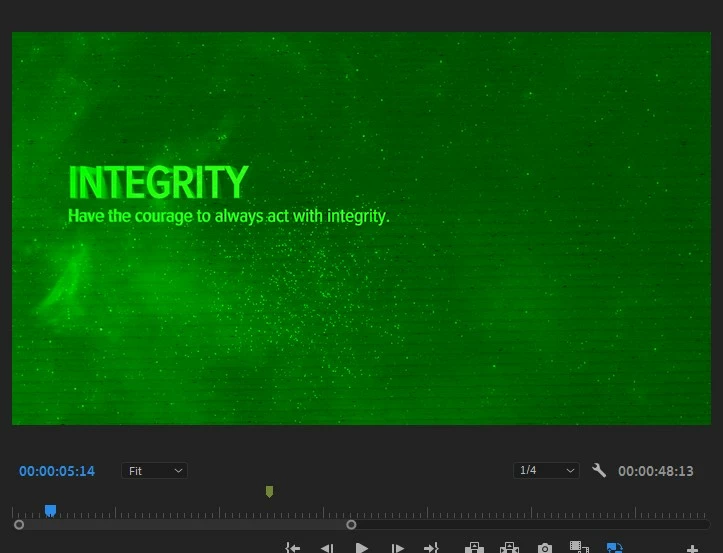
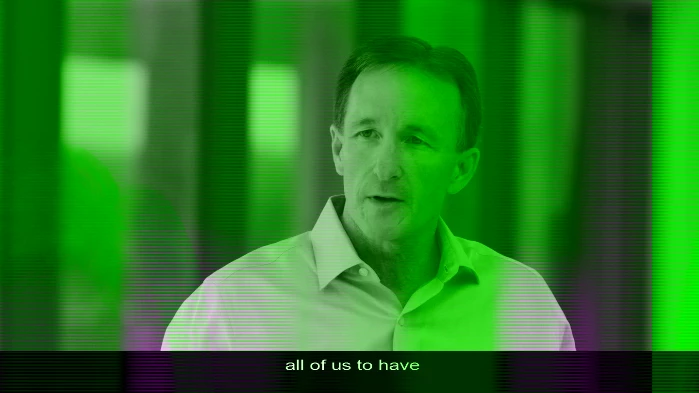
- Some clips show in the program viewer with a green glitchy overlay.
- Some clips do not how in the program viewer (just shows blackness)
- If I turn the Proxies off, the clips appear (but some clips stil have green glitch overlay). Playback is extremely poor.
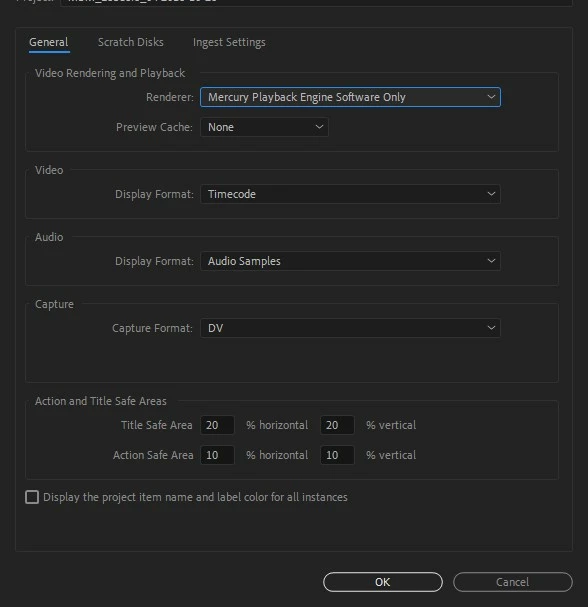
When I set the Renderer to Software Only, the odd green glitches do not show.
When I open the project in the previous version of Premiere (12.1.2) I am able to use the program as expected. I will continue to use the previous version of Premiere for now, but I would like to troubleshoot this issue so that I can use the new version of Premiere.
Thank you.
 AdChoices