fragrancexshannen
Participant
May 10, 2019
Answered

Video displaying incorrectly in source monitor and timeline

  • May 10, 2019
  • 2 replies
  • 355 views

Please help me, this is going to give me an ulcer.
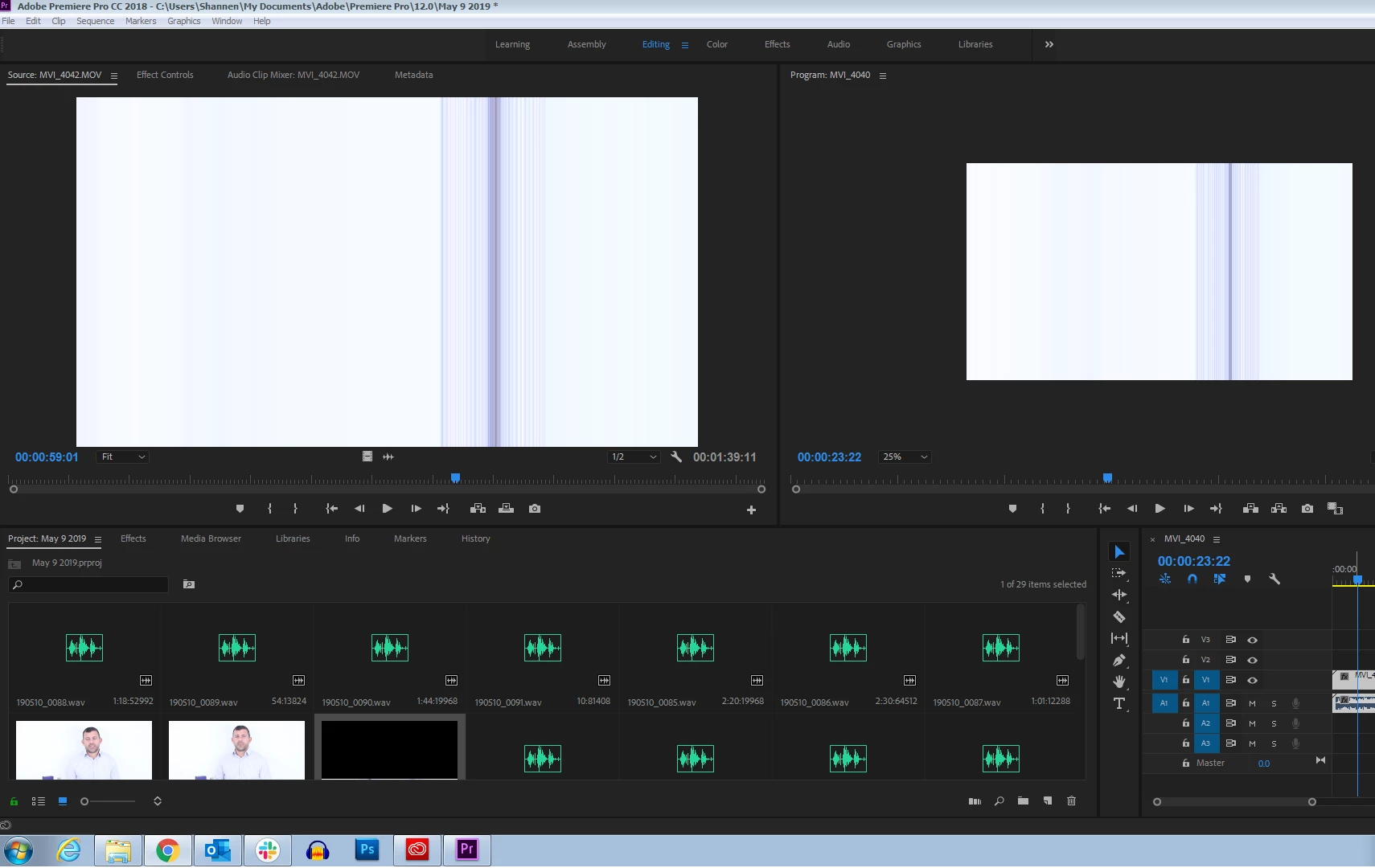
Why is this happening and what do I do to fix it?  When I play the raw clips in another program, they display correctly, so it's not a file problem. 

This topic has been closed for replies.
Correct answer R Neil Haugen

GPU drivers are updated every few weeks at most and we need to keep them current. Plus ... some older hardware bits no longer work with the newest versions.

So you can quickly go to Project settings,  and set Mercury Acceleration to software only, and see if this resolves the issue.

Neil

2 replies

Ann Bens
Community Expert
Community Expert
May 10, 2019

If the image is of another resolution then the timeline then yes it would look different in the source monitor.

R Neil Haugen
Legend
May 10, 2019

That typically is a driver problem for the GPU, so what GPU do you have, what options have you tried in the Project settings for Mercury Acceleration, and have you checked to see if a newer driver is available from the manufacturer?

Neil

Everyone's mileage always varies ...
fragrancexshannen
Participant
May 10, 2019

I'm not sure, but I know my hardware is pretty old.  I'll see what I can do in concert with my IT department.  Thanks so much for your help.

R Neil Haugen
R Neil HaugenCorrect answer
Legend
May 10, 2019

GPU drivers are updated every few weeks at most and we need to keep them current. Plus ... some older hardware bits no longer work with the newest versions.

So you can quickly go to Project settings,  and set Mercury Acceleration to software only, and see if this resolves the issue.

Neil

Everyone's mileage always varies ...