Video export different than preview (HDR source/HDR output)
I have scoured the forums and interwebs for a definitive answer/solution to my problem, and still can not find a proper solution. My project to is color correct and re-grain the 4K release of Terminator 2.
My monitor, a Dell u3818dw is a true 10bit panel.
So, I have a 4K rip of the film. According to mediainfo, my source file is as follows:
Color space : YUV
Chroma subsampling : 4:2:0 (Type 2)
Bit depth : 10 bits
Color range : Limited
Color primaries : BT.2020
Transfer characteristics : PQ
I am using the latest version of Premiere Pro, and, am also using the plugin FilmCovert Nitrate 3.0 to do to re-grain and color correction.
So, my preview looks fantastic. But, like so many have reported with similar projects, my export looks a bit devoid of the color/contrast/punch of my preview window in Premiere.
Here are my results:
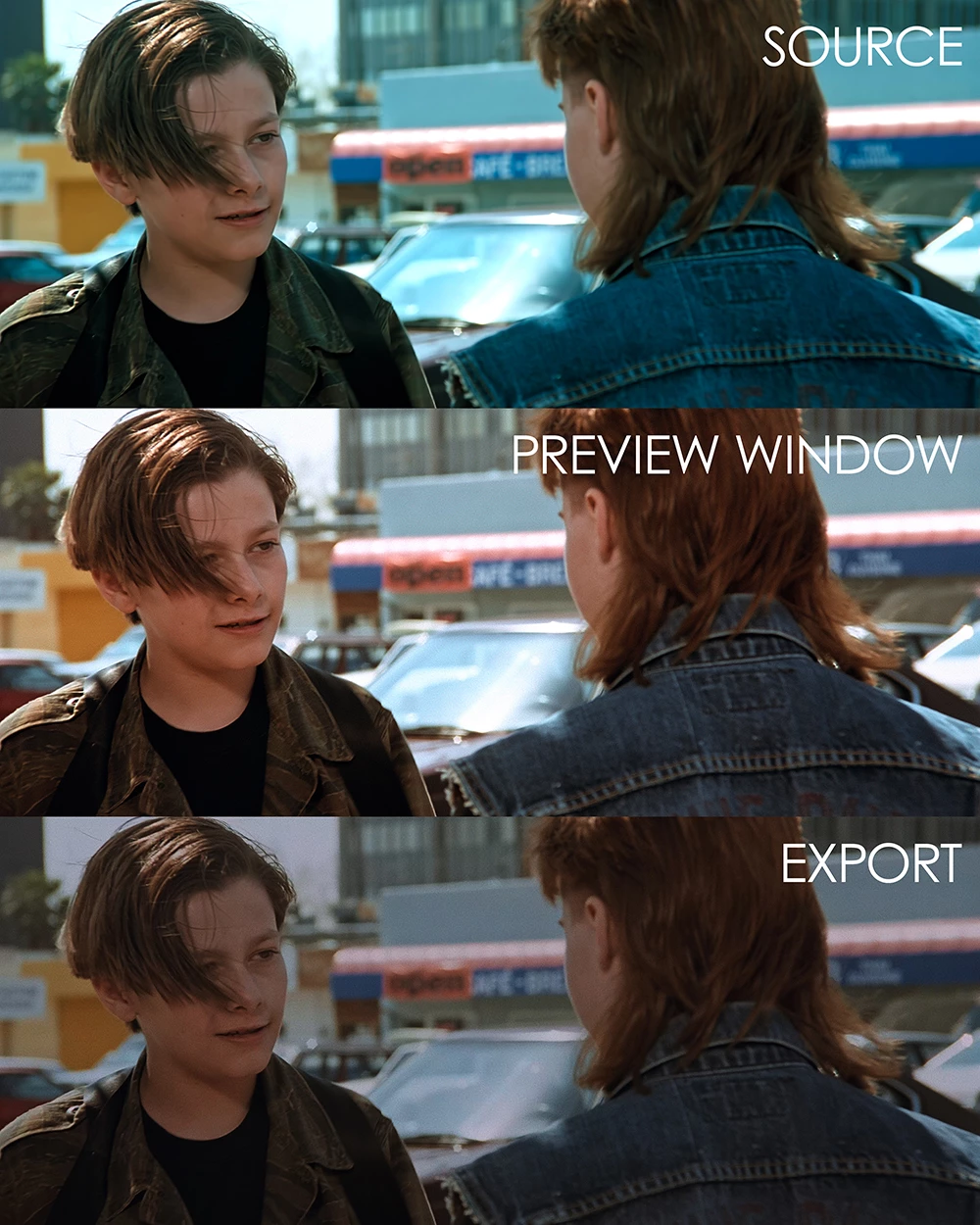
My sequence settings have the working color space set to Rec. 2100 PQ
Auto-tone map media is checked.
Under the Lumetri color settings, I have the following:
Display Color Management: √
Extended Dymanic Range Monitoring: √
Source Clip Media Color Space: Rec. 2100 PQ
Here is a pic of the preview window in Adobe Media Encoder. I am sure this is fine, as it is HDR and the previews have always looked washed out.

Here are my Media Encoder settings:
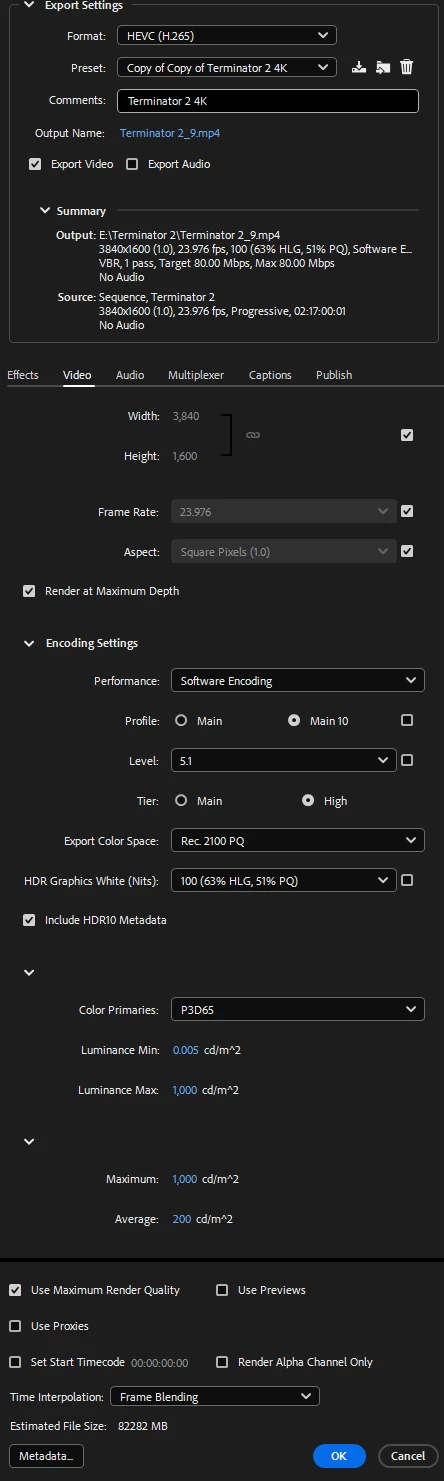
If I remember correctly, if I change the Export Color Space to "Rec. 2100 HLG" it is a bit more vibrant, but not correct.
Any help would be appreciated!
 AdChoices