Participating Frequently
September 30, 2024
Question

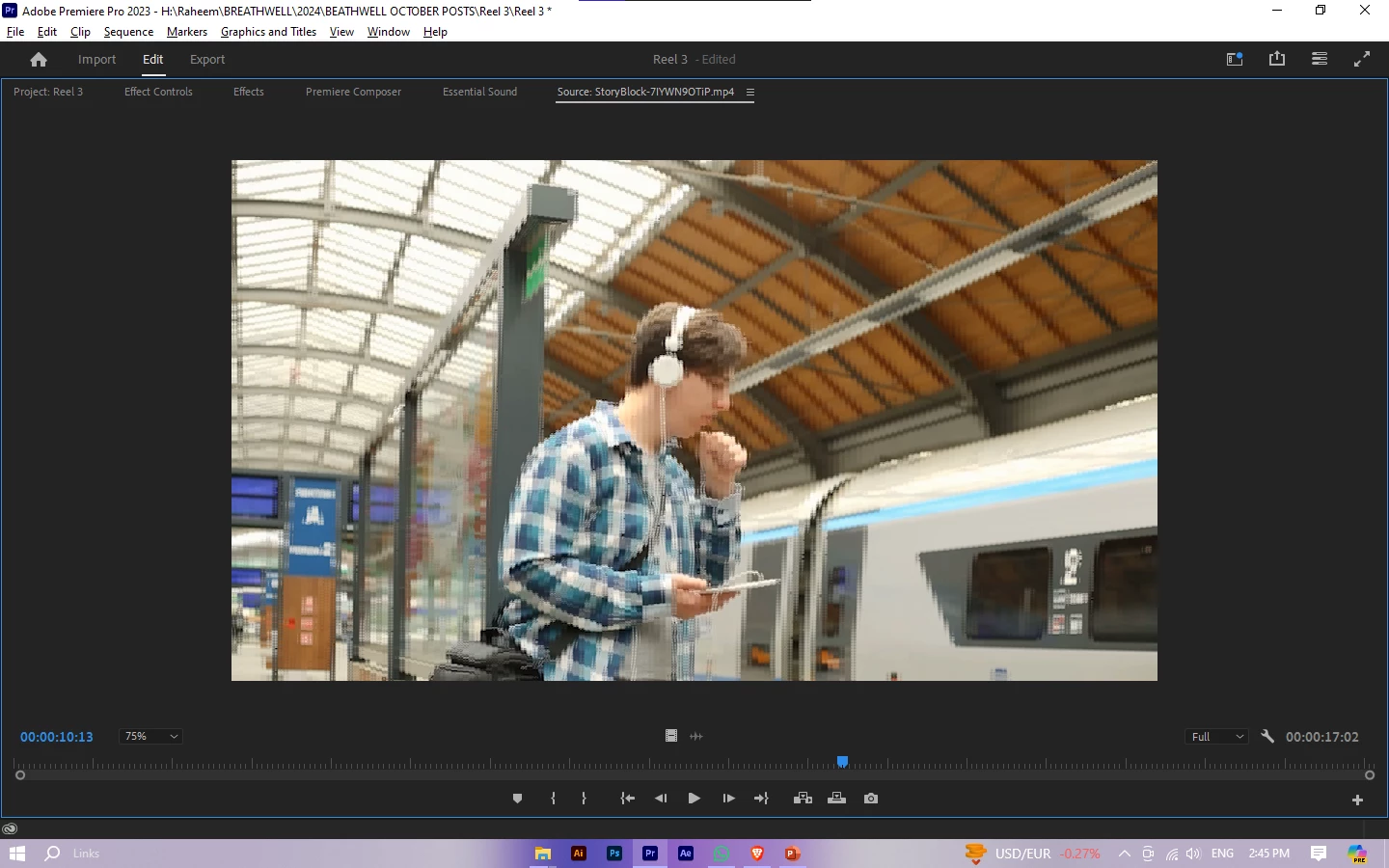
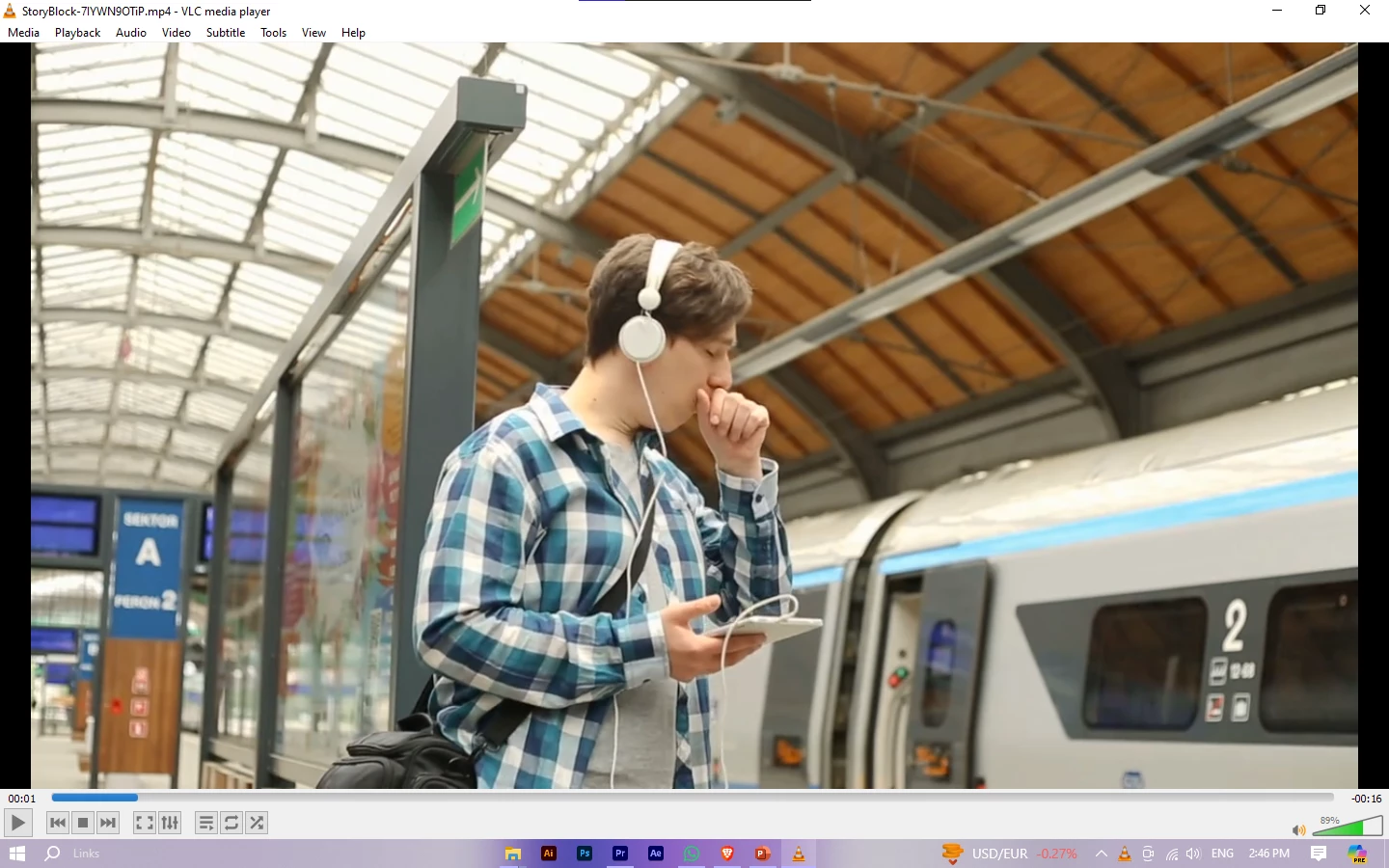
Video Footage is all pixelated when Importing in Premiere Pro

  • September 30, 2024
  • 4 replies
  • 2357 views

Hi Everyone,
Im using Premiere Pro 23.6V on windows 10. I had this issue previously on the 22V but it got fixed somehow,

I've used this footage previously on the 22v with no blurry or pixelated issue. I tried rendering the footage with media encoder and handbrake but it didn't worked i tried clearing media caches and it didn't worked and just so you know my all footages are having this same thing not just this one, every footage is just like that, my preview qualtiy is full, and i also changed workspaces and idk what to do so please helpp Thankss.
This topic has been closed for replies.

4 replies

Participating Frequently
September 30, 2024

Its working perfectly fine in v22
maybe my specs are low idk!

Kevin J. Monahan Jr.
Legend
October 7, 2024

Thanks for the message. You're on the edge of minimum system requirements for the CPU and this version, @Rahimullah26858685jly2. That could be why you're experiencing issues and why an earlier version is working better. Sorry for the frustration.


Take Care,
Kevin

Kevin Monahan - Sr. Community and Engagement Strategist – Adobe Pro Video and Audio
Participating Frequently
September 30, 2024


Richard van den Boogaard
Community Expert
Community Expert
September 30, 2024

Is this only happening when you pause the video or also with playback? If the first, it could be that you have the Paused Resolution set to a low setting (e.g. 1/8th). You can change that under with the wrench menu and then select Full in Paused Resolution.

Participating Frequently
September 30, 2024

Its happening when i play or pause it! and my both resolution are on full 🙂


jamieclarke
Community Manager
Community Manager
September 30, 2024

Have you tried updating to the Long term support version of premiere which is currently 23.6.9?  


Can you try going to Preferences under Media and deleselct the 2x checkboxes "enable accelerated hardware decoding" then restart your project.


Can you try to hold down "SHIFT" while launching Premiere and check the boxes 

"Clear media cache files" 

Ann Bens
Community Expert
Community Expert
September 30, 2024

Please post screenshot sequence settings and media properties.

Please post full comp specs, especially gpu and driver

Participating Frequently
September 30, 2024


Participating Frequently
September 30, 2024