
brians41901750
Participant
December 13, 2019
Question

Video gets "glitchy" when I use the crop tool on MacBook Pro

  • December 13, 2019
  • 4 replies
  • 1739 views

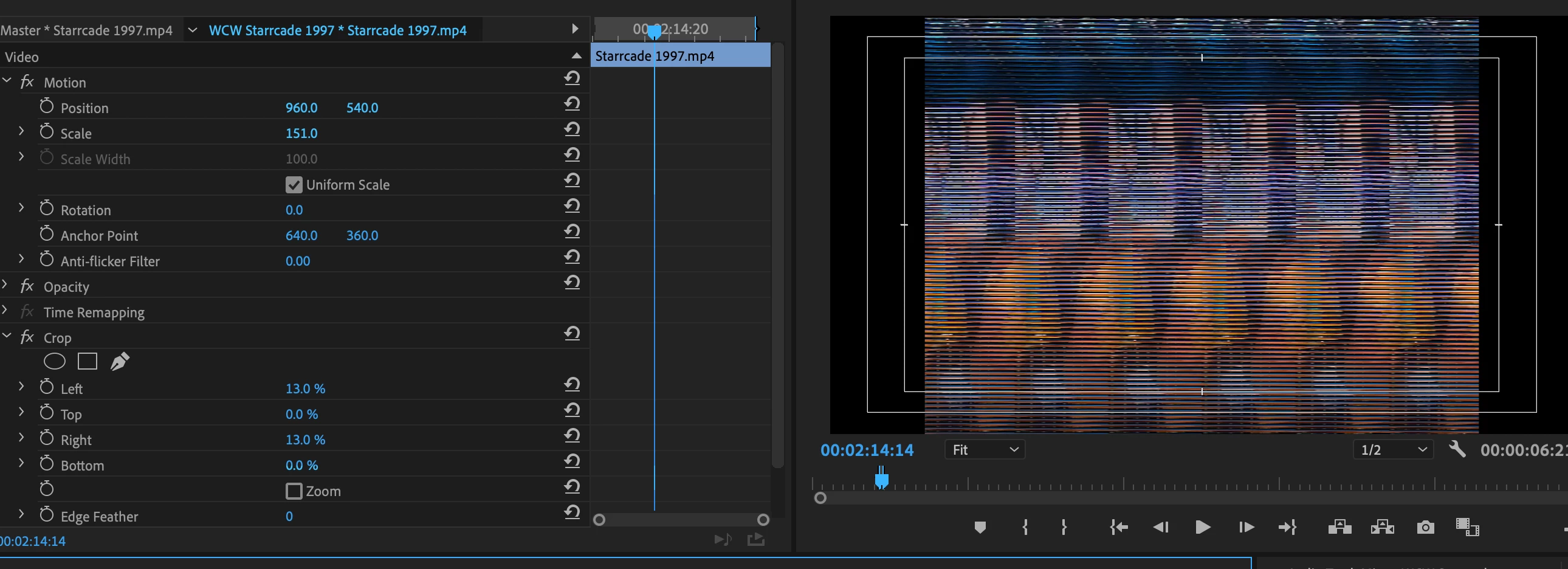
Editing footage on Premiere CC on a new MacBook Pro ... when I try cropping footage on the left and right sides, my video does this weird glitch effect that you see here.  Rendering in playback doesn't fix it and it looks like this when it's exported as well.  This only seems to affect footage when both left and right sides are cropped; it doesn't get glitchy when it's just one of those two sides, nor does anything happen when I crop the top and/or bottom sides.  I've never encountered this problem before, any advice?  Thank you!


Title edited by mod
This topic has been closed for replies.

4 replies

Participant
March 26, 2020

Same problem here, are there any fixes?

Ann Bens
Community Expert
Community Expert
March 26, 2020

Use a mask from opacity instead.

Participant
March 26, 2020

Jeah that's working, hope that we can use the crop tool again soon! 

Participant
February 26, 2020

I've updated the CC app, but Premiere 14.0.1 is still the most current that shows up for me. On my Mac Pro, 14.0.2 shows up and has installed. Any other way of getting the current version?


Ann Bens
Community Expert
Community Expert
February 26, 2020

Most recent is now 14.0.3.

Sign out and in the CC desktop app.

jellmariano
Participant
February 20, 2020

Same! I am using Macboook Pro 16 too and my video usually have the glitch effect whenever i used crop function. 

Ann Bens
Community Expert
Community Expert
February 20, 2020

Updating to 14.0.2 might do the trick or use a mask from Opacity instead.

Participant
February 23, 2020

Any idea how to get 14.0.2? I've got the same error. I've uninstalled and reinstalled Premiere here, but it only puts me on 14.0.1. I see this page: https://helpx.adobe.com/ca/premiere-pro/kb/fixed-issues.html which lists 14.0.2 so I believe you that it exists... although they don't mention fixing this bug. 

Kartika Rawat
Community Manager
Community Manager
December 13, 2019

Hi there!

We appreciate you writing in. 

Looking forward to your response.

Best,

Kartika


brians41901750
Participant
December 13, 2019

Hi there, I'm using version 14.0.0 (build 572), and I am indeed working on a 16" MacBook Pro.

Kartika Rawat
Community Manager
Community Manager
December 13, 2019


Thanks for responding. 

We'll get the issue tested at our end. We need to check if the issue is reproducible.

Is there anything else you'd like to mention? Like if it happens with a specific media files or projects.

Let us know.


Thanks,

Kartika