
Answered
Video is cropped off.
The thumbnail shows that the full video is in view. When I put it into the project audio/video timeline the bulk of the video is cutoff. Why is this? How do I fix this?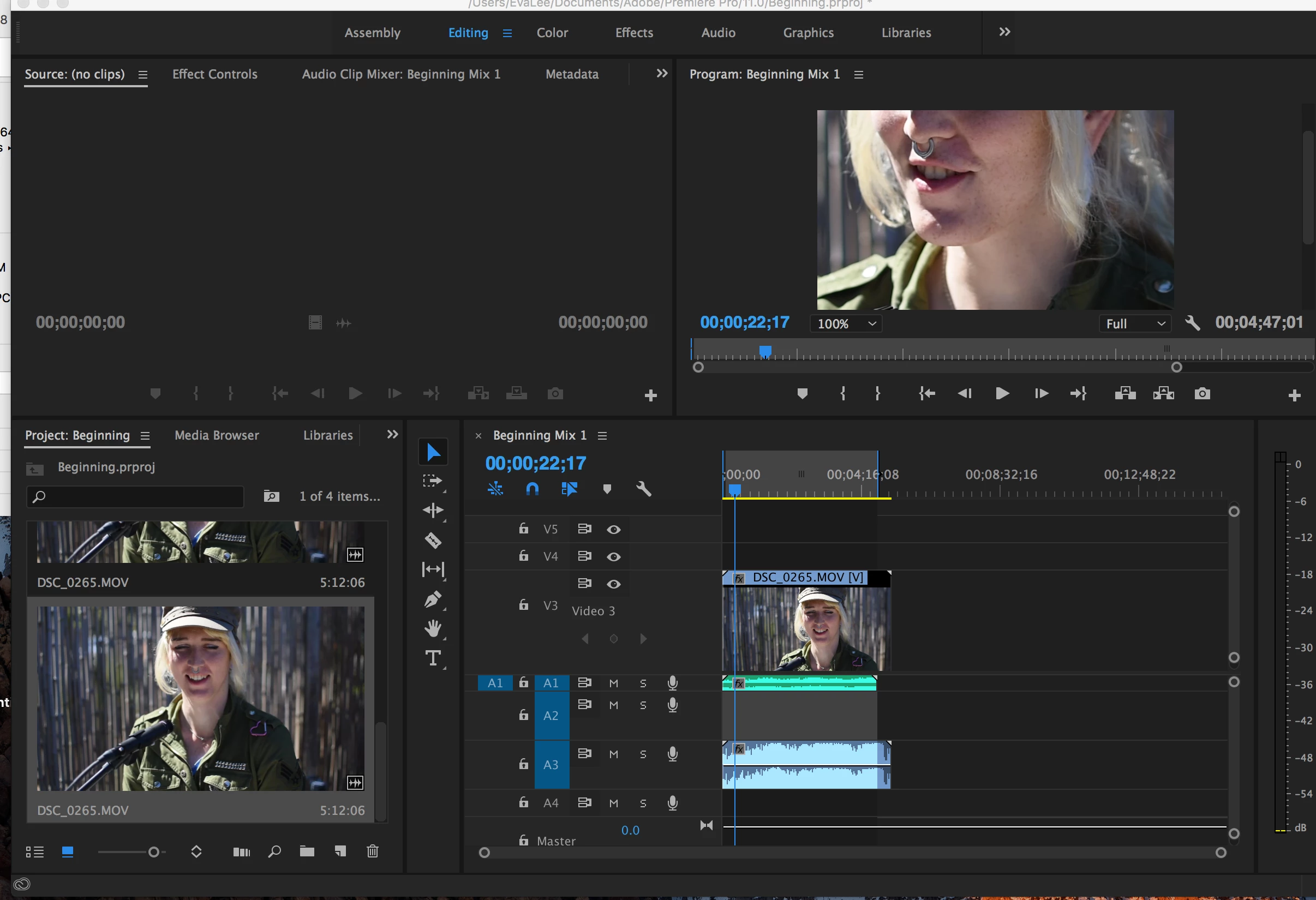
The thumbnail shows that the full video is in view. When I put it into the project audio/video timeline the bulk of the video is cutoff. Why is this? How do I fix this?
It looks like your source video is HD 16:9 and our sequence is set to 4:3 - is this your intention?
If not, create a new empty sequence File > New > Sequence. Click OK to any preset offered.
Once the new, empty sequence is created, drag one of your camera source files into the sequence from the Project Panel. You will be prompted to have the sequence match the properties of the source material. Do so.
You now should have a correctly sized sequence for your source material.
MtD
Already have an account? Login
Enter your E-mail address. We'll send you an e-mail with instructions to reset your password.
 AdChoices