Participant
July 26, 2022
Answered

Video is distorted after export

  • July 26, 2022
  • 1 reply
  • 292 views

Hi all,

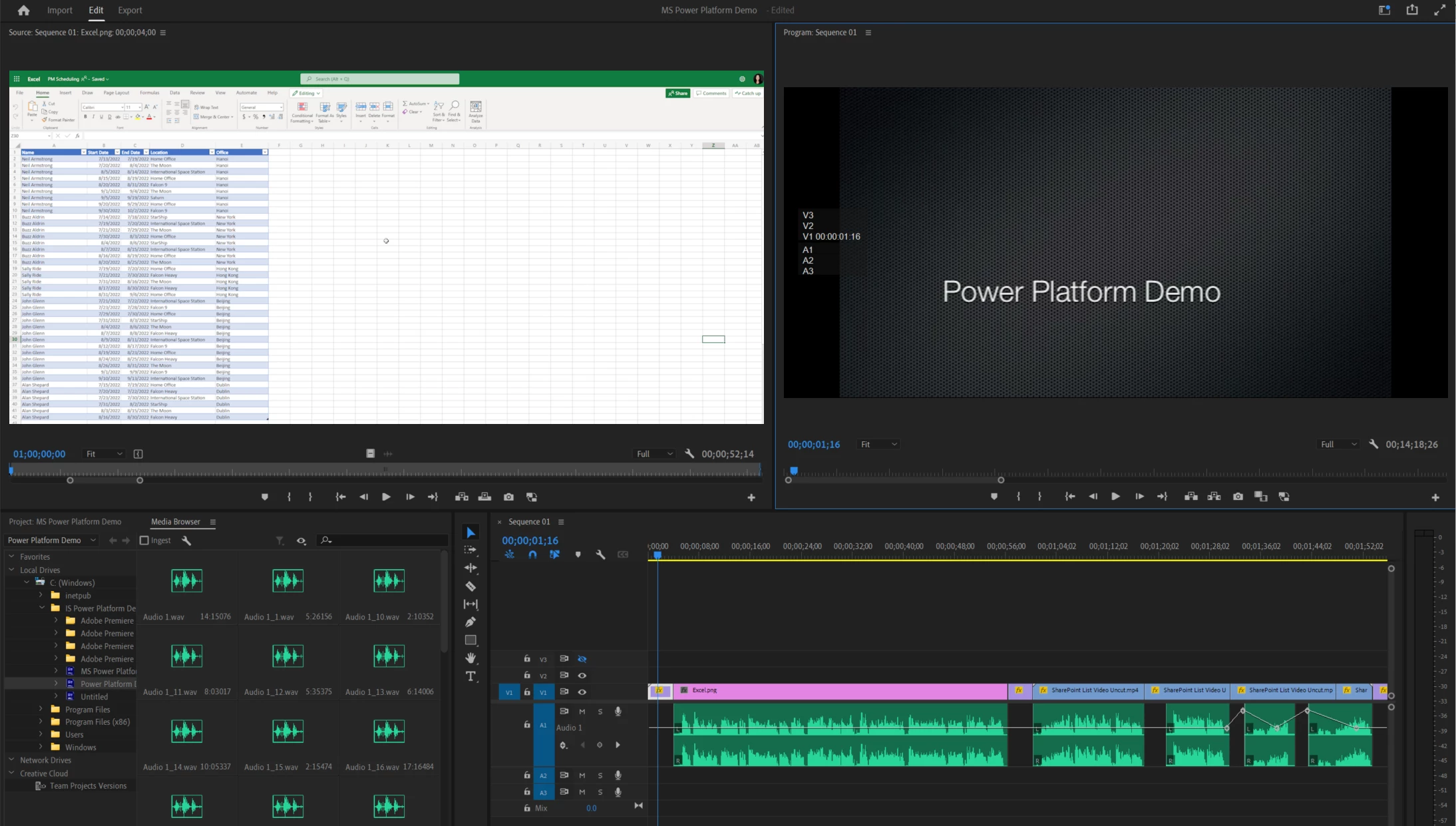
Hoping someone can help. I did a screen recording in PPT, which I am now editing. I have the default scaling set to Set to Frame Size. The clips and sequence look correct when viewing:
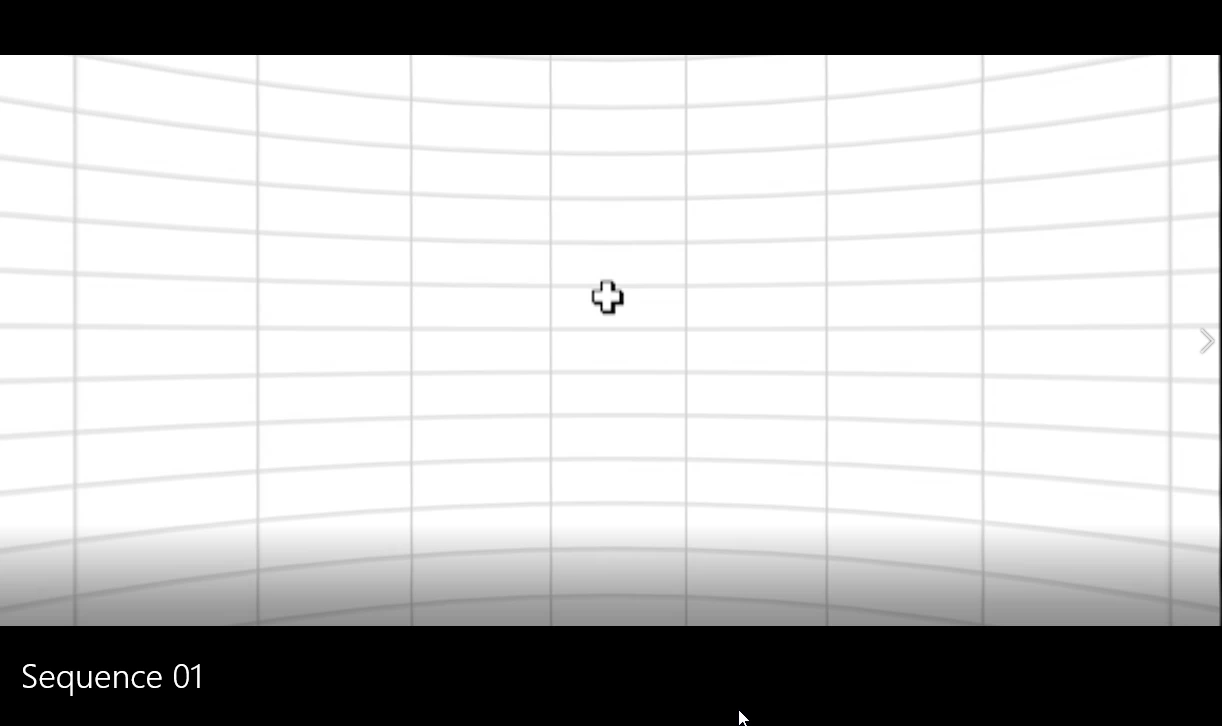
But when I export, everything gets warped:
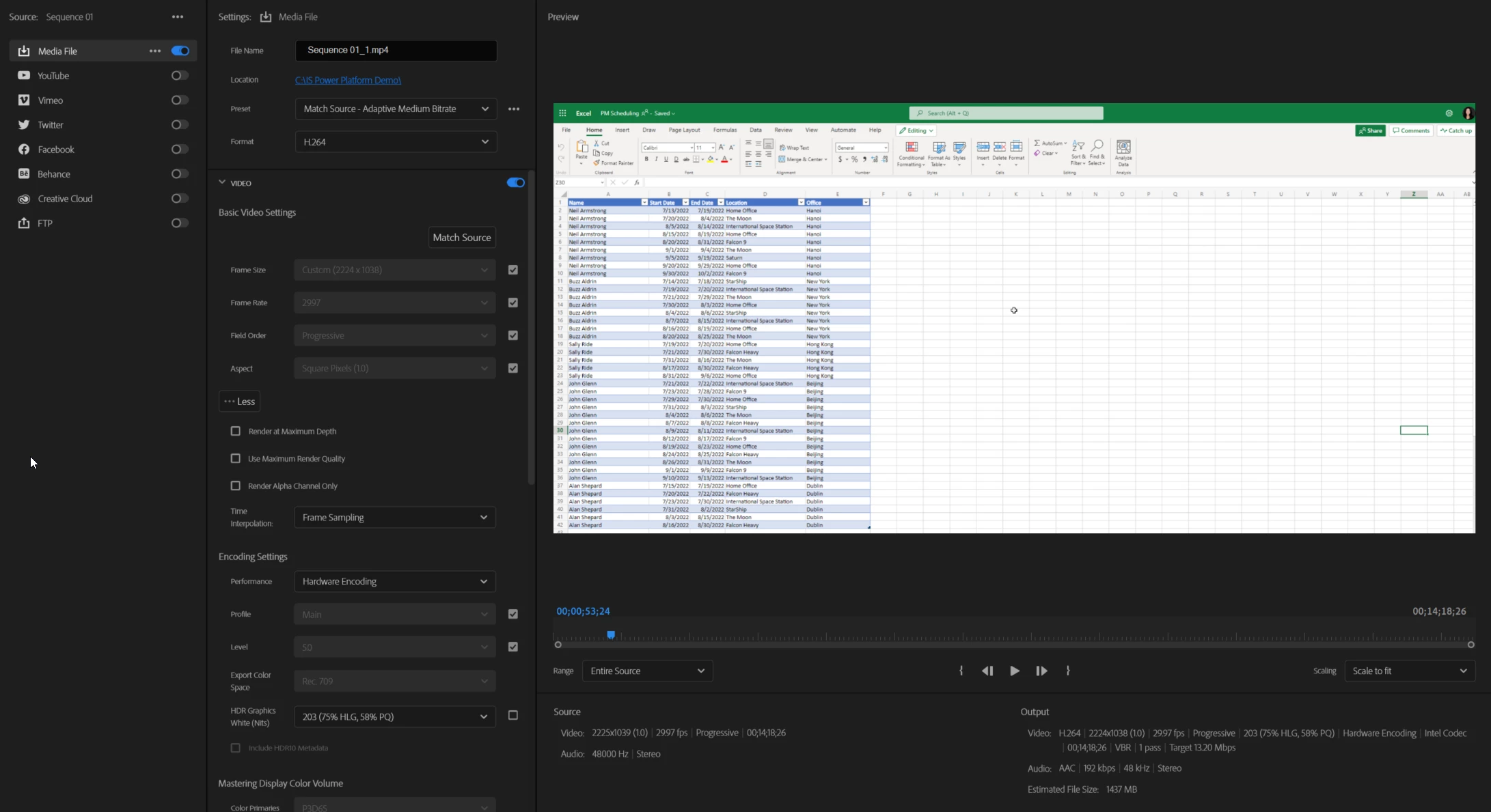
I have tried changing all of the export settings I can think of, but the output is the same. I currently have it set to this:
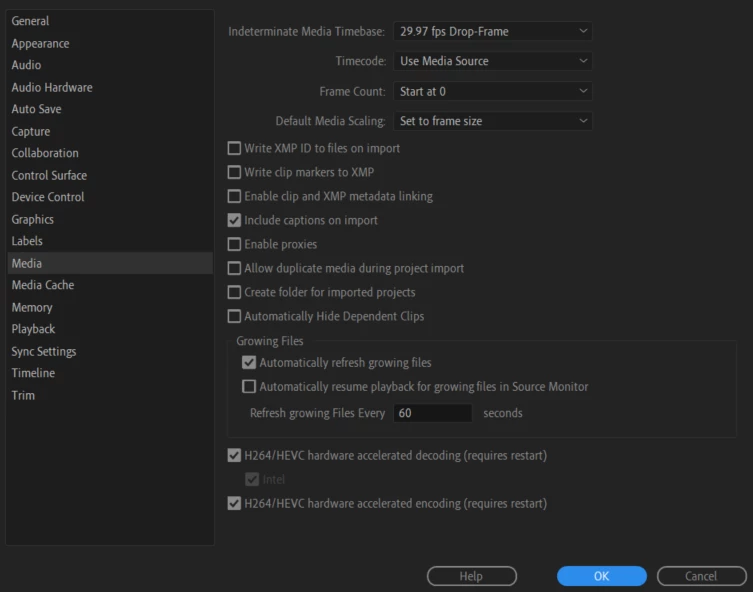
Media settings are this:
 

What am I missing?

Thank you so much for your help!

-Rachel


This topic has been closed for replies.
Correct answer SharePoint24619007ogra

I actually figured this one out myself. My computer defaulted to Windows Movies & TV as the player, and since the video is so wide, it turned on the 360 feature. When I turned off this feature, it looked great. 

1 reply

SharePoint24619007ograAuthorCorrect answer
Participant
July 27, 2022

I actually figured this one out myself. My computer defaulted to Windows Movies & TV as the player, and since the video is so wide, it turned on the 360 feature. When I turned off this feature, it looked great. 

Kevin J. Monahan Jr.
Legend
August 26, 2022

Thanks for letting us know, SharePoint.


Thanks,
Kevin

Kevin Monahan - Sr. Community and Engagement Strategist – Adobe Pro Video and Audio