
alisiac3833384
Participating Frequently
June 7, 2018
Answered

Video is shaking/jittering on export

  • June 7, 2018
  • 4 replies
  • 18786 views

Hi everyone: 

I am having a problem with exporting a video.  Link to the video in question is here:

https://www.youtube.com/watch?v=XOlxn3yY-K0&feature=youtu.be

It's especially noticeable on the book shots.

The video was shot with a Canon C100 Mark ii in 24p format and edited using Premiere Pro v12.  My computer specs are 2.5 GHz Intel Core i7 running El Capitan.

I have tried the following:

Applying Video Limiter to keep the whites and blacks under 100 and 0 respectively (I thought all the white was causing the shaking at first)

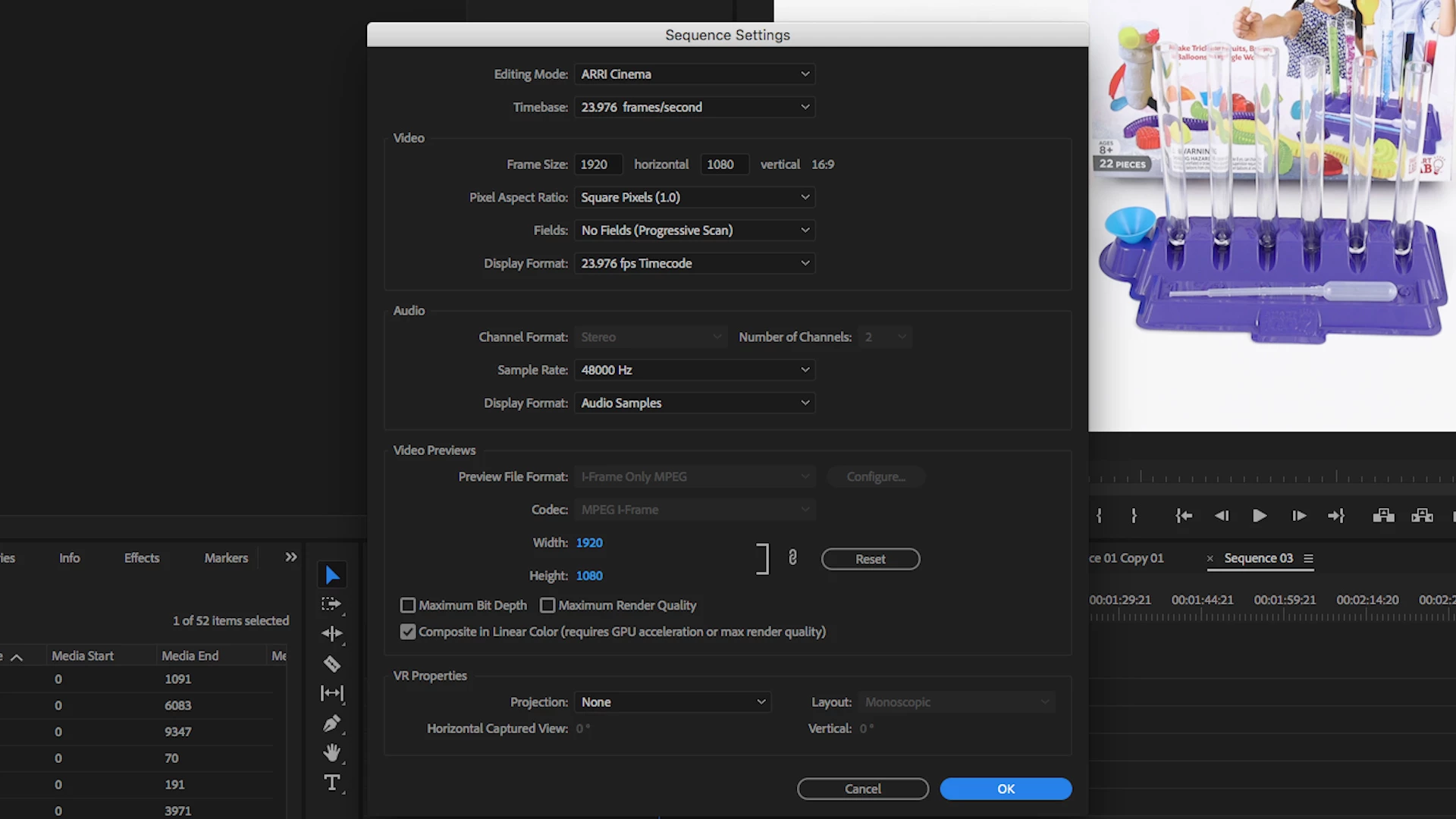
Creating new sequences in ARRI Cinema and AVCHD

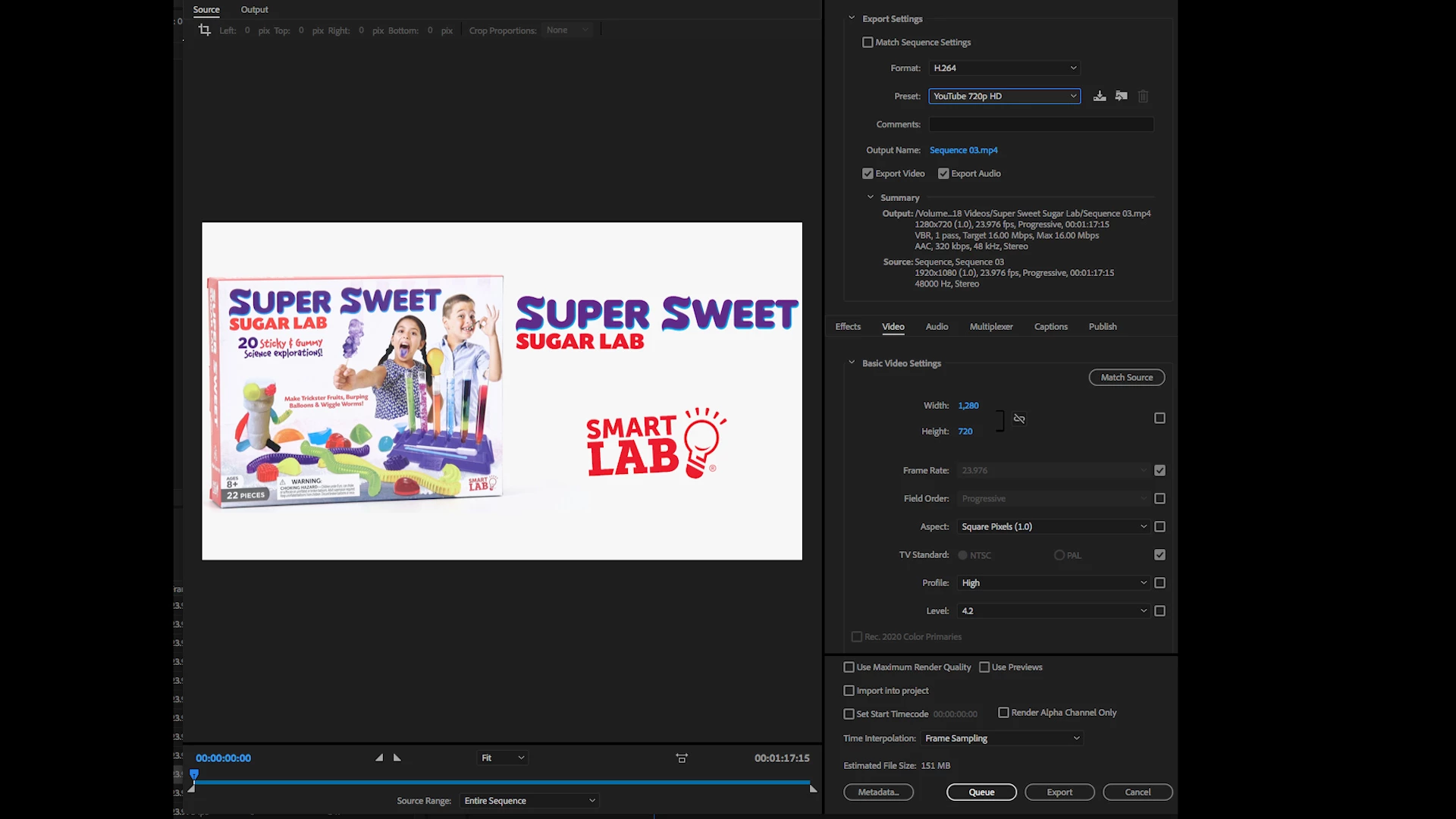
Exporting at the YouTube 720 and 1080 preset (what I usually do)

Exporting as a MPGEG 2 file

Exporting with the Match Source preset

Exporting with Match Sequence Settings checked

Changing the Fields to both Upper and Lower Field First (even though its a progressive video)

Changing the Frame Sampling to Frame Blending

Restarting

Here are my current sequence settings:
And my export settings
Any help would be appreciated!

This topic has been closed for replies.
Correct answer Kevin-Monahan

Hi AlisiaC,

Sorry for the frustration. I suspect this is GPU related. Go to File > Project Settings > General and change the Renderer to "Mercury Playback Engine Software Only." Report back with the results.

Thanks,

Kevin

4 replies

Participant
August 25, 2024

is there a similar setting on Lightroom iOS mobile app? My videos when exported are laggy and jittery, and I'm not sure if that is caused by the overprocessed video. The video is short only 7 seconds long and only 1080p

Kevin-Monahan
Community Manager
Kevin-MonahanCommunity ManagerCorrect answer
Community Manager
June 8, 2018

Hi AlisiaC,

Sorry for the frustration. I suspect this is GPU related. Go to File > Project Settings > General and change the Renderer to "Mercury Playback Engine Software Only." Report back with the results.

Thanks,

Kevin

Kevin Monahan - Sr. Community & Engagement Strategist – Pro Video and Audio
alisiac3833384
Participating Frequently
June 8, 2018

Ha ha!!  It worked!!!  Woo hoo - thank you so much Kevin, Jeff, and everyone else who took the time to address this problem.  I appreciate it so much.

Jeff Bugbee
Community Expert
Community Expert
June 8, 2018

Interesting! Even with that last file you uploaded, I was unable to replicate the jitter on export (on a 2013 El Capitan Mac trash can nor a 2015 macbook Air). Unfortunately it appears to be an issue specific to your hardware (namely: GPU) which Apple doesn't update terribly often, if at all.

Jeff Bugbee
Community Expert
Community Expert
June 8, 2018

Are those scenes of the open book pages videos or still images?

alisiac3833384
Participating Frequently
June 8, 2018

They are videos.  I could make them stills, but it still doesn't solve the problem as the entire video is shaking.  I didn't upload the entire video, but you can notice the shake on every shot.  It's just the most noticeable on those book shots. 

Jeff Bugbee
Community Expert
Community Expert
June 8, 2018

I do see the jitter elsewhere now. Is this apparent in your source/program windows before export? Or only in the final export?

Graeme Bull
Community Expert
Community Expert
June 7, 2018

No sure if I can see what you mean in this. Where is the most noticeable part that there is shake?

alisiac3833384
Participating Frequently
June 7, 2018

It's a minute up and down shaking.  If you look at the video full screen and watch from :02 - :05 you can see the letters on the page jittering.  You can also notice is on the next shot when different pieces of the kit appear - if you keep your eye on the box, you'll see it.

Thank you.

R Neil Haugen
Legend
June 7, 2018

I'd like to see the original media information from MediaInfo ... maybe download that free app, drag/drop a clip onto the app's icon. When it opens, go into Tree View, and post a screen grab of the Video section ... ?

Neil

MediaInfo download page: https://mediaarea.net/nn/MediaInfo/Download

Everyone's mileage always varies ...