Participant
July 15, 2018
Answered

Video is very small when it plays

  • July 15, 2018
  • 4 replies
  • 697 views

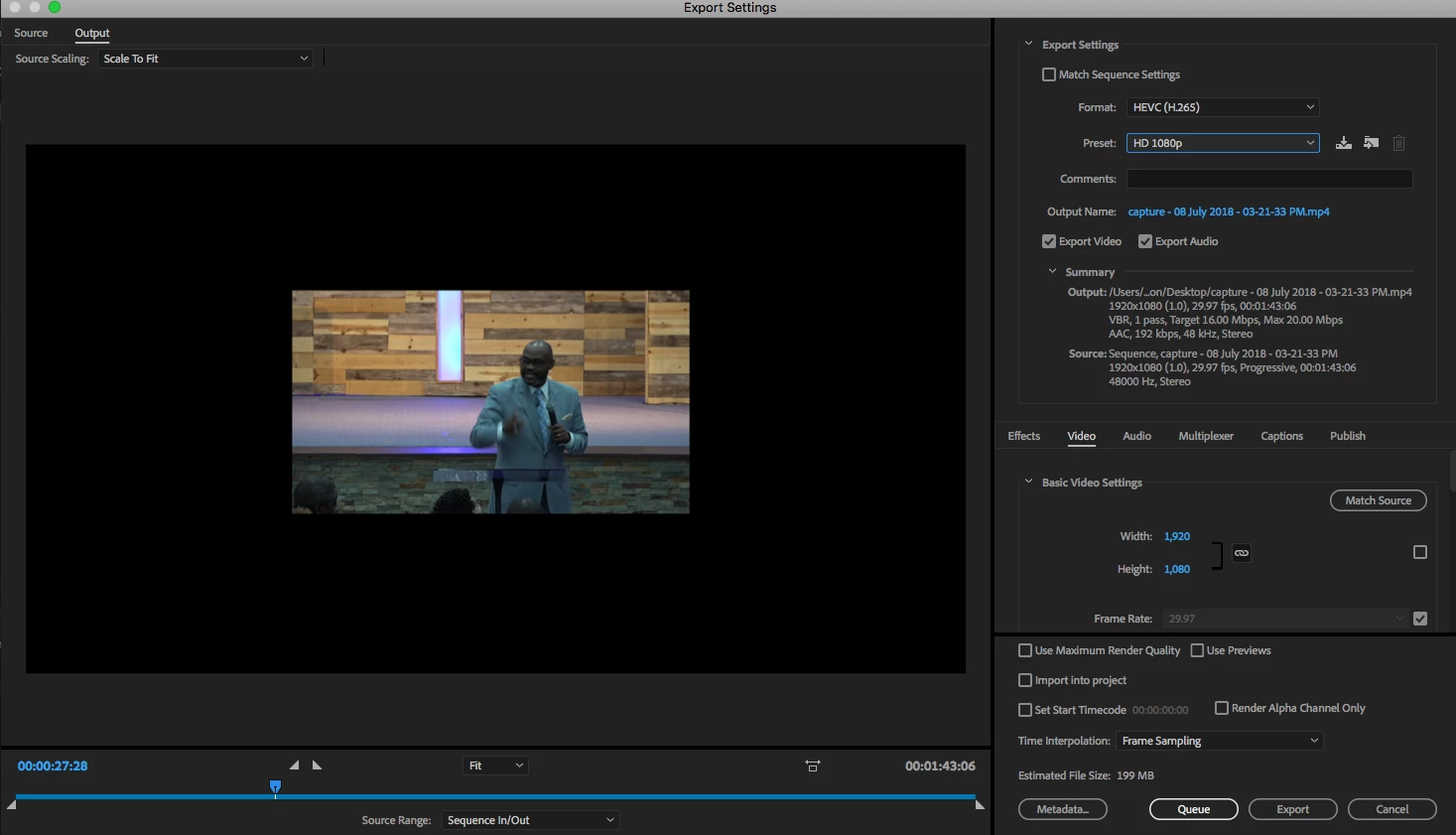
My video is very small once I'm completed with the rendering. What am I doing wrong. It even plays this small on youtube. Please help.?

    This topic has been closed for replies.
    Correct answer Ann Bens

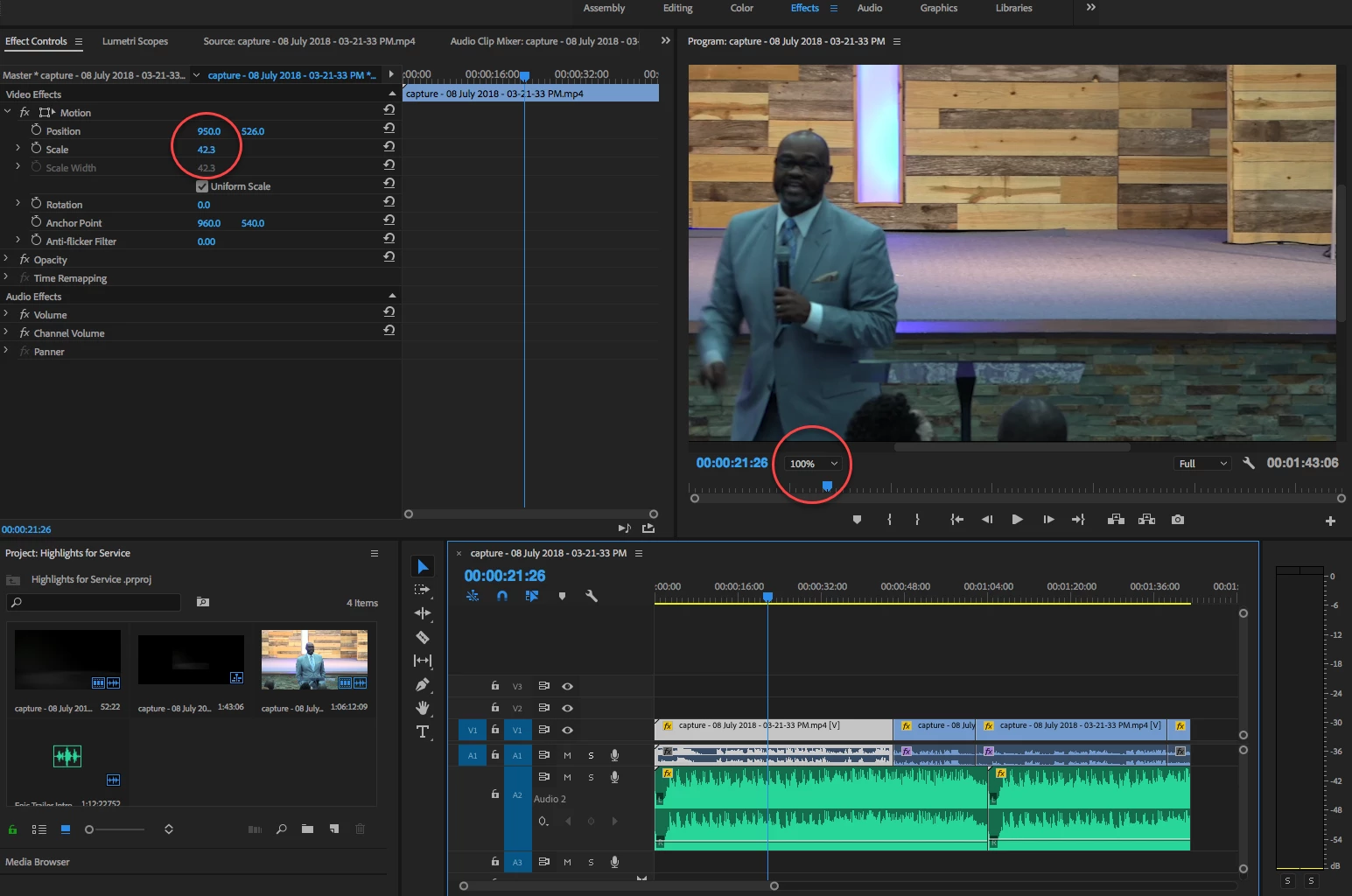
    You not only need to set the monitor to FIT but also need to scale your clip to 100%.
    4 replies

    Participant
    July 15, 2018

    PERFECT PERFECT....THANKS SO MUCH IT WORKED!!

    Ann Bens
    Community Expert
    Ann BensCommunity ExpertCorrect answer
    Community Expert
    July 15, 2018

    You not only need to set the monitor to FIT but also need to scale your clip to 100%.

    Participant
    July 15, 2018

    see how much screen is around the video

    Inspiring
    July 15, 2018

    You are monitoring the video in the Program Monitor incorrectly.

    Set the display to ”fit”, not 100%.

    Then you can restore the clips on the timeline to 100% scaling.

    MtD

    Participant
    July 15, 2018

    Thanks for you reply.

    R Neil Haugen
    Legend
    July 15, 2018

    How does it show in the Program monitor in PrPro?

    And a screen grab of that plus another of the clip properties from the project panel (click on clip in project panel, right-click then 'properties') would help a lot.

    I'm trying to check the frame-size of the original clip, and how it appears in the sequence.

    Neil

    Everyone's mileage always varies ...