


Participant
July 27, 2021
Question

Video Playback and Export contains glitching frames

  • July 27, 2021
  • 3 replies
  • 2800 views

I'm running 15.4.0 Premiere on my M1 macbook.


In my exports I am getting a glitch. Seen here
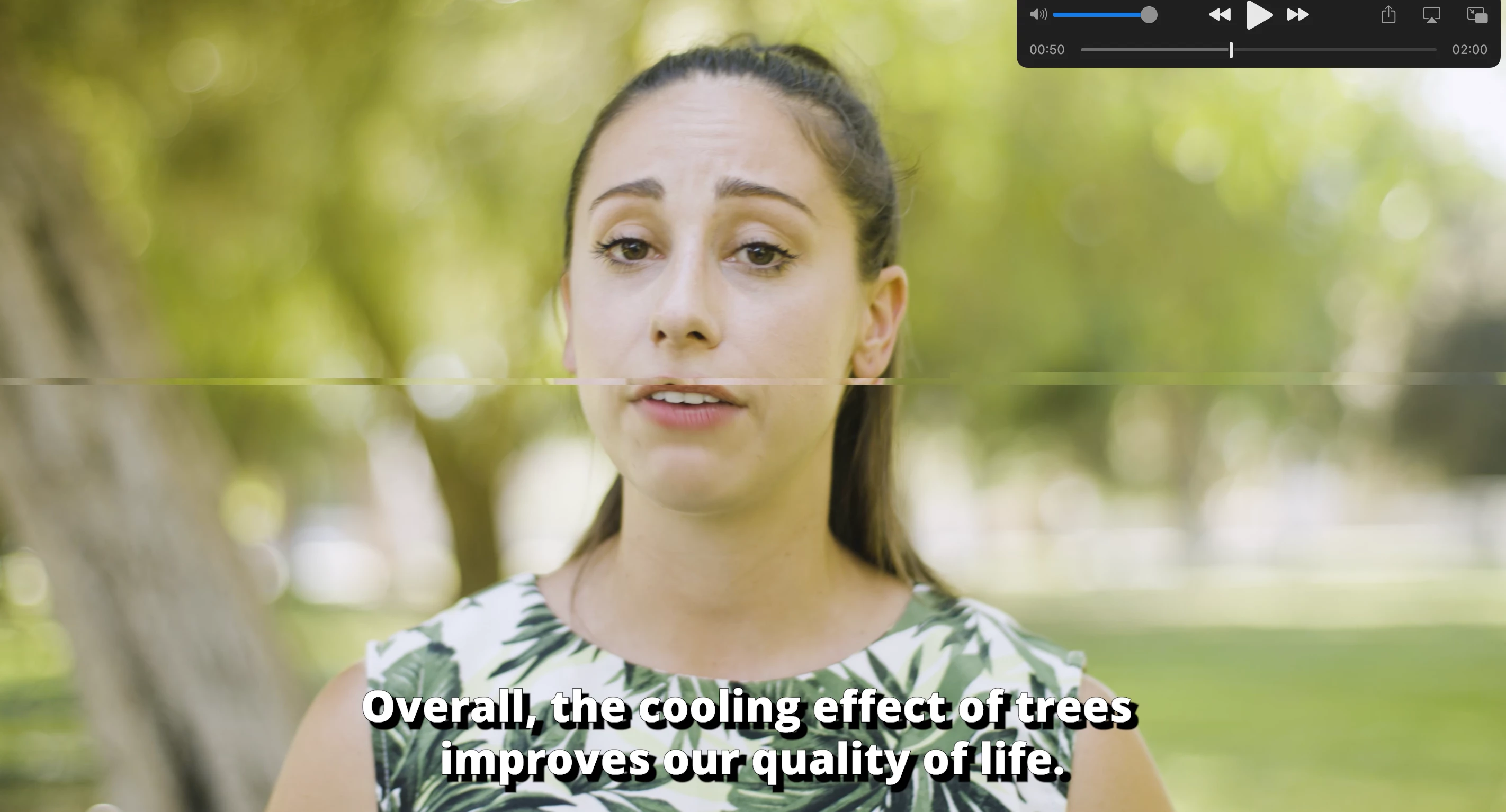
 

Its interesting becuase this glitch randomly occurs during playback when I'm editing in Premiere. The glitch only lasts a single frame.


I did have a work around where I would edit the footage in Beta and export it in Premiere Pro and it would render without any glitches,, But ever since Premiere Pro has now added full m1 support, I have found the Premiere Pro version to also export with these glitches. 

I have also tried Media Encoder and it too has produced these glitches. 


What could be caushing this? What can I do to export without these annoying gltiches! 


This topic has been closed for replies.

3 replies

Participating Frequently
August 25, 2021

Hi @erick66951936 @marko.38534620 @Doreen Collective @Snapiesworld ,


Sorry again for this issue. We have enabled Hardware Acceleration decode of HEVC/H264 4:2:2 10 bit on Mac ARM systems in the latest Premiere Pro Beta builds. We expect the issue to get fix in the latest beta build(starting from build 58). 

Please download the latest Premiere Pro Beta build from Creative Cloud --> Beta apps --> Premiere Pro (Beta)

https://helpx.adobe.com/x-productkb/global/creative-cloud-public-beta.html

You can have a look at the announcement here: 
https://community.adobe.com/t5/premiere-pro-beta/discuss-hardware-acceleration-decode-for-4-2-2-10-b...


Please let us know how it goes for you. Rest assured that we are actively monitoring this issue.


Thanks,
Mayjain

Participant
August 31, 2021

I am running the same set up as everyone above with the M1 Mac and the glitches both on the timeline within premiere and also when exporting. 

I can confirm that the beta version unfortunately does not resolve the issue when exporting. 

waiting with bated breath for a quick turnaround on a fix for this. 

Known Participant
August 31, 2021

Yea I can confirm running latest beta and still having glitch issues and wierd issue where it almost seems like the exposure is up and down.

really fed up with with premiere now looking at leaving for alternative software as this is a joke for £50 per month.

I can't see why the issue isn't resolving as previous version before 15.4 are ok.....


Participant
August 12, 2021

M1 glitching here as well. 
Both Premiere and Media Encoder. Mostly from Export. 
As the Beta is a new version, can't export the project in the rosetta version any more which used to work before. 
One format that glitches is tha Mac native screen recorded video. Flashing green, flickering.

Kevin J. Monahan Jr.
Legend
July 27, 2021

Hi Eric,

Sorry. Which camera are you using and what is the precise format? XAVC 4:2:2 10 bit? 4K? More info. You can download Media Info and screenshot the Tree View so we can see the contents of the clip firsthand. Please also include info about your computer.


Thanks,
Kevin

Kevin Monahan - Sr. Community and Engagement Strategist – Adobe Pro Video and Audio
Participant
July 27, 2021

THese clips are from a Sony a7s iii 


Here is the clip info! 


and here is the squence settings

Adobe Employee
August 6, 2021

Thanks for the details. We're currently investigating a similar issue. Would you mind transcoding the media files using any external transcoder like Handbrake & check if the transcoded files are working properly in Premiere?


Thanks,

Sumeet