


Participating Frequently
March 20, 2021
Question

VIDEO PLAYBACK PROBLEMS

  • March 20, 2021
  • 2 replies
  • 462 views

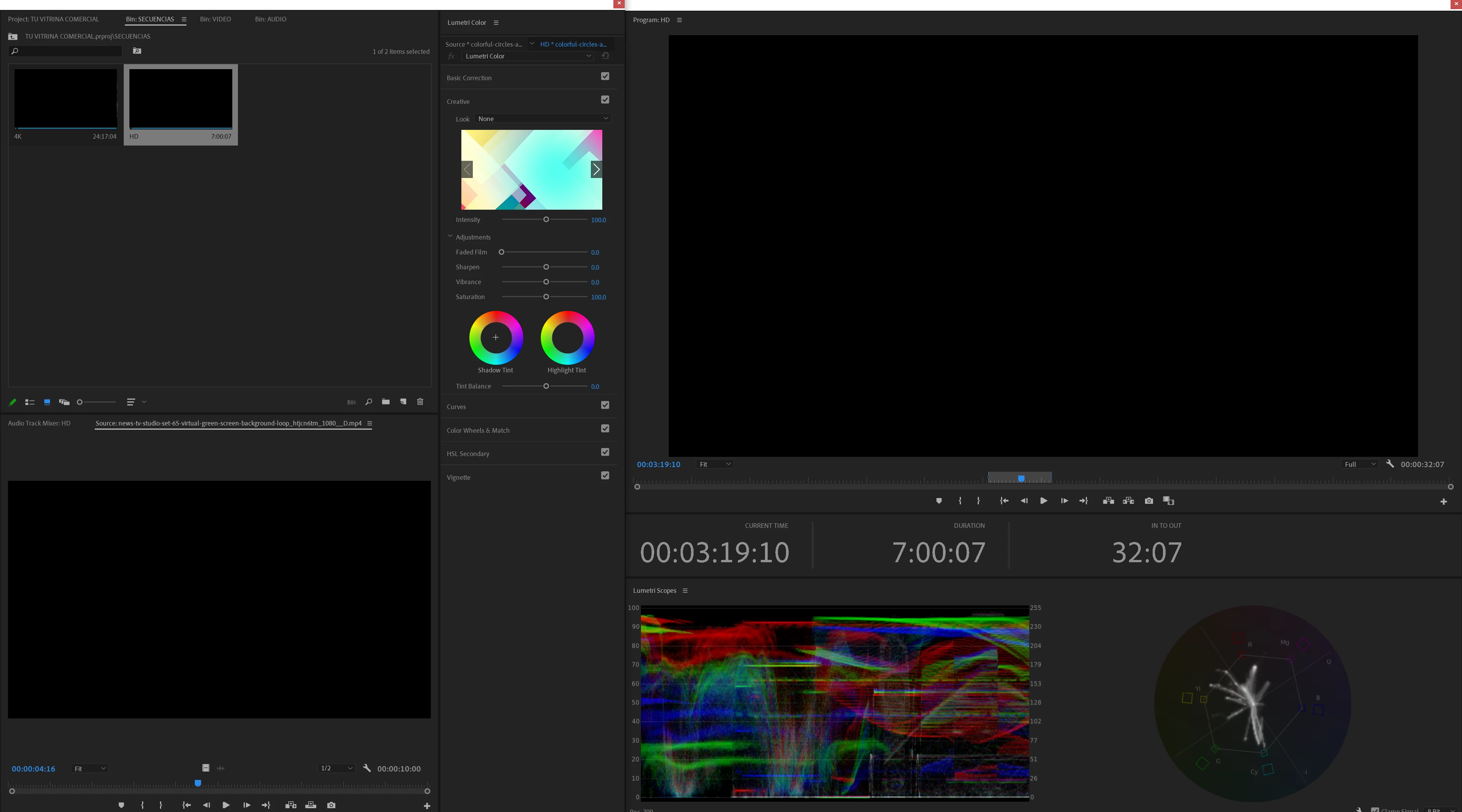
Since the last version 2021, while working on a project, the images are lost.
The program monitor video and the (reference monitor) window go black.

I have to restart the program very often for everything to work again.
 

This topic has been closed for replies.

2 replies

Peru Bob
Community Expert
Community Expert
March 21, 2021

Delete the Media Cache and Media Cache files:
https://community.adobe.com/t5/premiere-pro/faq-how-to-clear-your-media-cache-in-30-seconds-in-premiere-pro-2020/m-p/11017257/thread-id/260446?page=1

If that doesn't work,try resetting the preferences:
https://community.adobe.com/t5/premiere-pro/faq-how-to-reset-trash-preferences-in-premiere-pro/td-p/8236158?page=1

If that doesn't work, try resetting the Workspaces:
Reset a workspace
Reset the current workspace to return to its original, saved layout of panels.
1. Do one of the following:
• Click the Workspace menu icon and select Reset to Saved Layout.
• Choose Window > Workspace > Reset to Saved Layout.
from here:
https://helpx.adobe.com/premiere-pro/using/workspaces.html

If that doesn't work, try Preferences > Audio Hardware and set Input to None.

If that doesn’t work, try updating or rolling back your graphics driver directly from the video card manufacturer’s site. If NVIDIA, do a clean install of the latest Studio Driver (NOT the Game Driver).

If that doesn't work, try creating a new project and import the old one into it.

Also, please help us help you:
https://community.adobe.com/t5/premiere-pro/faq-what-information-should-i-provide-when-asking-a-question-on-this-forum/td-p/3929027?page=1

Participating Frequently
March 22, 2021

Thanks. But none of that worked.

Peru Bob
Community Expert
Community Expert
March 22, 2021

What are the complete computer specs, including hard drives (how many, what kind, what is on each, what capacity, and how full)?

If NVIDIA, which driver are you using (type and number)?

Community Expert
March 21, 2021

reset the preferences