


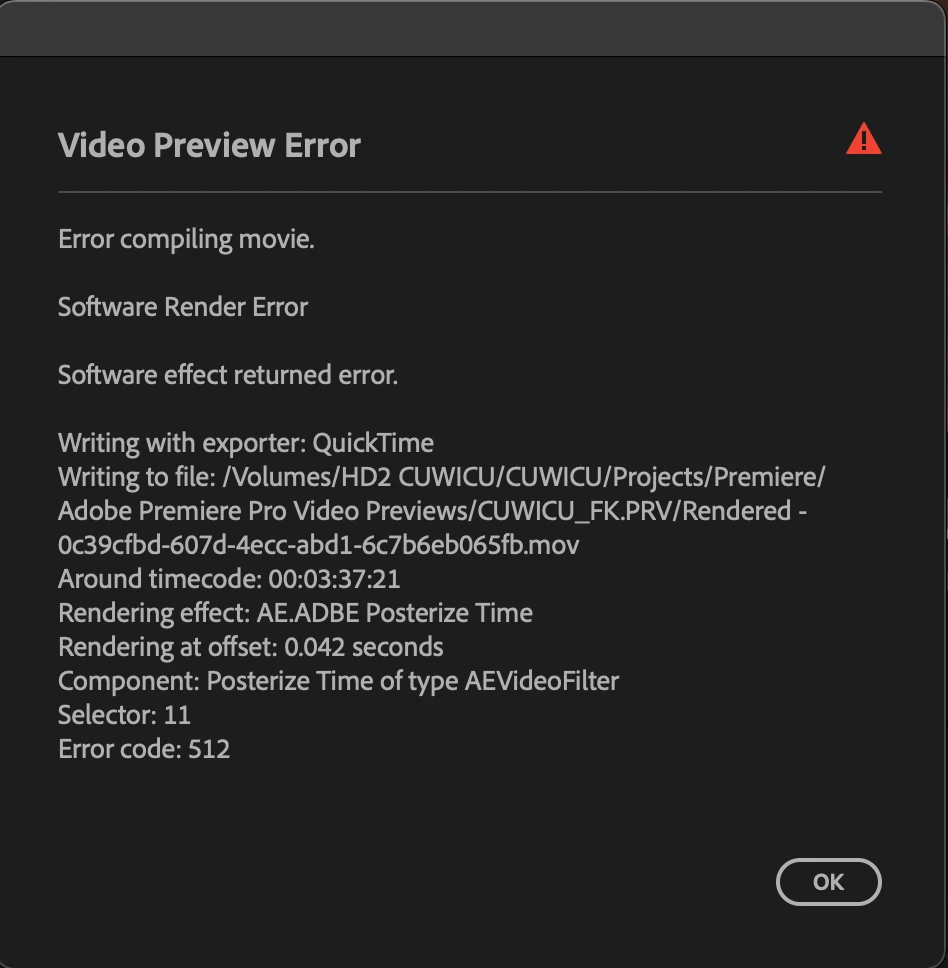
Video Preview Error v25
Premiere Pro 25.1.0
Macbook Pro 2021 M1 Max with 64GB RAM OS Sequoia 15.3
I keep getting rendering errors on multiple projects since I've updated to v25. The current project I'm working on has green screen and multiple effects including 'Posterize Time'. I need these clips to render with the effects on because it is a music video for a client. Although when I deactivated 'Posterize Time' on several clips that didn't make a difference in whether those clips were able to be rendered. Also everytime I try to render and I get the error the timecode it references is at a different spot, that seems to either be a completely blank spot in the video with no clips or a clip that doesn't have effects on it.
I am on really tight deadlines and I'm losing it. Never encountered this until I updated to the new Premiere version. This is also happening in a completely different project with effects. I've tried updated my OS, updating premiere, uninstalling and reinstalling premiere, clearing the cache, changing the export encoding settings from 'hardware' to 'software', yada yada. Here's the error code I screenshotted although the error code number and details have changed as I've been troubleshooting and trying to render (it has also said GPU render error). Any help would be appreciated I need this solved ASAP.
 AdChoices