
Participant
August 17, 2025
Question

Video preview is too small when editing 9:16

  • August 17, 2025
  • 3 replies
  • 454 views

I recently got back into using Premiere Pro after spending some time editing in the free version of CapCut. I definitely prefer editing in Premiere Pro, but I’m running into an issue: when working in a 9:16 format on my MacBook, the video preview feels way too small to see clearly.

At work, I usually edit on a larger screen and then it feels fine, but on a laptop it’s uncomfortable. I’ve tried rearranging the video preview panel in different parts of the workspace, but that just makes other panels (like the timeline) too cramped.

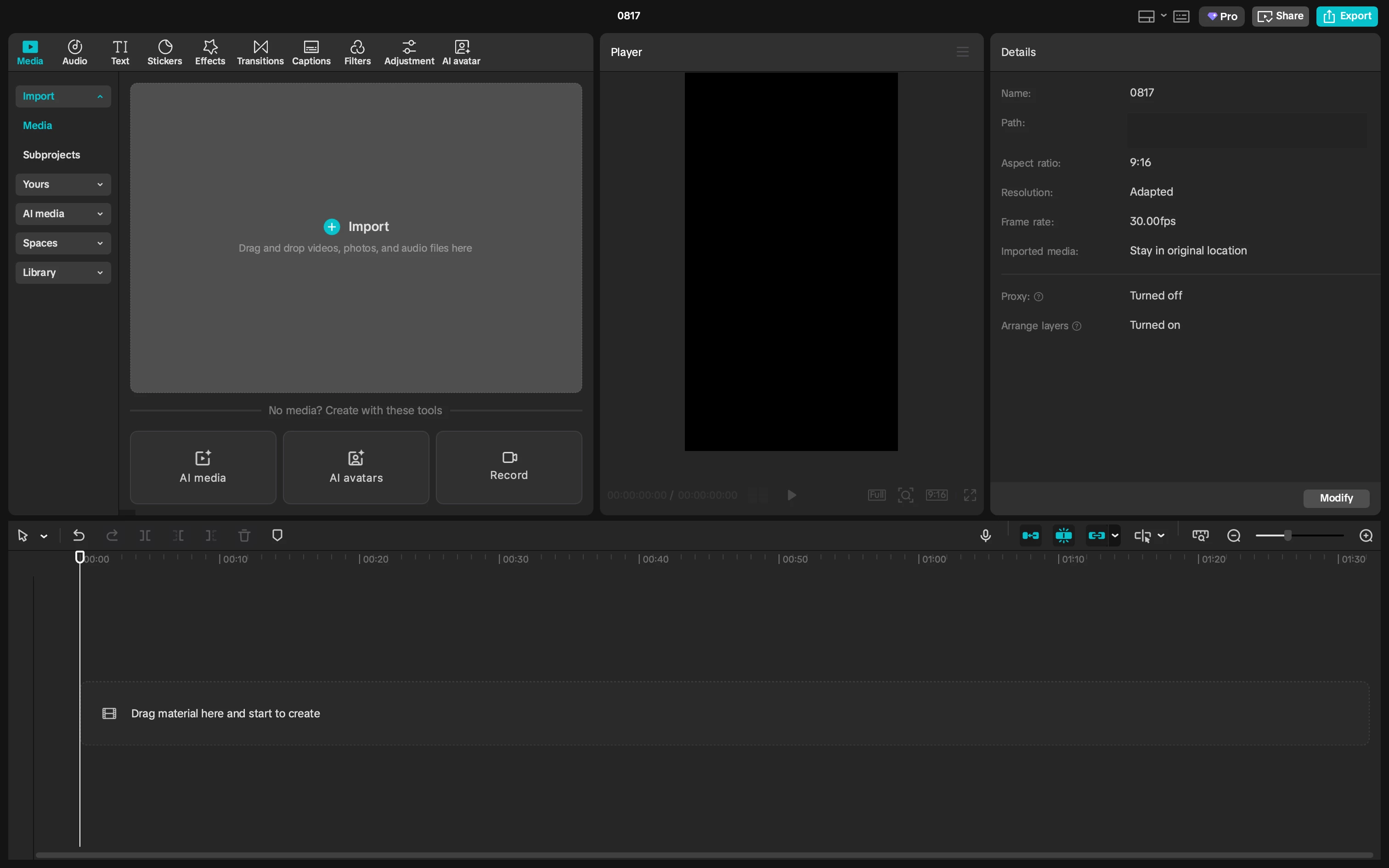
I took a screenshot of CapCut’s layout to show how the video preview stays large even when other panels are big. 
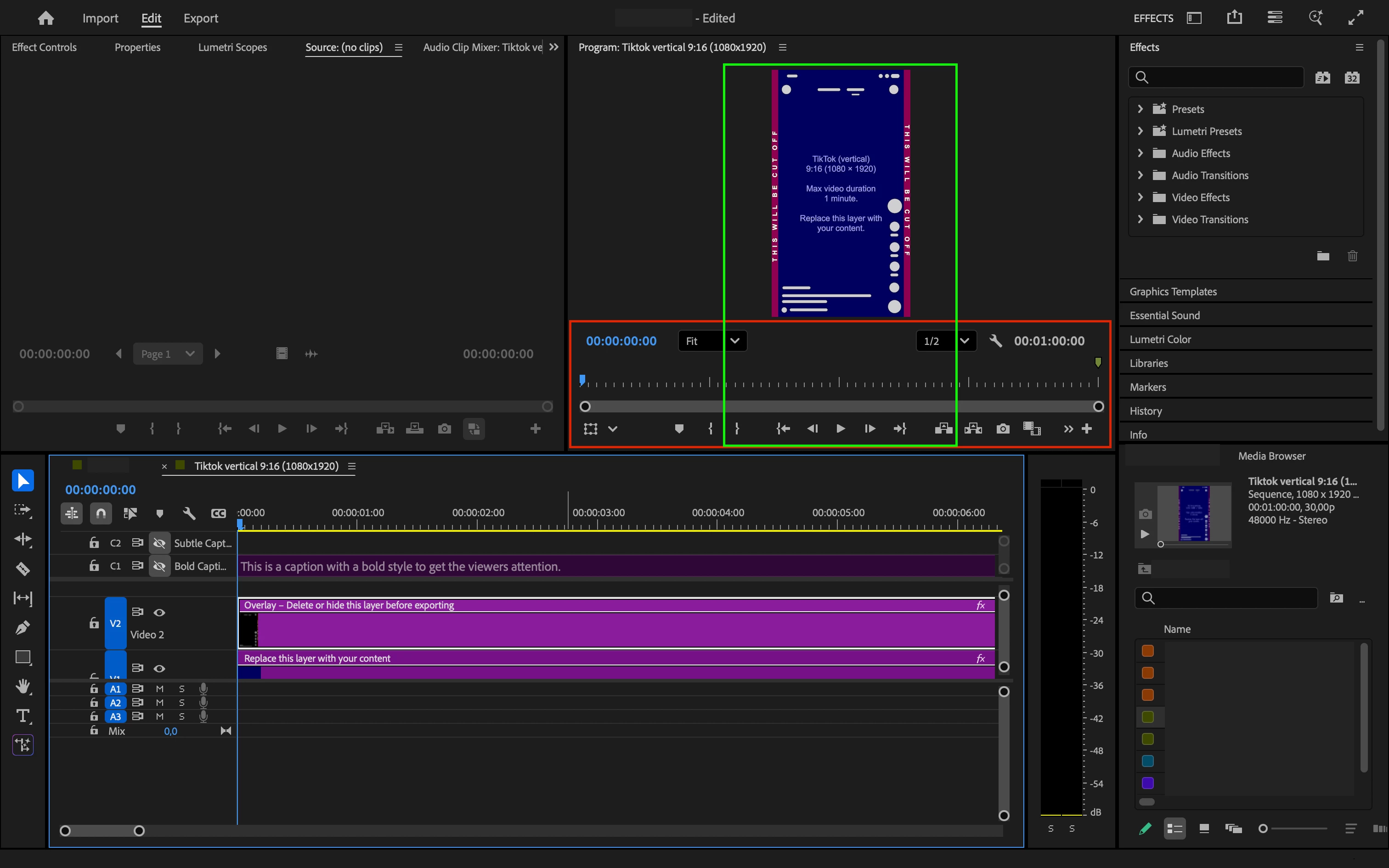
I marked up my Premiere workspace to easily reference what I’m talking about. Is there a way to shrink the red-outlined area I drew to free up more space for the video preview?
3 replies

caroline_edits
Community Manager
Community Manager
August 20, 2025

Hey Madelen, thanks for the feedback!

We offer a workspace called "Vertical" that we set up to be more efficient for editing vertical video. Here's an article that can teach you everything about workspaces: https://adobe.ly/4oLtjpD


And a YouTube video that can show you how to switch workspaces: https://adobe.ly/477URiM


Hope this helps!

Caroline

Stan Jones
Community Expert
Community Expert
August 17, 2025

@Madelen Valmy28277385vyht,


You reminded me that I have not run PR on my Surface Pro for some time.


Win 11, Surface Pro 7, 2736x1824 12 inch screen running PR 25.4.0. 


It works well enough for my limited travel editing. But editing any footage on a high resolution, small size monitor is challenging. And editing vertical footage is worse.


I found the "Vertical" Workspace best: the Program Monitor is full-height on the right. And I tried a custom variation on the Essential Workspace with the Program/Source Monitors group moved to the right. When I need the Program monitor resolution, I'd use Vertical. When I want the timeline in priority, I switched to the custom.


Stan


Inspiring
August 17, 2025

you could set up an appropriate worksapce for this purpose: