Inspiring
February 28, 2019
Answered

Video preview rendering in 4k ?

  • February 28, 2019
  • 4 replies
  • 3915 views

Hi,

Premiere Pro natively renders video previews in 1080p, is there a way to render them in 4k ?

    This topic has been closed for replies.
    Correct answer jpheiser

    Previews are rendered at the resolution specified in your sequence settings, and the default is for the preview to match the format of the timeline.
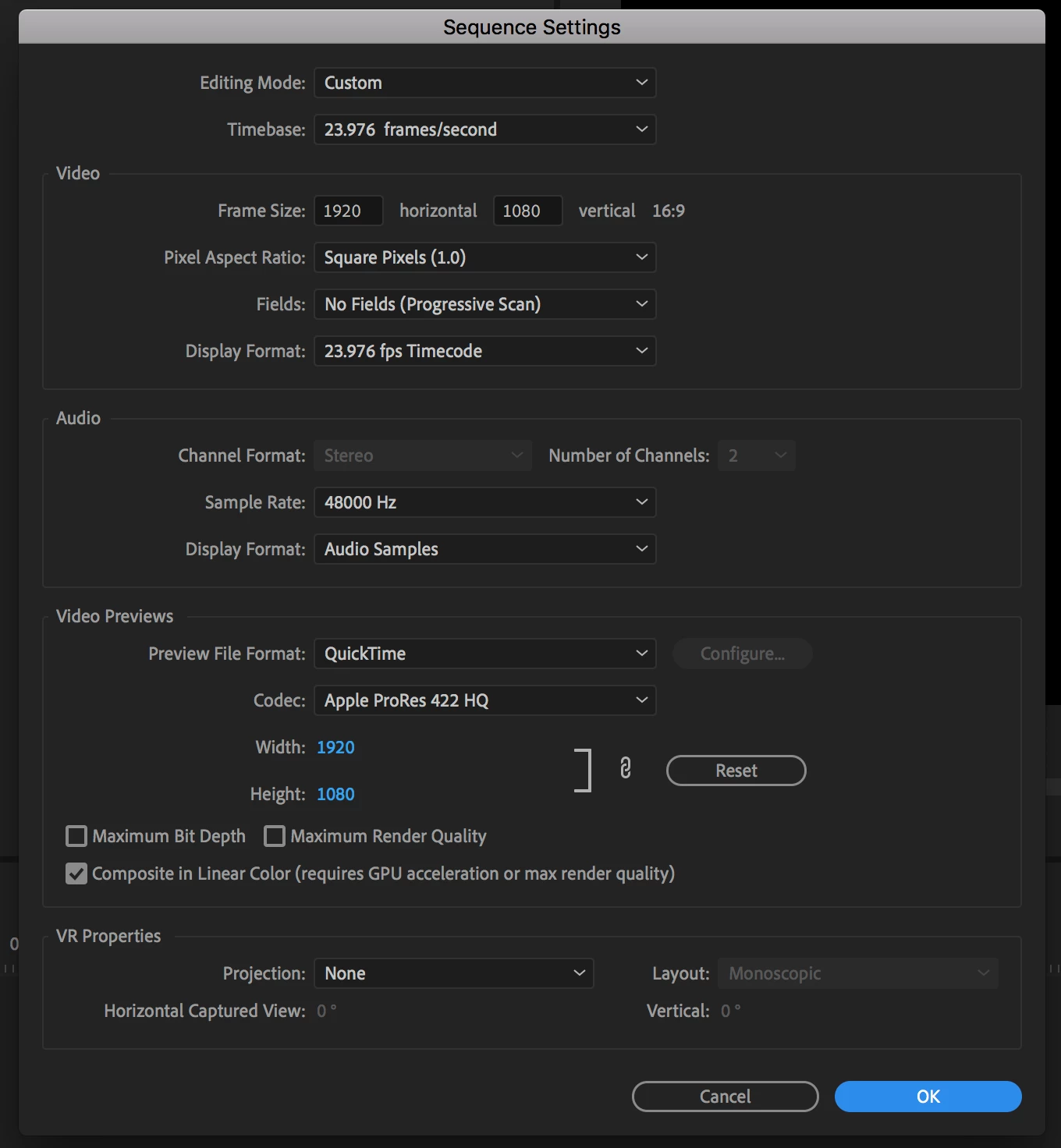
    So a 1920x1080 timeline makes previews at 1920x1080. The easiest way to get 4k previews is to work in a 4k timeline. I suppose you could setup a 1080 timeline to make UHD previews, but I can't imagine why. If you want to make an HD video into UHD, there are probably better ways.

    John Heiser

    Birmingham, AL

    4 replies

    Inspiring
    May 14, 2019

    Ah okay I found the solution, I had to change the editing mode to "Custom" in order to change the codec in order to change the dimensions

    robertd28359942
    Participant
    January 19, 2020

    thank you!!!!!!

    Inspiring
    May 14, 2019

    Well here for instance I work in a 4k sequence but the video preview settings do not allow me to set them at more than 1080...

    Ann Bens
    Community Expert
    Community Expert
    February 28, 2019

    Change the preview codec to e.g. cineform.

    jpheiser
    jpheiserCorrect answer
    Participant
    February 28, 2019

    Previews are rendered at the resolution specified in your sequence settings, and the default is for the preview to match the format of the timeline.

    So a 1920x1080 timeline makes previews at 1920x1080. The easiest way to get 4k previews is to work in a 4k timeline. I suppose you could setup a 1080 timeline to make UHD previews, but I can't imagine why. If you want to make an HD video into UHD, there are probably better ways.

    John Heiser

    Birmingham, AL