
Video quality in sequence more washed out than original clip
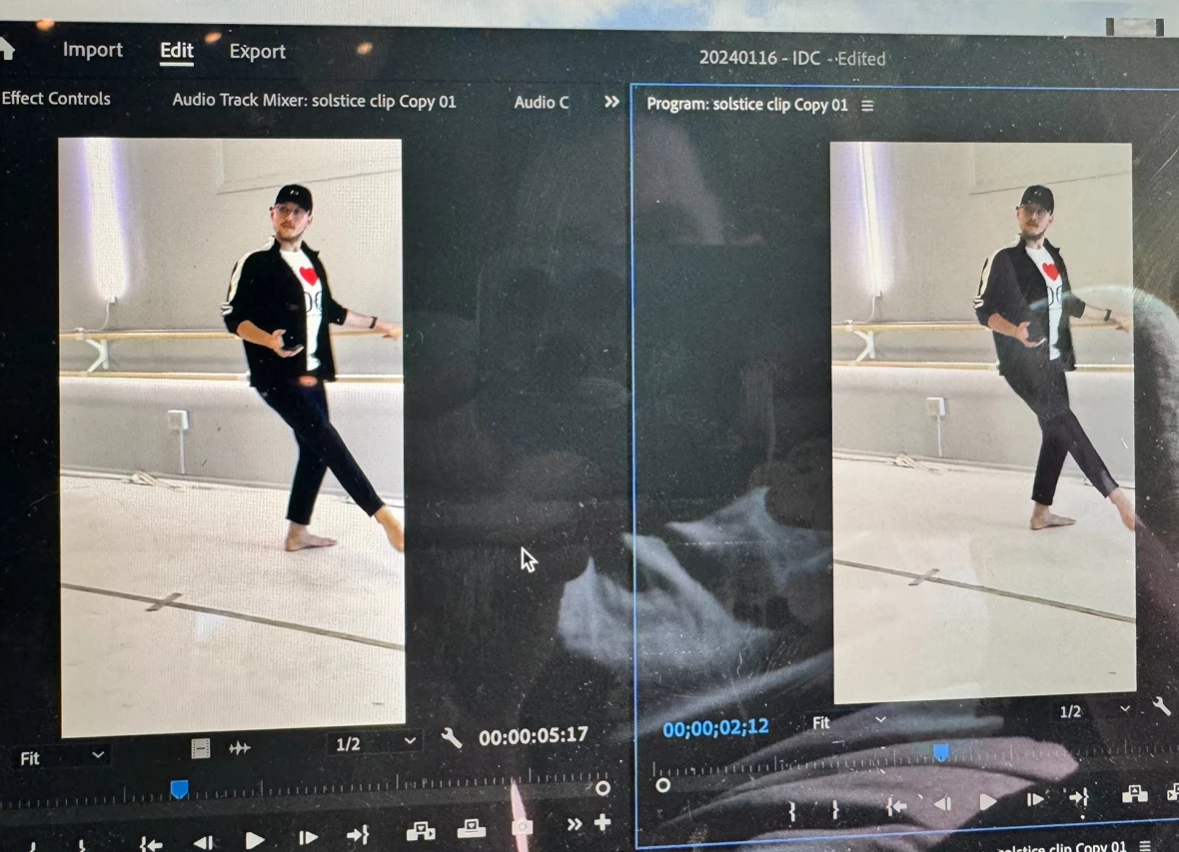
Hello! I am newish to Premiere and am having an issue with video quality not matching the original clip that I import into my sequnce. I am shooiting footage on an iPhone 15 pro, cinematic mode, 4k at 30fps. As I hope you can see in this picture (it's much more obvious in person), the original source clip on the left is much more vibrant than the clip in the sequnce (clip on the right). In the sequnce, it looks much flatter and overall just doesnt look nearly as good as the original clip from my phone. I've adjusted color spaces and this is the closest i can get it to looking good, but still is a downgrade from the source clip. Is there any way of importing it so it looks identical to the source? Any help would be greatly appreciated! Thank you!


 AdChoices