
Participating Frequently
October 10, 2017
Answered

Video too discolored to color correct?

  • October 10, 2017
  • 1 reply
  • 1576 views

Hi - I recently purchased a sort of "dash cam" in an attempt to do my own carpool karaoke videos. However, after reviewing the footage, it's obvious why the price was so low! The color is way off, very purple-y. I have messed with a few different settings/effects in Premiere Pro CC, but it seems like trying to fully color correct this video is simply not possible - I can get rid of the purple, but then everything else looks weird.
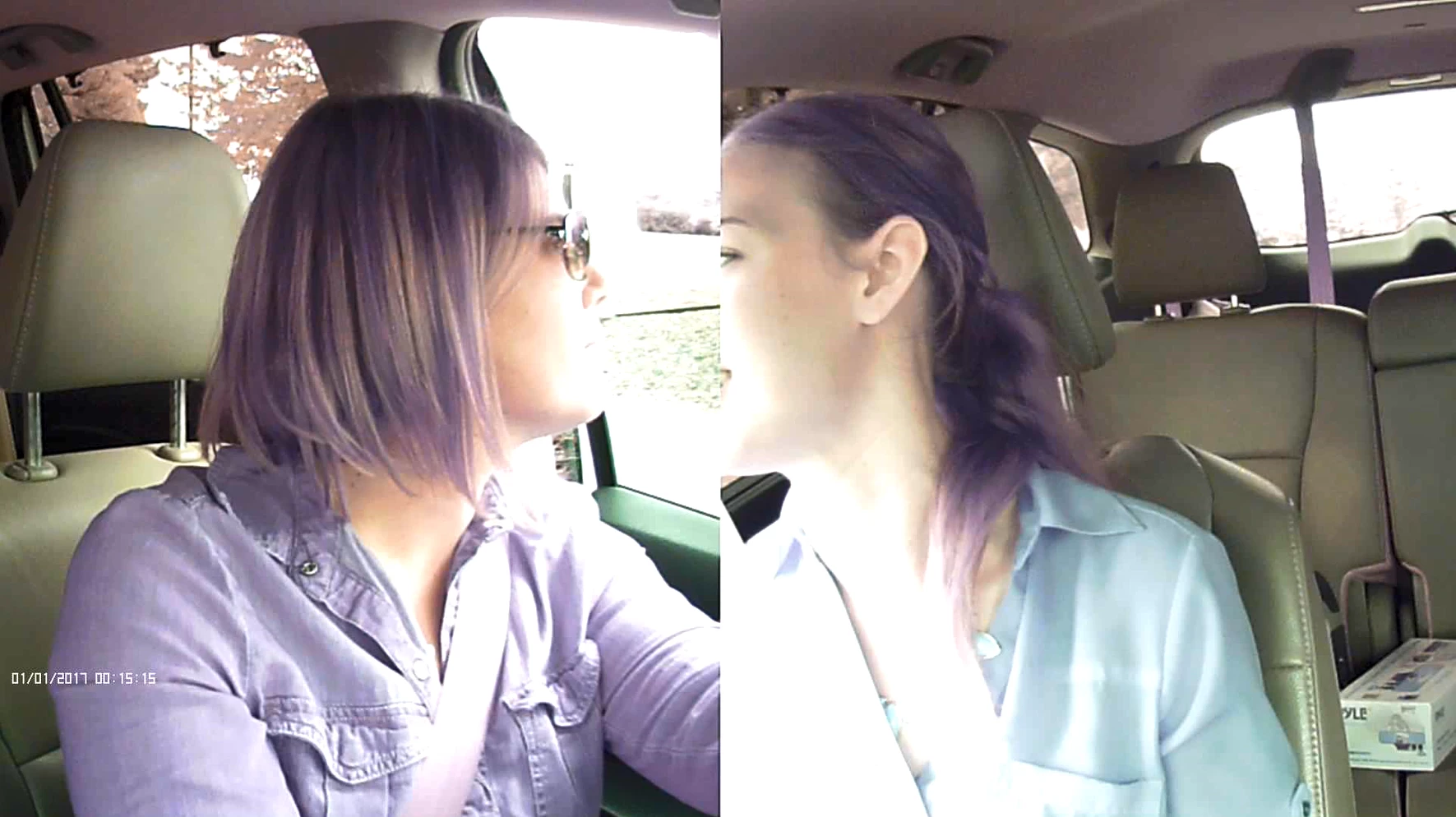
I'm reaching out to see if perhaps there is something I'm missing, or to see if I'm correct in thinking we will just have to deal with the color or purchase a better video camera. Thank you in advance for your help!
This topic has been closed for replies.
Correct answer Warren Heaton

Exposure issues aside, it looks like there is something wrong with RGB sensor in the camera.  Does the device have a warranty?  Or was the camera purchased "as is"?

You could try shooting with a color chart to isolate which hue is shifting and then correct just that (it's probably green), but you really want better source footage to work with if you can't find a setting that prevents the shift in the hue to begin with.


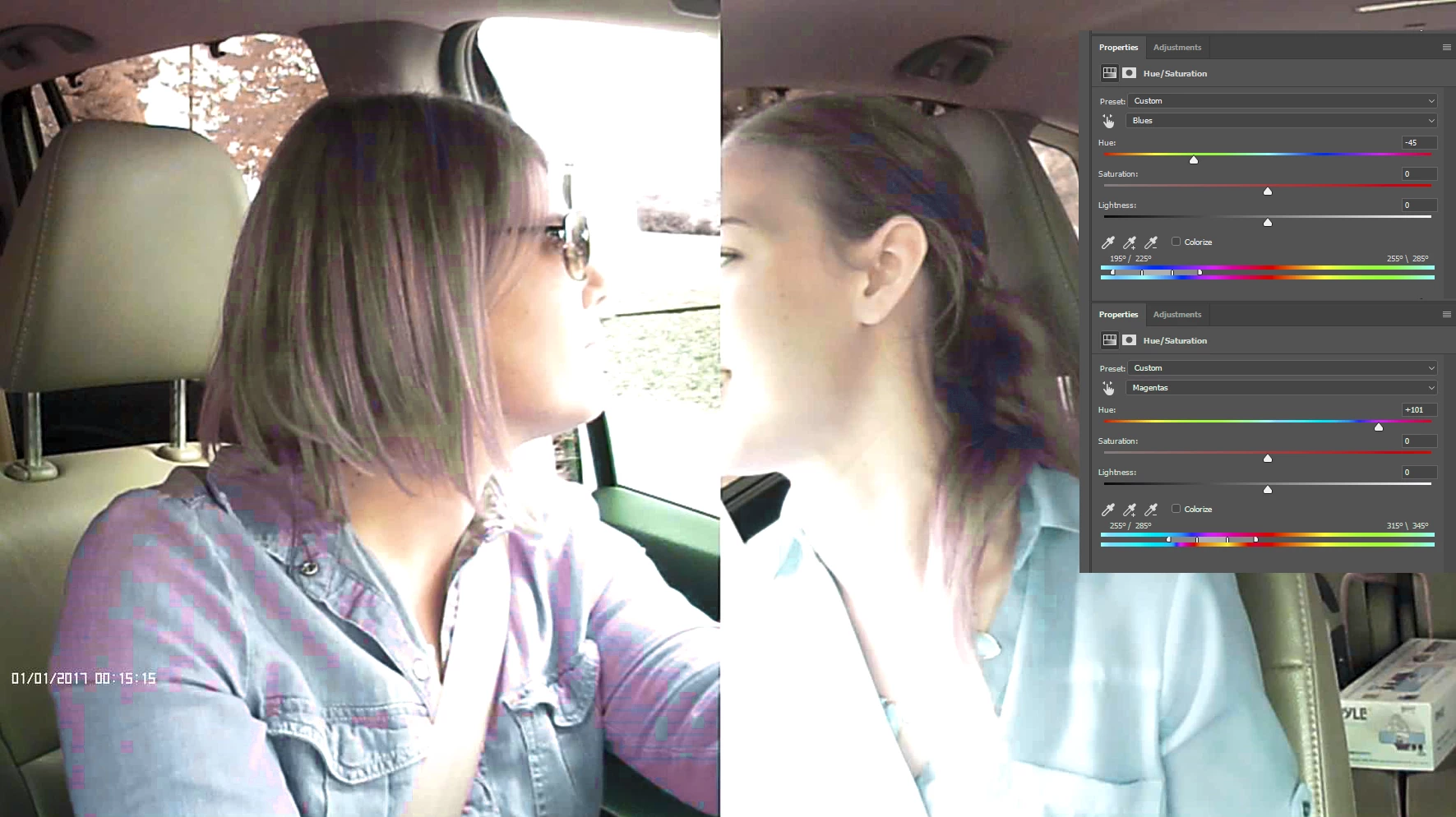
Yeah, Magenta and Blue.  I'm not sure it'll hold up to color correction.  Even just adjusting the Magenta and Blue in Photoshop revealed the macro-blocks in the footage.

1 reply

R Neil Haugen
Legend
October 10, 2017

Looking at this, you've got two problems ... first, the auto-exposure is set to get better results with someone WAY away from the window, like .. the middle of the back seat. The driver ha just blown-out clipped whites on large sections of the face & left side. And the passenger has the same issue.

That's worse than the color, as there's no correction for it at all.

And yea, color's off, but ... maybe correctable.

However, given the exposure issues, take that puppy back.

Neil

Everyone's mileage always varies ...
jasontcox
Inspiring
October 10, 2017

Basically, everything Neil said. But ha, I gotta laugh because that is a CRAZY purple tint it adds. Again, maaaaaybe with some annoying secondary color correction that would take a bit of time you might fix that part, but the exposure is toast and essentially unfixable Unfortunately!

Participating Frequently
October 10, 2017

Hi Jason! Isn't it so weird?? And it really seems to mostly affect the hair - my shirt color is reflected pretty accurately.

I will mess with the exposure tomorrow. Is the color correction something I could theoretically apply over the whole video and be fine? It hasn't worked well so far, but maybe with the exposure fixed it would be better. If I could find a color correction setting that works and apply it to all our future videos, this might work, but it seems like it might not be worth the hassle.

Thank you for your reply!